The easiest way to manage X (Twitter) as a team or agency
Growing an engaged X (Twitter) community? Choose the most collaborative social media management tool, HeyOrca. Work as a team to schedule, publish, and report on your X content.

Add unlimited users to your HeyOrca account for free
Tired of being charged per user? And paying extra to connect your X account?
HeyOrca Basic and Pro come with unlimited users and an X integration at no extra cost.

Plan and automatically publish content to X (Twitter)
The most efficient way to build
an engaged community on X (Twitter)
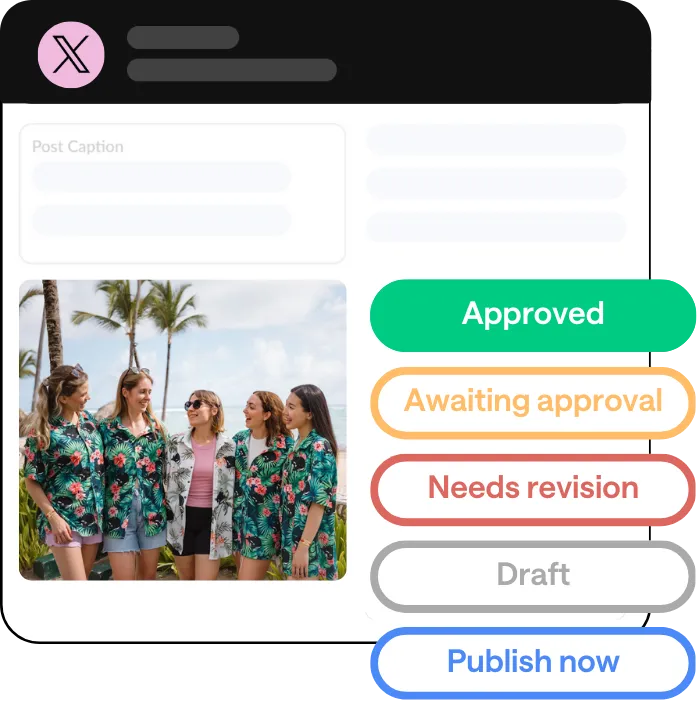
Need client approval?
HeyOrca makes it easy for everyone
Analyze your X (Twitter)
performance with HeyOrca Pro
Generate client-friendly social media reports in seconds.
%20Reports%20Social%20Media.webp)
Need advanced reporting tools? We have those too!
Boost your agency or team's credibility by adding your logo to your X report.
Frequently asked questions
Does HeyOrca integrate with X (Twitter)?
Yes, HeyOrca supports X in addition to YouTube and YouTube Shorts, Instagram, Facebook, LinkedIn, Pinterest, Threads, TikTok, and Google Business Profile.
Does HeyOrca’s X (Twitter) scheduler have an approval workflow?
Yes, HeyOrca Basic and HeyOrca Pro include a social media content approval system. Clients and stakeholders can approve your X (Twitter) content without logging in. Once your post(s) have been approved, HeyOrca will automatically publish them at the time and date you set.
Can I schedule X (Twitter) videos and GIFs with HeyOrca?
Yes, social media marketers use HeyOrca to publish videos and GIFs to X (Twitter). You can also use HeyOrca to post text posts, links, images, and reposts to X accounts.
Can I manage multiple X (Twitter) accounts in HeyOrca?
Yes, HeyOrca lets you manage multiple X accounts. Each HeyOrca calendar supports up to 10 social profiles. You can connect up to 10 X accounts, or mix X with other platforms like Facebook, Instagram, YouTube, and LinkedIn.
Can I draft, review, and approve X (Twitter) posts before publishing?
Yes! In HeyOrca, there are five stages you can assign to your post(s): Draft, Awaiting Approval, Approve, Revise, and Publish Now. When you’re ready to get content approved, simply select your post(s) and generate a shareable link. Your clients or stakeholders will use the link to approve, reject, or leave feedback on posts without logging in. When your content is marked as approved, HeyOrca will automatically publish your post(s) on the schedule you set.
Does HeyOrca support X (Twitter) analytics and reports?
Yes, HeyOrca supports X analytics and reports. Social media marketers use HeyOrca to report on follower growth, likes, impressions, reposts, and more. HeyOrca also supports AI-powered report summaries so you can speed up data analysis, custom reports so you can compare your cross-channel performance, and automated reports so you can schedule reports to be emailed to your stakeholders.
Can I see X (Twitter) content alongside other social channels in my calendar?
Yes, in HeyOrca, you can see your X posts on your social media content calendar alongside your posts for YouTube, Instagram, Facebook, LinkedIn, Pinterest, Threads, TikTok, and Google Business Profile.
How do I connect my X (Twitter) account to HeyOrca?
To connect your X (Twitter) account to HeyOrca, first ensure you are logged in to the correct account in a separate browser tab. Then navigate to your HeyOrca calendar settings. Click Add Account, then X Account. Follow the on-screen prompts to grant HeyOrca permission to publish your posts to X.