10 SEO and AEO tools for social media managers (Free & paid)
.png)
Discover the best SEO and AEO tools for social media managers. Explore free and paid tools for keyword research, AI search, site audits, and more.
There are hundreds of SEO tools out there.
With so many choices it's hard to figure out which is best for you.
But here's a tip: if you're a social media manager, you probably don't need an enterprise-level SEO stack.
You just need the right tools to help you find content ideas, optimize your articles, track performance, and understand how people are discovering your brand.
To help you out, we've rounded up our favourite free and paid SEO and AEO tools – including what each one is best at – so you can spend less time researching and more time creating content.
Best for keyword research
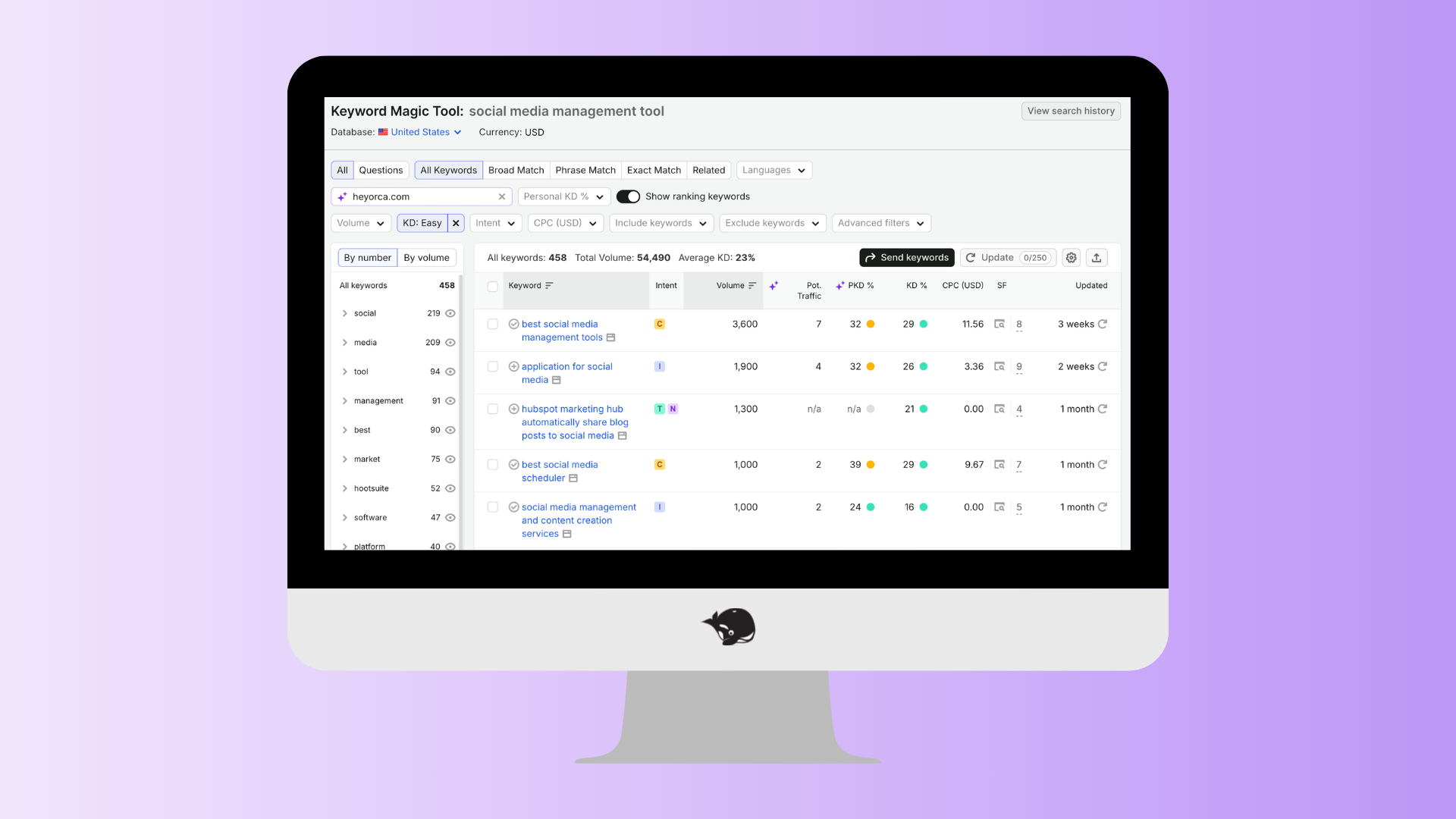
Semrush Keyword Magic Tool
Best for: Finding keywords your community is actually searching for.
Every great piece of SEO content starts with understanding search intent. Semrush's Keyword Magic Tool makes that easy by helping you discover keywords related to your topic, along with search volume, keyword difficulty, and related questions.
Whether you're planning your next blog, webinar, landing page, or YouTube video, it's one of the fastest ways to validate your ideas before you start writing.
What we like
- Hundreds of keyword ideas
- Question-based keyword suggestions
- Search volume and keyword difficulty data
- Easy filtering by intent and topic
- Great for finding long-tail keywords
Orca tip: Look for keywords with a Keyword Difficulty (KD%) below 49%. If you can find opportunities in the green range (under 29%), even better – they're often easier to rank for.
Best for planning your content strategy
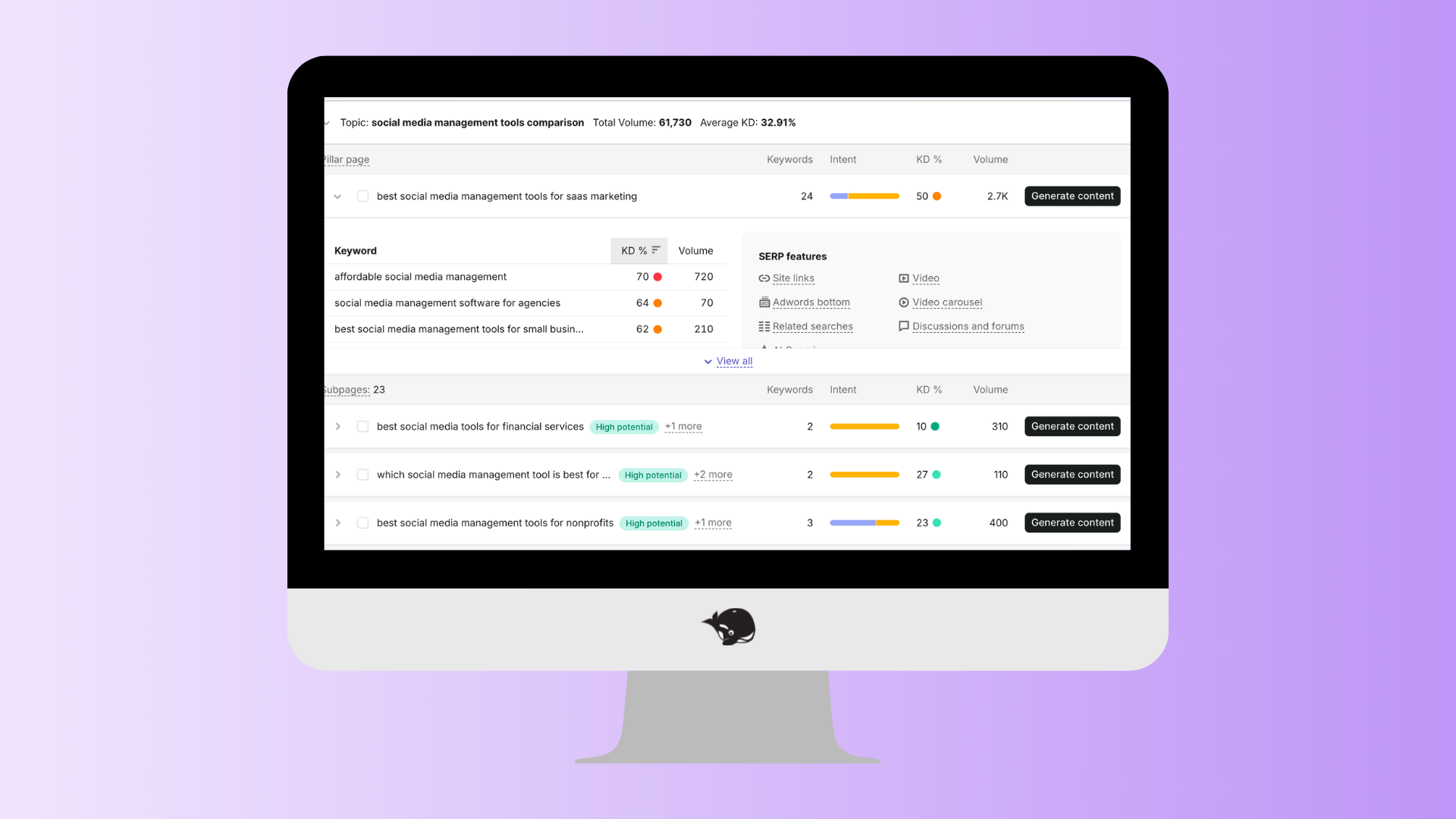
Semrush Keyword Strategy Builder
Best for: Organizing keywords into pillar pages and topic clusters.
Finding keywords is one thing. Knowing how they fit together is another.
Keyword Strategy Builder groups related keywords into content clusters, helping you plan pillar pages and supporting articles that build authority around a topic instead of chasing individual keywords.
This is especially helpful if you're building an SEO content calendar or refreshing your blog strategy.
What we like
- Automatically groups related keywords
- Suggests pillar page opportunities
- Helps avoid keyword cannibalization
- Makes long-term content planning much easier
Orca tip: Export your favourite keywords from Keyword Magic Tool first, then add your strongest five to Keyword Strategy Builder to start building your content roadmap.
Best free SEO tool
Google Search Console
Best for: Understanding how people find your website.
If we could only recommend one free SEO tool, this would be it.
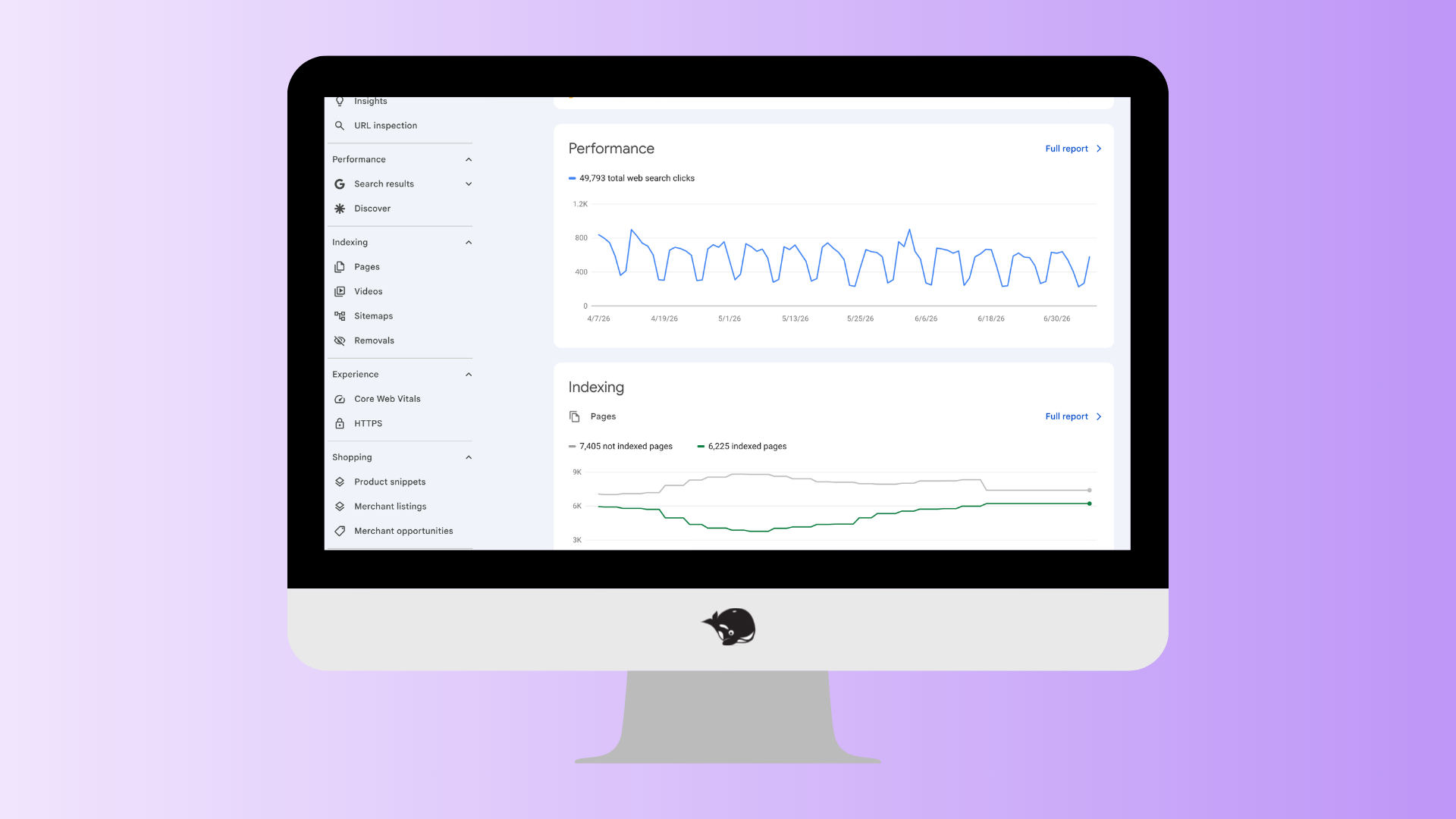
Google Search Console shows you exactly how your website is performing in search. You can see which pages get the most impressions, what keywords people searched before clicking, and whether your content is actually ranking for the terms you intended.
It's also one of the easiest ways to monitor your SEO progress over time.
What we like
- Completely free
- Submit new pages for indexing
- Track clicks, impressions, and rankings
- Discover unexpected keyword opportunities
- Monitor technical issues affecting your website
Orca tip: After publishing a new blog, request indexing in Google Search Console to help Google discover it faster. Then compare the keywords you're ranking for with the keywords you intended to target. If they don't match, it may be time to update your content.
Best for finding FAQs
Also Asked
Best for: Discovering the questions your community is already asking.
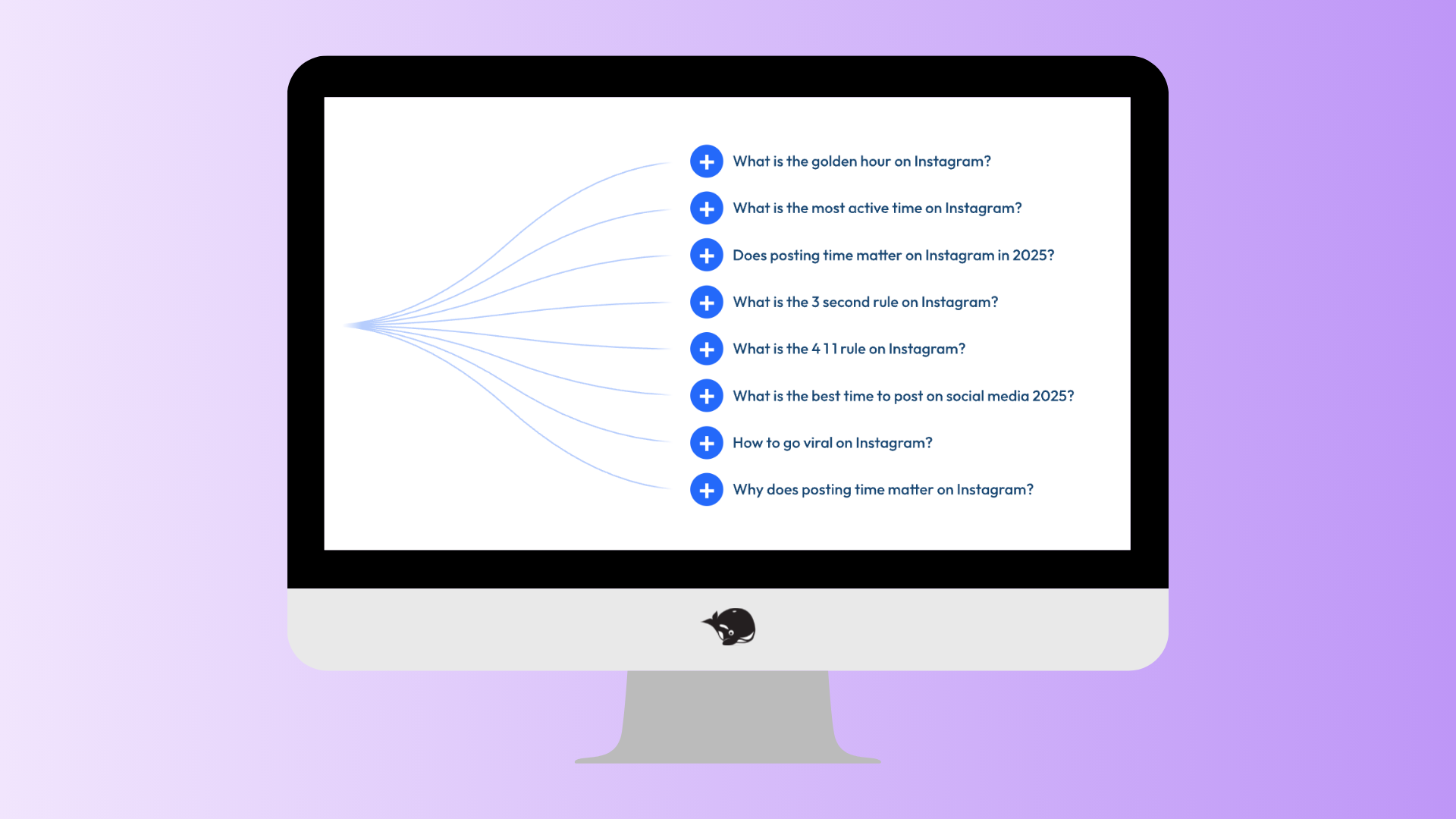
Also Asked helps you uncover the follow-up questions people search for after their initial Google query. These questions make fantastic H2s, FAQ sections, and even ideas for future blog posts.
It's one of our favourite tools for improving both SEO and AEO because AI search tools love content that directly answers real questions!
What we like
- Excellent source of FAQ ideas
- Helps uncover search intent
- Great for featured snippets
- Perfect for building question-based headings
Orca tip: Aim to answer up to six relevant questions at the end of each blog. Keep your answers short and direct to improve your chances of appearing in featured snippets and AI-generated responses.
Best Chrome extension
Keywords Everywhere
Best for: Quick keyword research while you browse.
If you don't want to keep switching between browser tabs, Keywords Everywhere is a great time-saver.
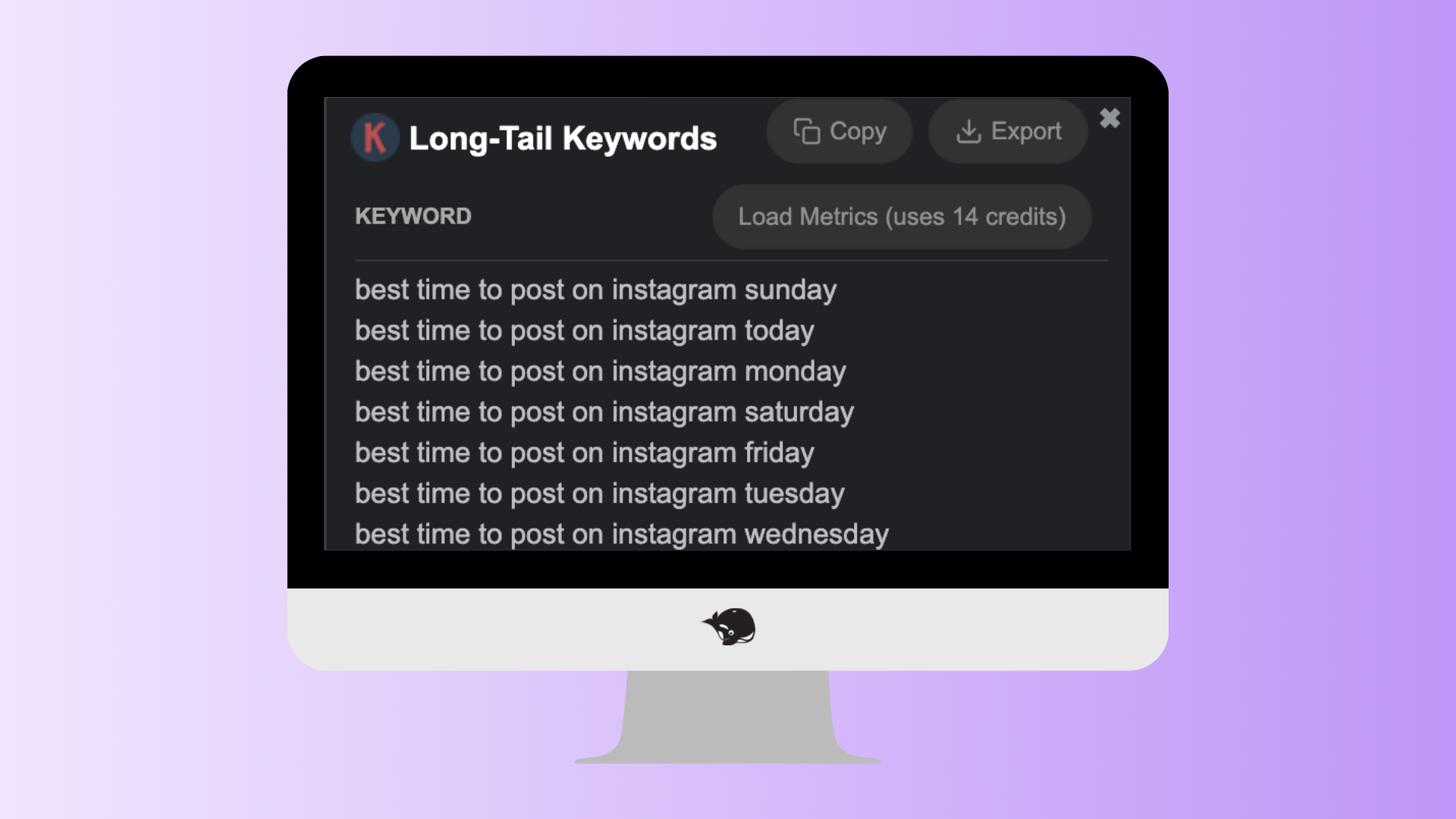
The Chrome extension adds keyword data directly into Google and YouTube search results, making it easy to discover related searches, search volume, and keyword ideas as you research.
What we like
- Works inside Google Search
- Shows related keywords instantly
- Great for brainstorming content ideas
- Helpful for YouTube research too
Orca tip: Use it while researching blog and video topics to quickly identify long-tail keyword opportunities without opening another platform.
Best for YouTube SEO
vidIQ
Best for: Optimizing YouTube videos.
If webinars, tutorials, or educational videos are part of your content strategy, vidIQ can help you get more eyes on them.
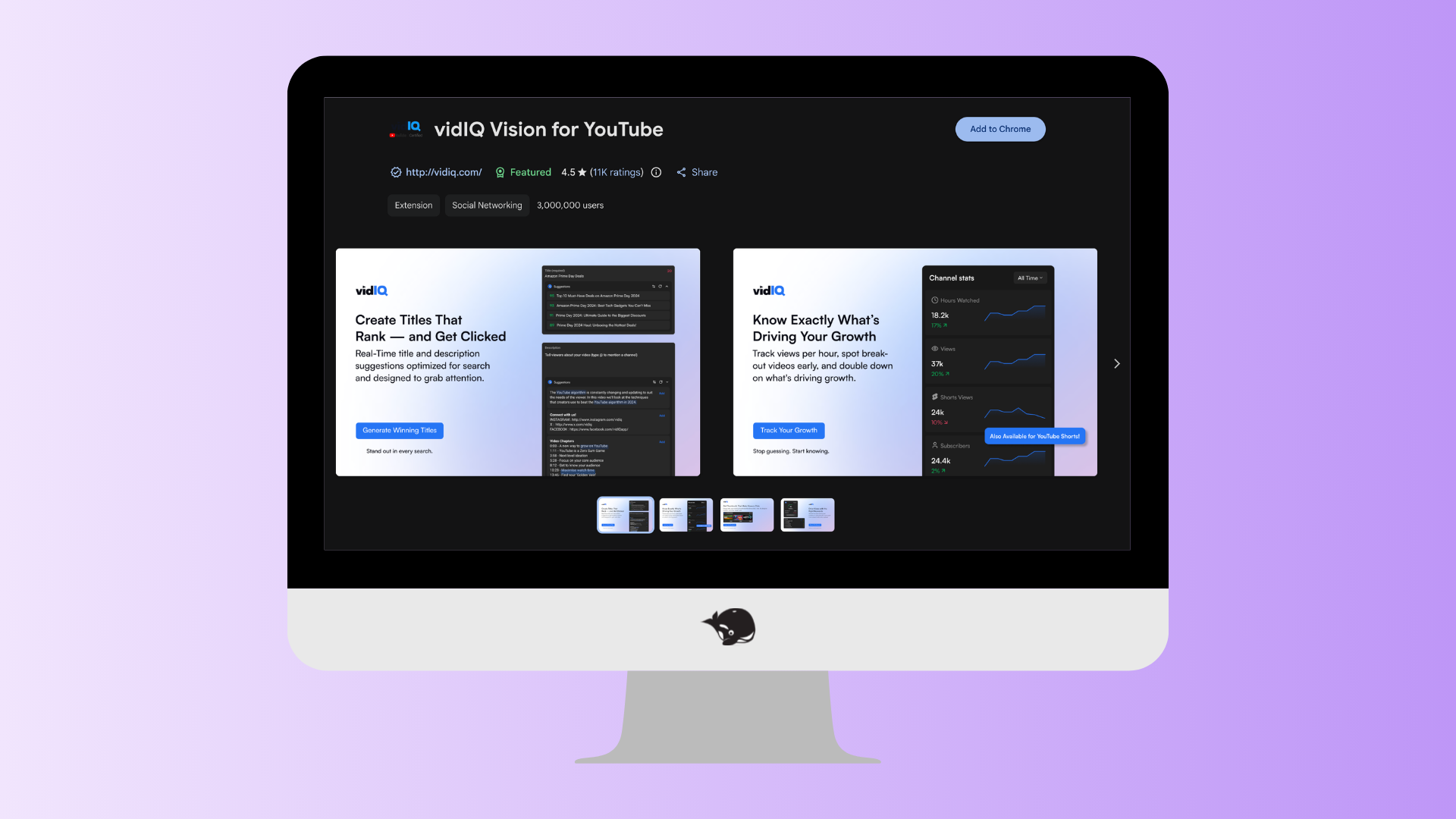
The platform helps you research keywords, optimize titles and descriptions, and identify topics people are actively searching for on YouTube.
What we like
- YouTube keyword research
- Video optimization suggestions
- Trending topic ideas
- Competitor insights
Orca tip: Turn your best-performing blogs into YouTube videos, and use vidIQ to optimize them for search.
Best for technical SEO
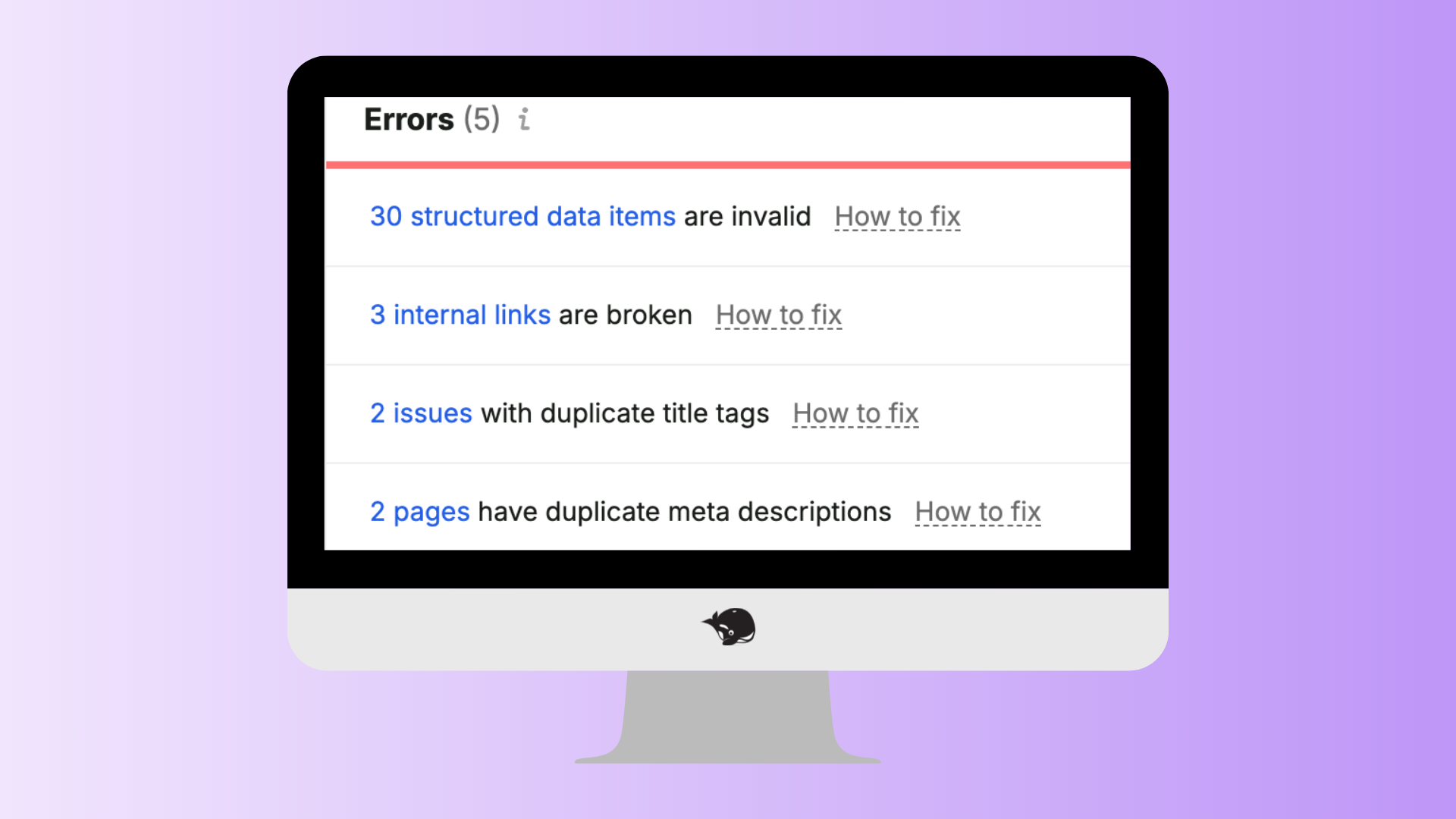
Semrush Site Audit
Best for: Finding technical issues before they affect your rankings.
Technical SEO can sound intimidating, but Site Audit breaks it down into manageable tasks.
It scans your website for issues like broken links, missing metadata, duplicate content, and crawl errors so you know what to fix first.
What we like
- Easy-to-understand health score
- Prioritized recommendations
- Tracks improvements over time
- Great visual reporting
Orca tip: Don't panic if you see a long list of warnings. Focus on fixing the major errors first. Depending on your CMS, some recommendations may be false positives, so always review them before making changes.
Best for AI visibility
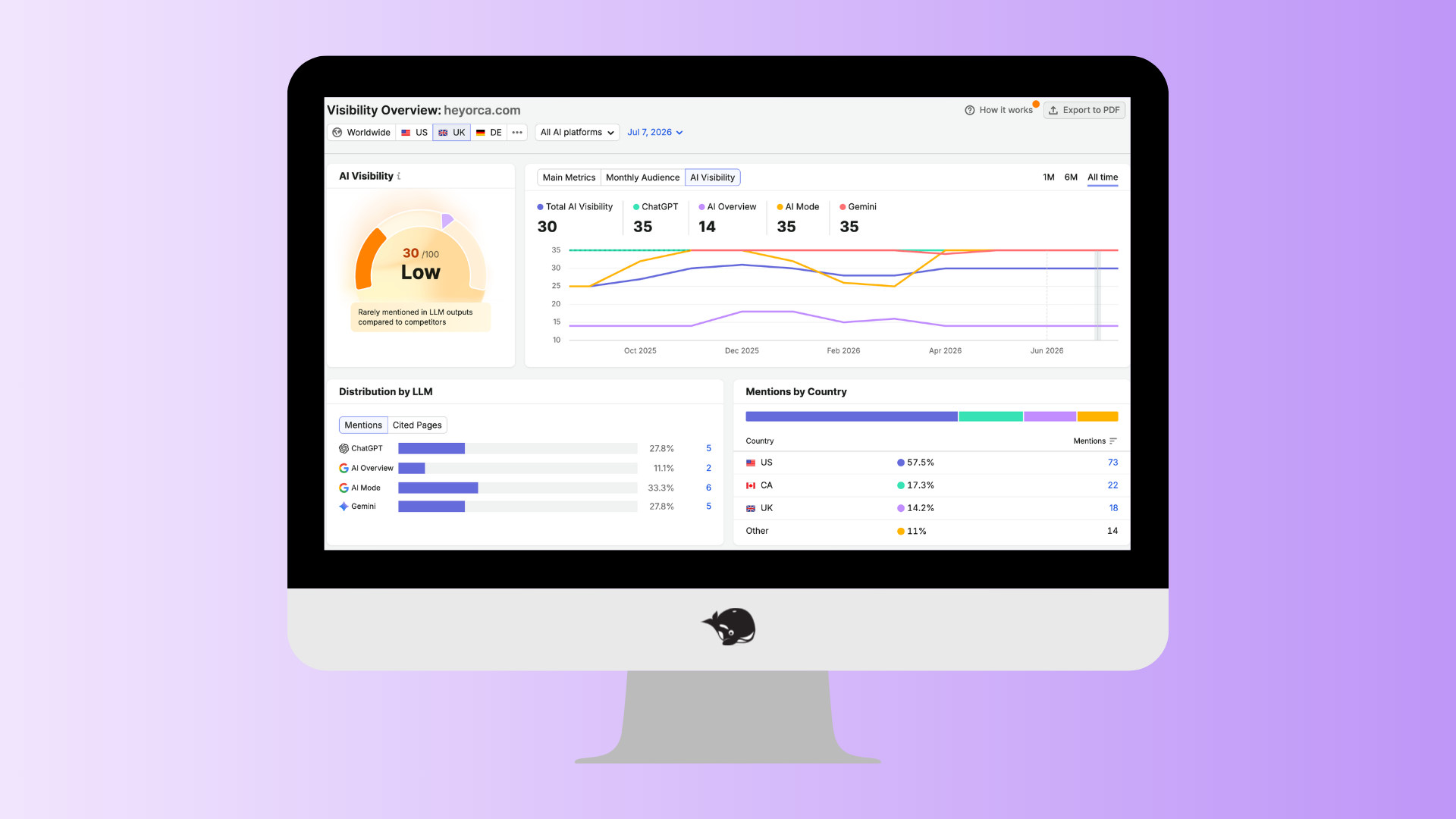
Semrush AI Visibility Toolkit
Best for: Tracking how your brand appears in AI-powered search.
Ranking in Google is still important – but it's no longer the only metric that matters.
Semrush's AI Visibility add-on helps you understand how often your brand appears in AI-generated answers and compares your visibility against competitors.
As Answer Engine Optimization becomes more important, this kind of reporting will become increasingly valuable.
What we like
- Tracks visibility across AI search experiences
- Measures brand mentions in AI-generated answers
- Identifies opportunities to improve AEO performance
- Easy-to-read reporting
Orca tip: Use AI Visibility alongside traditional SEO metrics to get a more complete picture of how your content is being discovered.
Best for writing alt text
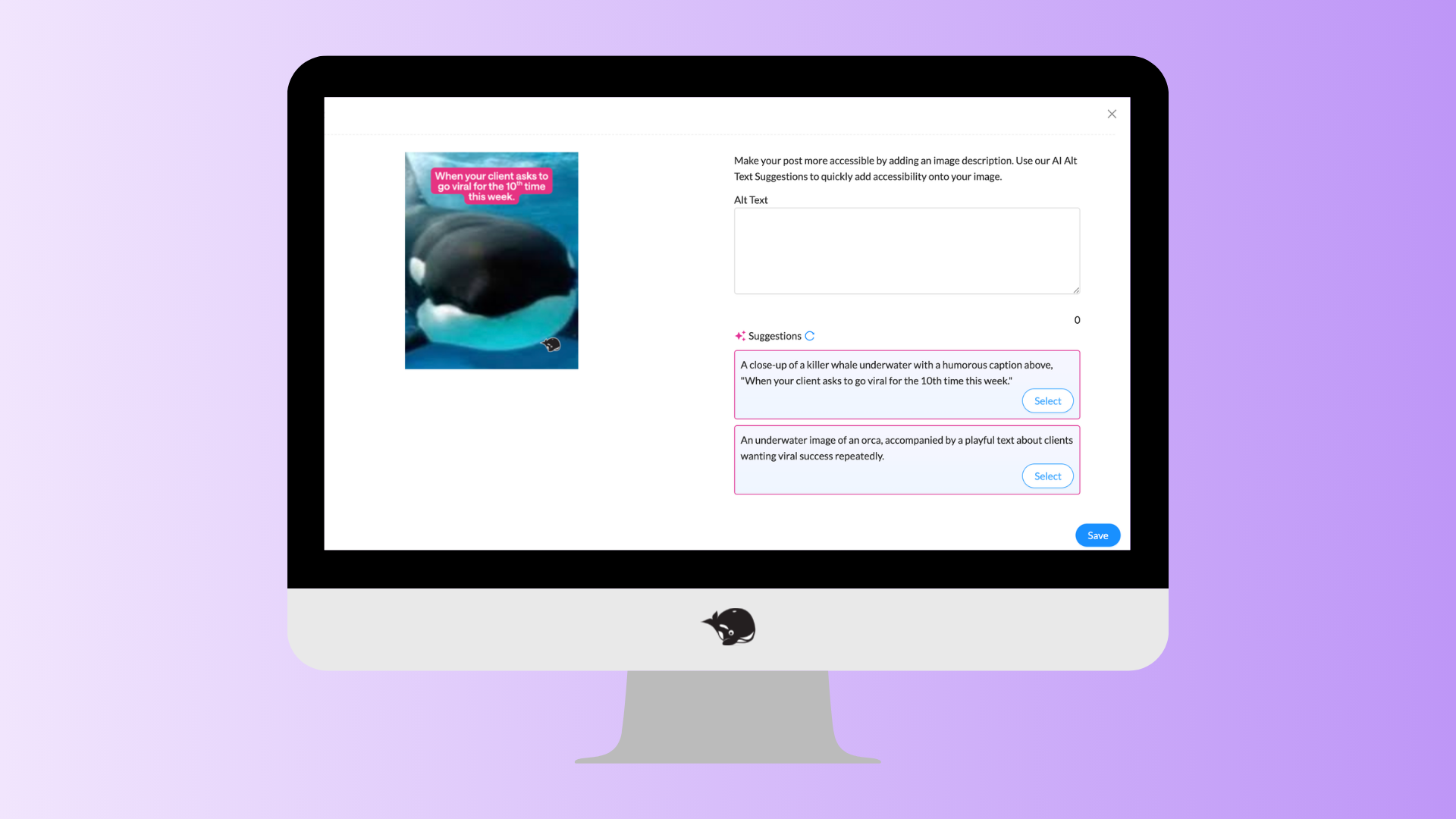
HeyOrca aIt text
Best for: Creating descriptive alt text in seconds.
Okay . . . we're a little biased.
But if you're already creating and scheduling content in HeyOrca, our AI Assistant can generate descriptive alt text for your images with just a few clicks.
It's an easy way to improve accessibility while helping search engines better understand your visuals.
What we like
- Saves time
- Encourages accessibility best practices
- Generates descriptive alt text quickly
- Built into your content workflow
Orca tip: AI-generated alt text is a great starting point, but it's always worth giving it a quick review to make sure it accurately describes the image.
Best for checking accessibility

Alt Text Checker
Best for: Making sure every image has alt text.
Before you hit publish, use Alt Text Checker to quickly see whether images already have descriptive alt text.
It's a small step that can make a big difference for accessibility, and it's an easy SEO win while you're at it.
What we like
- Free Chrome extension
- Fast accessibility checks
- Highlights missing alt text instantly
- Great quality assurance step before publishing
Summary
The best SEO and AEO tools won't magically get your content to the top of search results – but they can help you make smarter decisions, save time, and create content your community is already looking for.
Whether you're researching keywords, planning a content strategy, improving accessibility, or tracking your performance, the right tool can take the guesswork out of the process.
If you're just getting started, don't feel like you need to use everything on this list. Start with one or two tools that solve your biggest challenge today, then build your toolkit as your strategy grows.
Most importantly, remember that SEO and AEO are about more than rankings.
They're now about creating helpful, trustworthy content that answers real questions and makes it easier for your community to find you – whether they're searching on Google or asking an AI assistant.
Happy optimizing!
Want more in depth SEO and AEO? Check out our webinar about SEO/AEO for social media managers.
Still paying per seat for your social media tool? With HeyOrca, you get unlimited users – so your whole team (and clients!!) can collaborate without the extra cost. Plan, approve, and schedule your next post now.
Every member of your team deserves a seat at the table. That's why every HeyOrca plan comes with unlimited users. Choose the social media scheduler that helps you create, collaborate, and build community – without worrying about extra fees. Start your free trial.
Build stronger social media communities. HeyOrca brings your whole team together – with unlimited users!! – to plan, approve, and schedule content in one place. See it come together in minutes.
Looking for a social media tool built for teams and agencies? Plan, approve, and schedule your next post in minutes with HeyOrca – no credit card required.
.png)
Close all those tabs
Use HeyOrca to manage your social media content, approvals, and community in one place.
*no card required