One unified inbox for social
media community
management
Bring all your clients' social media conversations into one place with HeyOrca's social media inbox.
Monitor messages, reply faster, and build stronger communities without jumping between platforms.

.webp)
“The HeyOrca inbox is a critical tool for our team's social media management for multiple clients. With its clean, intuitive interface (I keep it open in a browser tab all day for easy access), it's a central feed for @mentions and direct messages, so we can engage right there within the platform. The inbox helps us stay organized (including seamless transition when a colleague has to step in and take over community management) and is key for efficient, timely engagement for our clients.”
Suzanne B.
Senior Communications Strategist at Oyster Creative Co.
.webp)


.png)

Manage your social media
communities with one inbox
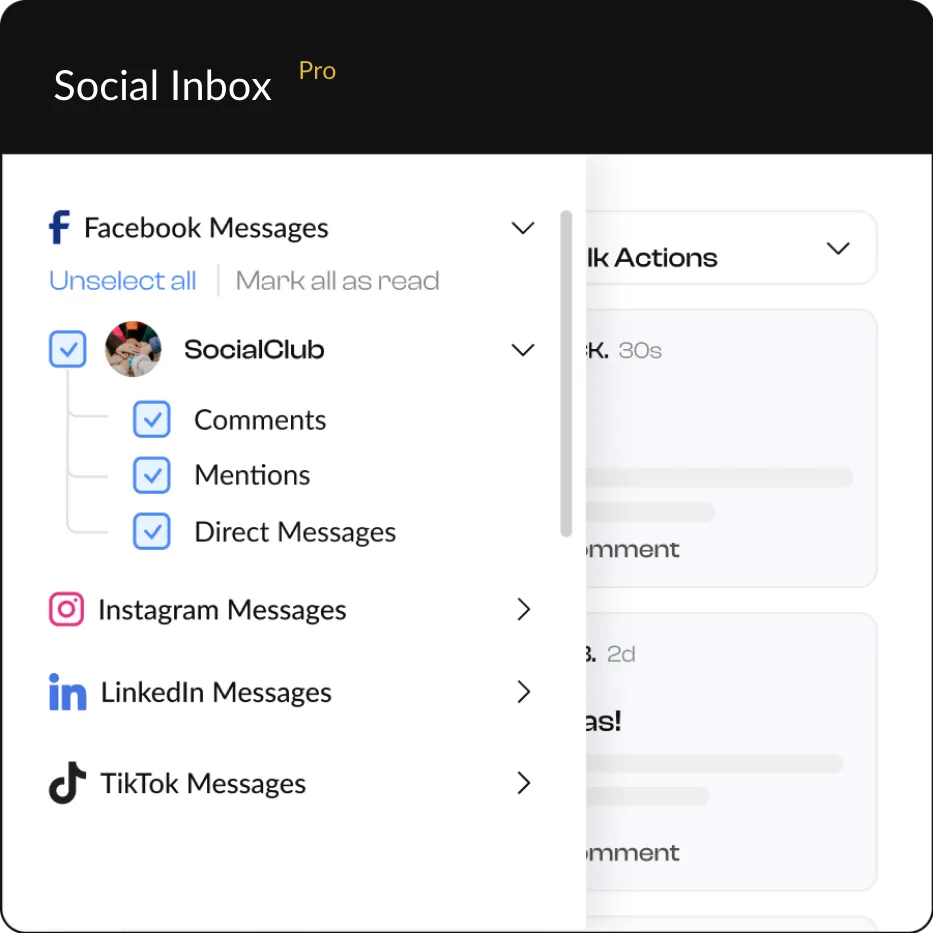
HeyOrca’s social inbox supports Instagram, Facebook, TikTok, and LinkedIn.
(Our scheduling and reporting tools support even more social media platforms!)


Get client-specific social media
inboxes (and so much more)
communities separate
To stay even more organized, you can filter each inbox by social media network and message type.
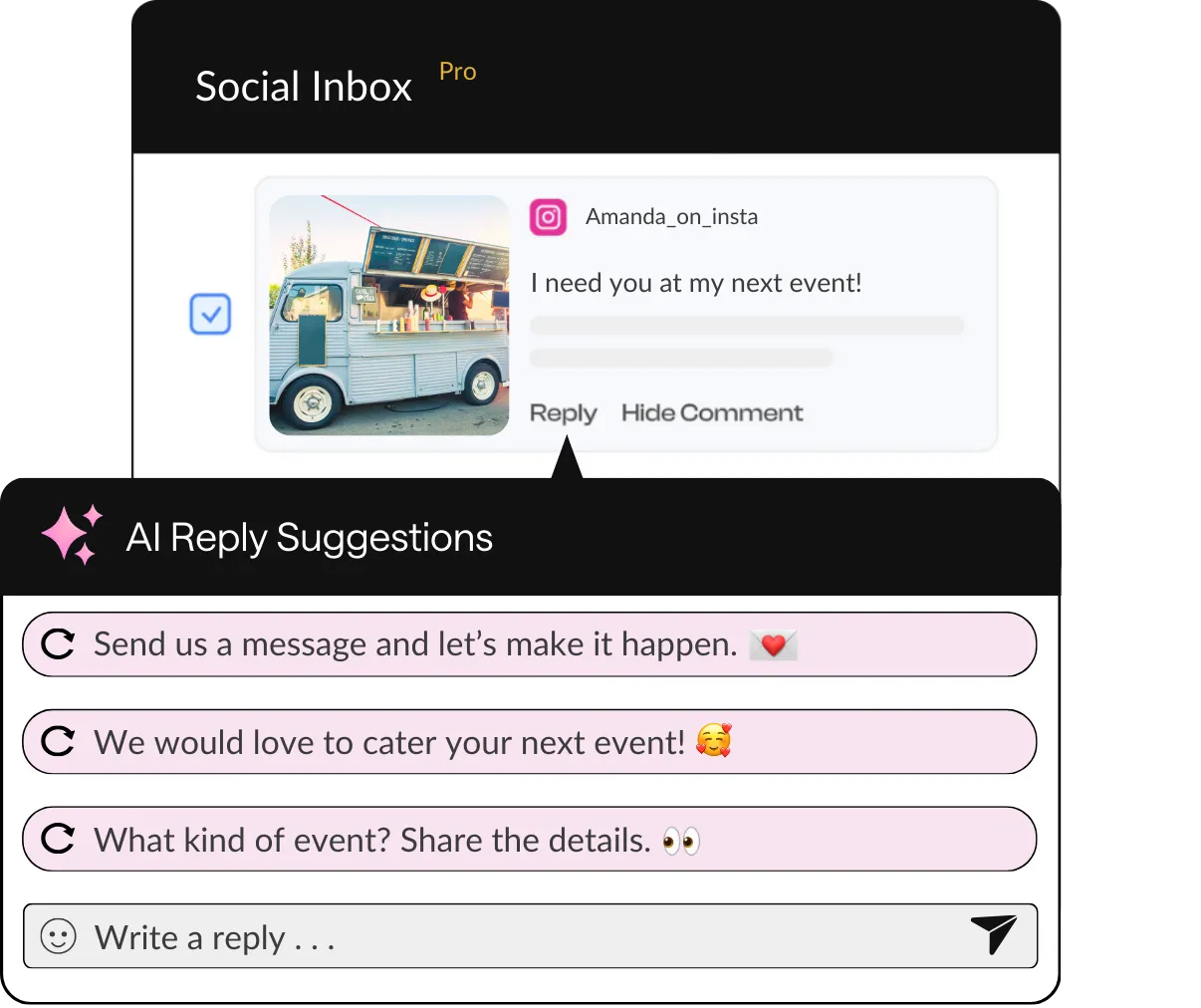
AI reply suggestions
Edit each response before hitting the “send” button. Or write your response from scratch!
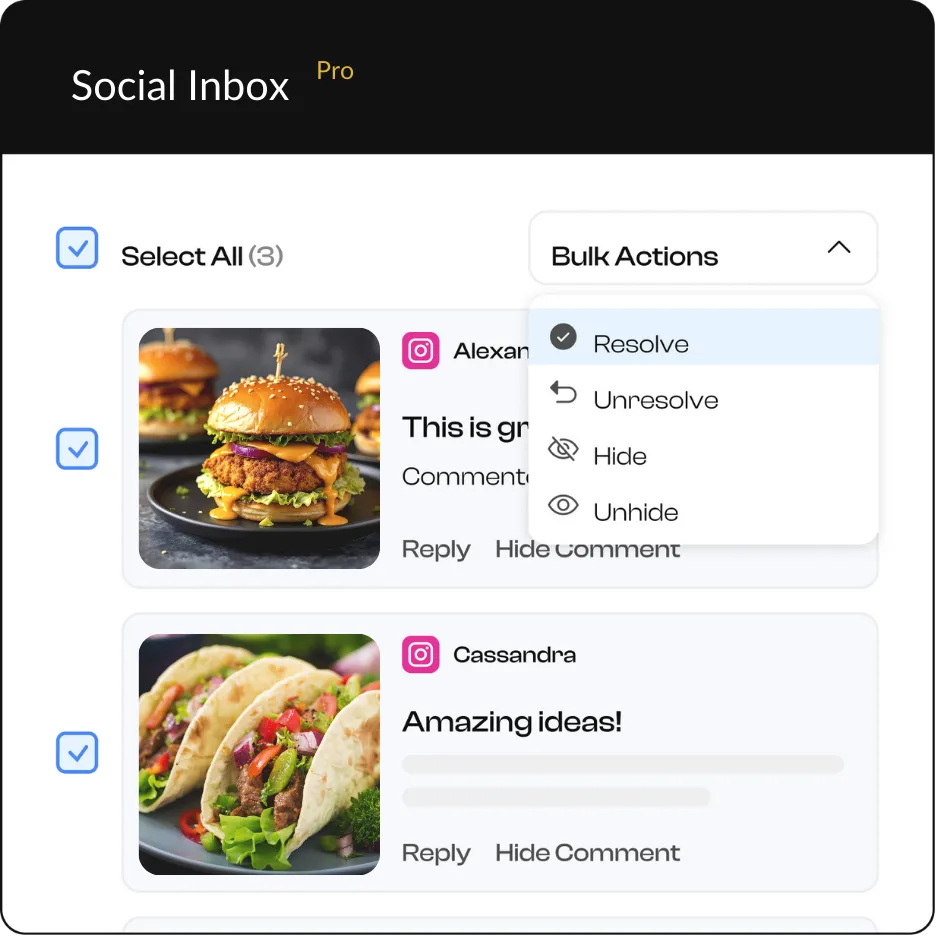
inbox with bulk actions
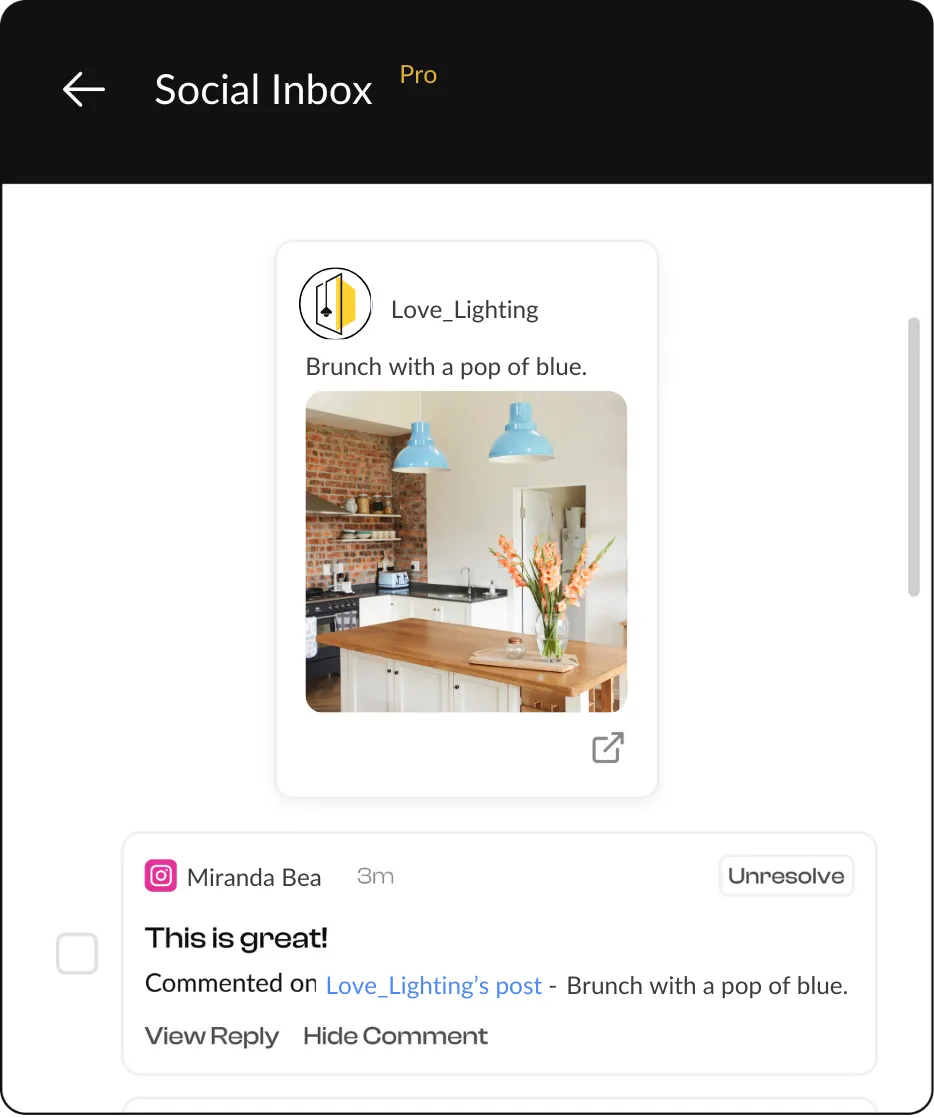
from your social inbox
Want to view the post natively? We make it easy to do that too. Simply click the post to open it on its native social media platform.


Get personalized support from the HeyOrca experts
Every HeyOrca plan comes with top-rated customer care. You can reach our friendly support team via live chat or email. We respond within 5 minutes during our regular hours.
Need to set up a free onboarding or training call? We’re happy to help with that too!
You've (almost) got mail!
Frequently asked questions
What types of messages can I view and respond to using HeyOrca’s community management tools?
HeyOrca’s community management suite supports comments, direct messages, and mentions on Instagram and Facebook; comments and mentions on LinkedIn; and comments on TikTok.
Can I filter and sort messages with HeyOrca’s social inbox?
Yes! With HeyOrca’s Social Inbox, you can view all messages across your connected accounts or narrow it down to specific message types and platforms. You can also sort your social inbox to show messages from newest to oldest or oldest to newest, and you can filter your social inbox to see messages you’ve already resolved.
What HeyOrca plan comes with Social Inbox?
HeyOrca’s Social Inbox is included on our Pro plan. You can also add the Social Inbox add-on to your Basic plan. To compare HeyOrca pricing plans, please visit the HeyOrca pricing page.