See how your Mailchimp emails
fit with your
social strategy
Connect your Mailchimp account to HeyOrca to view your emails alongside your social media posts – and get a more complete picture of your community-led marketing strategy.
.webp)
The easiest way to coordinate your social and email campaigns
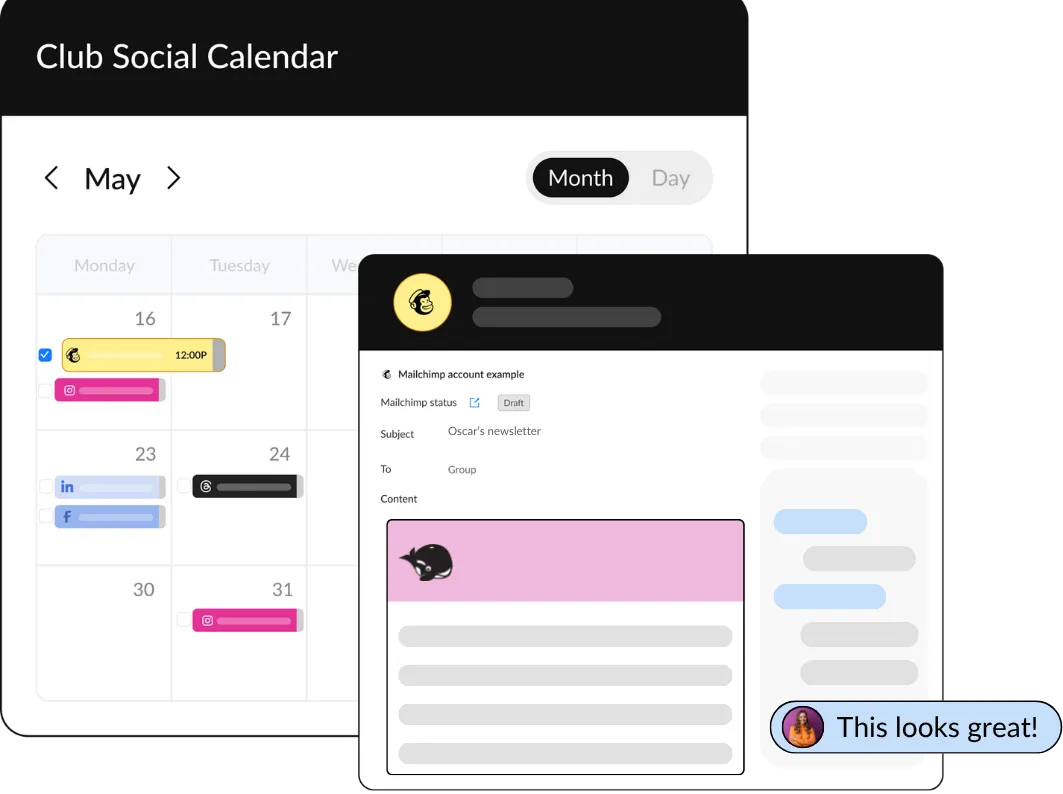
By connecting Mailchimp to your HeyOrca account, your team can move faster, stay in sync, and deliver stronger, more coordinated campaigns.
Add Mailchimp to your HeyOrca content calendar to:
Coming soon! Seek client
approval right from HeyOrca
.webp)
Frequently asked questions
Does HeyOrca integrate with Mailchimp?
Yes, HeyOrca supports a Mailchimp integration. You can connect your Mailchimp account alongside your social media platforms, including Instagram, Facebook, LinkedIn, TikTok, Pinterest, Threads, Google Business Profile, and YouTube.
Can I connect to Mailchimp using HeyOrca’s Free plan?
Yes, HeyOrca’s Free plan supports two connected accounts. That means you can connect two Mailchimp accounts, or a combination of Mailchimp and another platform, such as Instagram or LinkedIn. When you connect your Mailchimp account to your HeyOrca Free plan, you’ll be able to view your email content on your calendar. To share your Mailchimp content and collect feedback, you will need a HeyOrca Basic or Pro plan.
What can I do with HeyOrca’s Mailchimp integration?
HeyOrca’s Mailchimp integration allows you to view your Mailchimp email campaigns alongside your social posts on your content calendar. You will see your email’s scheduled send date and time, subject line, and content preview. HeyOrca Basic and Pro plans also support shareable links and Internal/Everyone comments for Mailchimp.
Can I make changes to my Mailchimp content from HeyOrca?
No, at this time, HeyOrca’s Mailchimp integration is read-only, which means changes can’t currently be made from HeyOrca to Mailchimp. HeyOrca’s Mailchimp integration helps marketers get a more complete view of their content strategy by allowing teams to view their scheduled email campaigns alongside their social posts.
Does Mailchimp count toward my workspace’s social account limit?
Yes, Mailchimp counts as one of the 10 accounts you can connect to your Basic or Pro workspace. For Free workspaces, Mailchimp counts as one of the two accounts you can connect to your workspace.
Does HeyOrca support Mailchimp approvals?
Not yet! Mailchimp approvals are coming soon to HeyOrca.