Social media management tool for teams and agencies
Create content that connects your community. Draft, schedule, approve, publish, and report on your social media posts right from HeyOrca.
.webp)


.avif)
One social media management tool
for all your social media channels
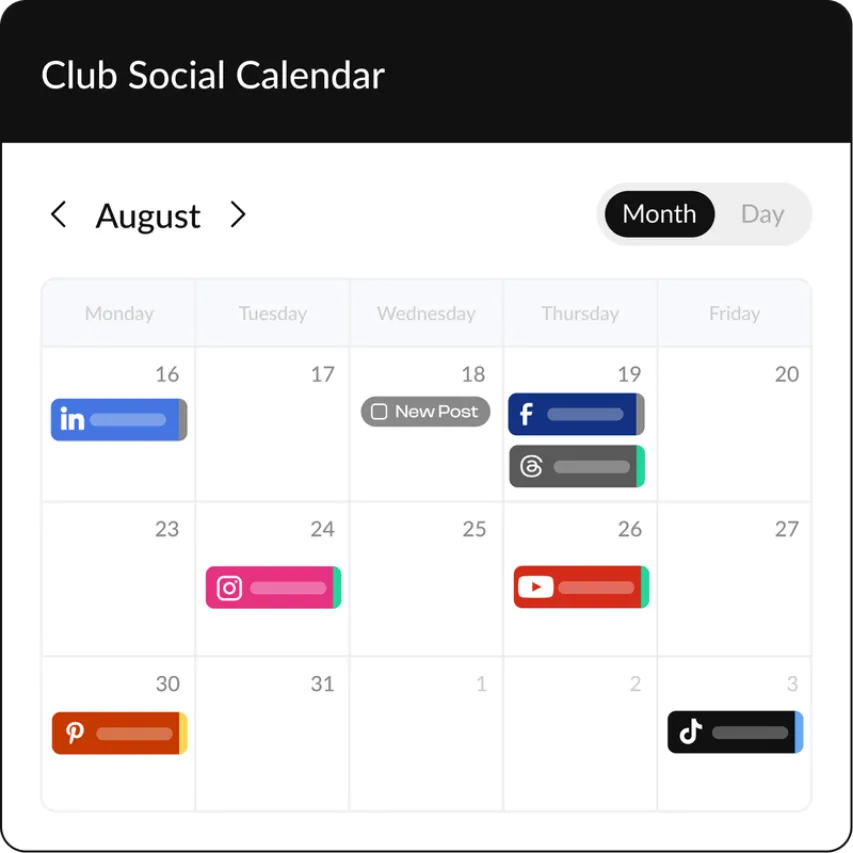
HeyOrca supports Instagram, Facebook, TikTok, LinkedIn, YouTube,
Pinterest, Threads, and Google Business Profile.


.webp)


Collaborate with UNLIMITED users
Go on, invite your entire team! With HeyOrca, you can work together to bring
your social media content strategy to life – without paying extra for every user.

content by workspace
Stop worrying about clients seeing other clients’ posts or – oops! – posting to the wrong social media account.
efficient way
Duplicate posts and customize them for each platform, draft cross-channel posts in bulk, or set up recurring posts for your ongoing campaigns.


auto-publish
HeyOrca’s Best Times to Post tool will analyze your posts and use your brand’s unique performance data to recommend optimal posting times.
approve posts
Your clients can approve or reject posts, and add feedback – all without logging in!


comments section
Choose Internal to keep your comments for your team’s eyes only. Or select Everyone to bring your stakeholders in on the discussion.
Keep your social media clients
happier with HeyOrca


Why do [heyorca-users-count]
social media marketers LOVE HeyOrca?
The content creation tools every
social media marketer needs
Ready to move at the speed of social? Use these efficiency-boosting tools to
grow your social media community.

Chat with Oscar to craft on-brand captions for your social media posts.
Canva integration
Create scroll-stopping Canva designs right from your HeyOrca workspace.
Unlimited media and content libraries
Upload and organize all your media. Plus, create unlimited posts and store them to use later.
Don’t miss important dates! Connect external calendars (like Google, Outlook, Asana, and more) to view key events alongside your social posts.
Instagram grid preview and biolink
Plan a picture-perfect Instagram grid. And drive traffic with a personalized landing page.
Mobile app
At a conference or content shoot? Use our free app to create, edit, and approve posts while you’re on the go!


Get personalized support in 5 minutes
or less
Every HeyOrca plan includes best-in-class support. Our friendly, knowledgeable (and 100% human!) support team is always ready to help.
Book a free onboarding or training session, start a live chat, or send us an email. We'll make sure your HeyOrca experience is smooth sailing.
Frequently asked questions
Why should I move from Sprout or Hootsuite to HeyOrca?
HeyOrca was built for social media teams and agencies that want simpler collaboration, faster approvals, and more responsive, human support – without complicated pricing or per-seat surprises.
Teams switch to HeyOrca for:
- Unlimited users
- Easier client approvals
- Streamlined content collaboration
- Responsive human support
- Flexible, transparent pricing
- A platform designed specifically for social media workflows
What is the best social media reporting tool?
The best social media reporting tool pulls all your social data into one place and turns it into clear, client-ready reports. Tools like HeyOrca help teams track performance across multiple platforms without manual work.
Is there a social media scheduler that has unlimited users?
Yes! Every paid HeyOrca plan includes unlimited users, so your entire team and clients can collaborate without worrying about extra user fees.
Which HeyOrca plans include a shareable calendar link?
HeyOrca Basic and Pro plans include a shareable calendar. Simply send your client or stakeholder the unique link so they can preview, approve, and leave feedback on your posts without logging in.
What social media platforms can I schedule content to?
You can use HeyOrca to schedule and auto-publish social media posts to Instagram, Facebook, TikTok, LinkedIn, YouTube, Pinterest, Threads, and Google Business Profile. To schedule content for other social media platforms, including Facebook Groups, connect a placeholder account in HeyOrca. We’ll send you a notification via mobile app or email when it’s time to manually publish your post.
Can I use HeyOrca to tag other accounts in my posts?
Yes! When you schedule your social media posts in HeyOrca, you can tag Facebook Business Pages, Instagram handles, TikTok handles, and LinkedIn Company Pages and member profiles. HeyOrca supports other tags too, including Instagram product tags, Instagram location tags, Facebook location tags, and LinkedIn location tags.