How to add Alt Text to social media images
What is Alt Text, why does it matter, and how can you use it? Learn how to add Alt Text to your social media posts using HeyOrca.
TL;DR
With HeyOrca’s Alt text feature, users will be able to:
- Add Alt Text to images from the post editor or Media Library
- Publish Alt Text to Facebook, Instagram, Threads, LinkedIn, and Pinterest
- Reuse images with Alt Text you’ve already added
- Share Alt Text with clients and stakeholders as part of your approval workflow
- Instagram currently doesn’t support Alt Text scheduling through HeyOrca’s API. But you can still make your Instagram content more accessible by including a helpful image description in your caption.
- Alt Text isn’t supported for videos.
Social media should be a space where everyone can participate.
That means accessibility needs to be part of your social media workflow – not something you remember to add at the very end.
That’s where Alt Text comes in.
With HeyOrca’s Alt Text feature, you can add image descriptions to your social posts directly from your calendar or Media Library, so accessibility can become part of your regular content workflow.
What is Alt Text?
Alt Text is a short description of an image that helps people using screen readers understand what’s happening in a visual.
It can also appear when an image can’t load properly.
Think of it as giving your image a voice.
Instead of asking someone to guess what an image contains, Alt Text gives them the context they need to understand the post.
And when social media is such an important part of how brands connect with their communities, making your content more accessible helps more people take part in those conversations.
How do I add Alt Text in HeyOrca?
You can add Alt Text in 2 places:
- Directly to an image in your HeyOrca Media Library
- To an image while creating a post in your HeyOrca calendar
Already added Alt Text to an image? Great news. You can reuse that image without starting from scratch.
How to add Alt Text from your Media Library
Step 1
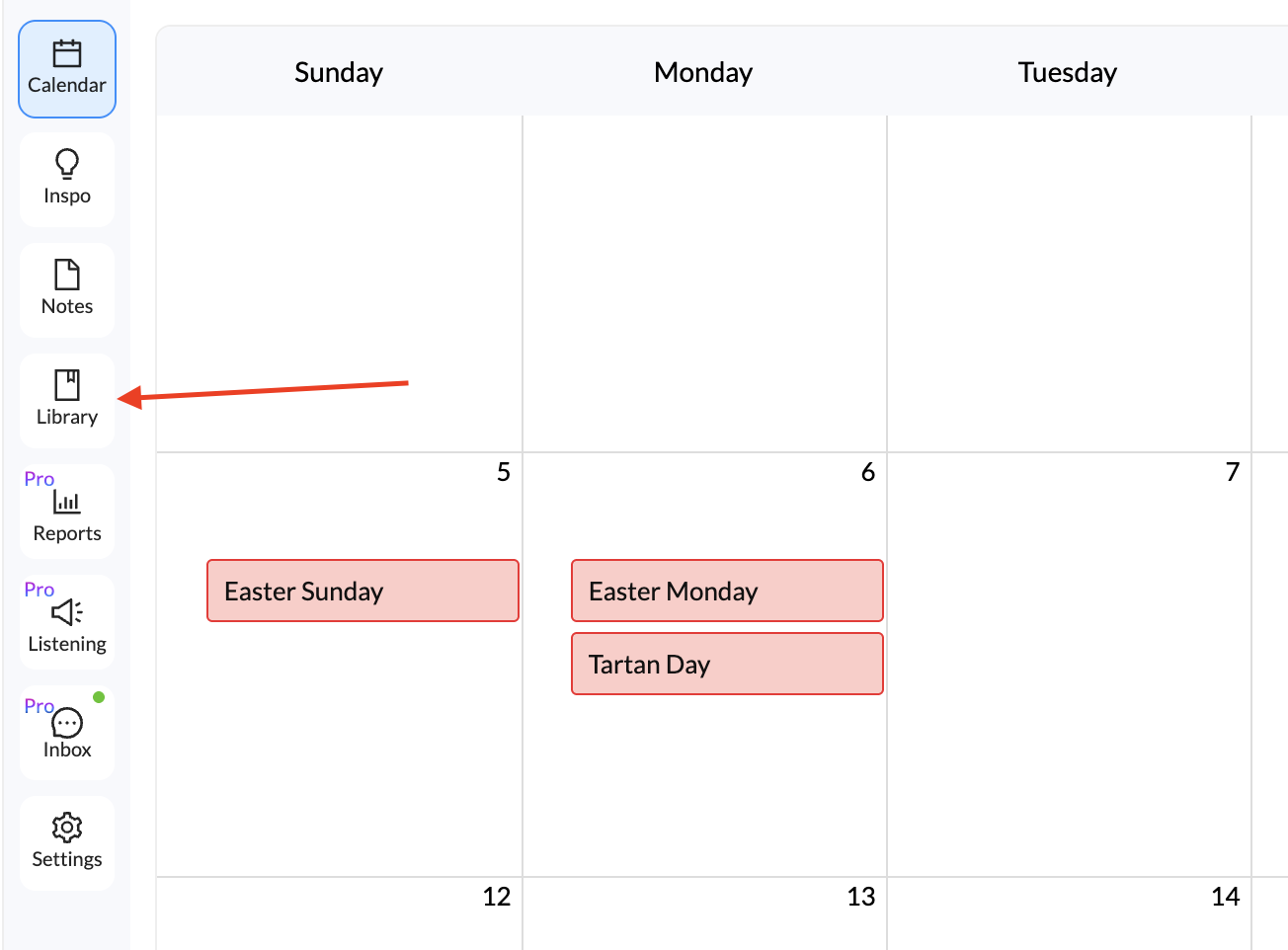
From the calendar view, click on the “Library” icon located on the grey navigation bar:
Step 2
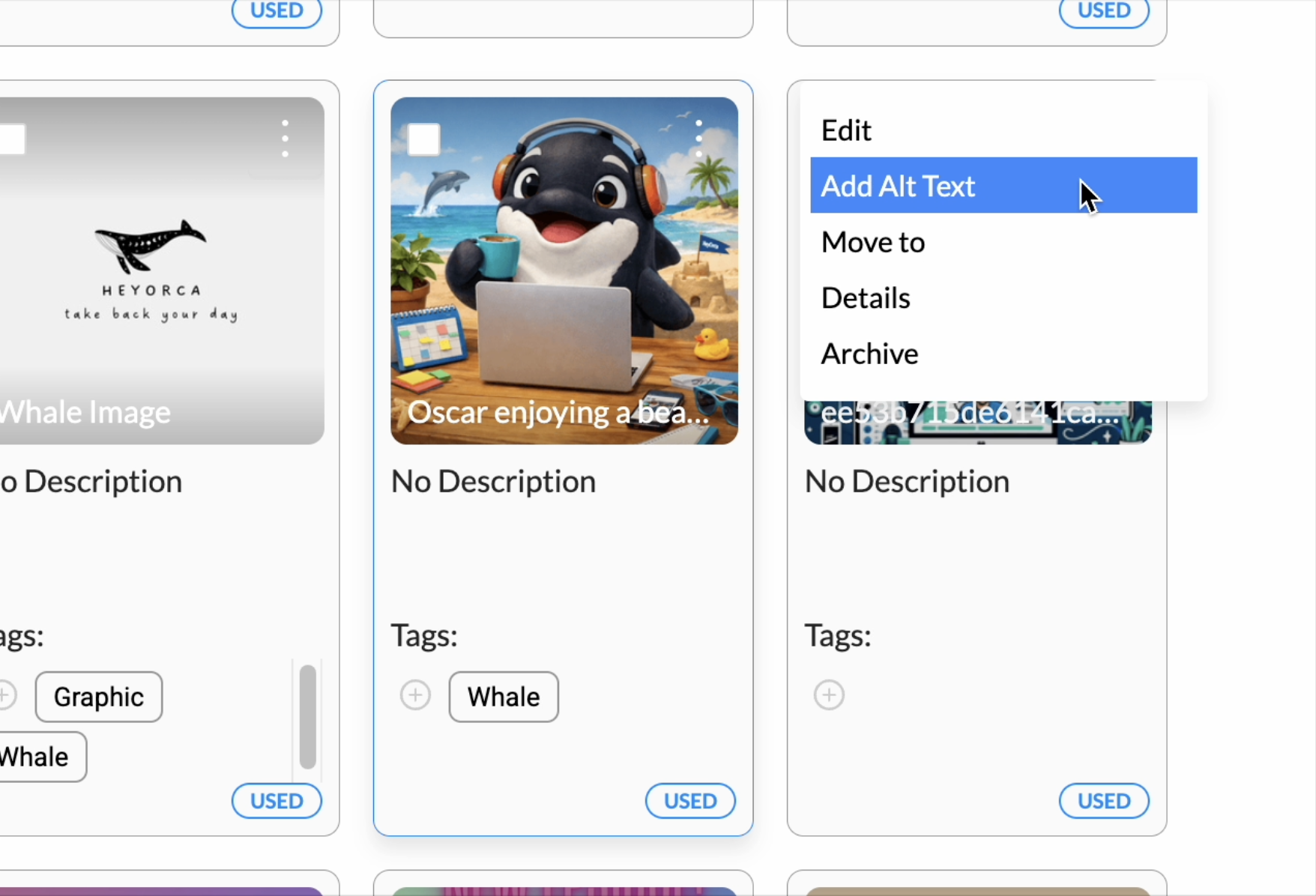
Find the image you would like to add Alt Text to and click the three “ellipses” on the image, then click “Alt Text”:
Step 3
Type your description in the text box beside the image, and click “Save” when you’d like to save your changes:
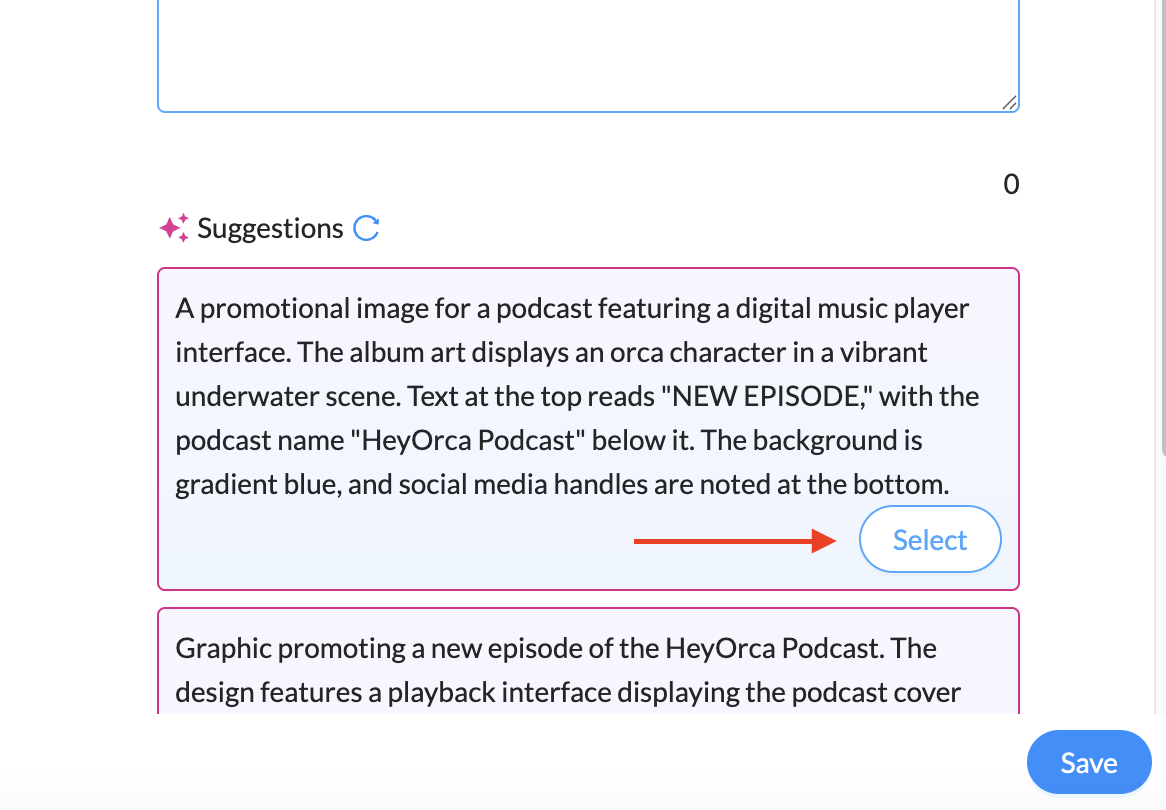
Your Alt Text has been added to your photo! The “Alt” Tag will be visible when you’ve added an Alt Text description to an image in your media library.
How to add your own Alt Text with AI
Want to write your own image description? You absolutely can.
Simply type your description into the Alt Text field instead of using an AI-generated description.
When writing Alt Text, focus on the information someone needs to understand the image. You don’t need to describe every tiny detail.
For example, instead of:
“A picture of a person.”
Try something more useful:
“A social media manager reviews a content calendar on a laptop at a desk.”
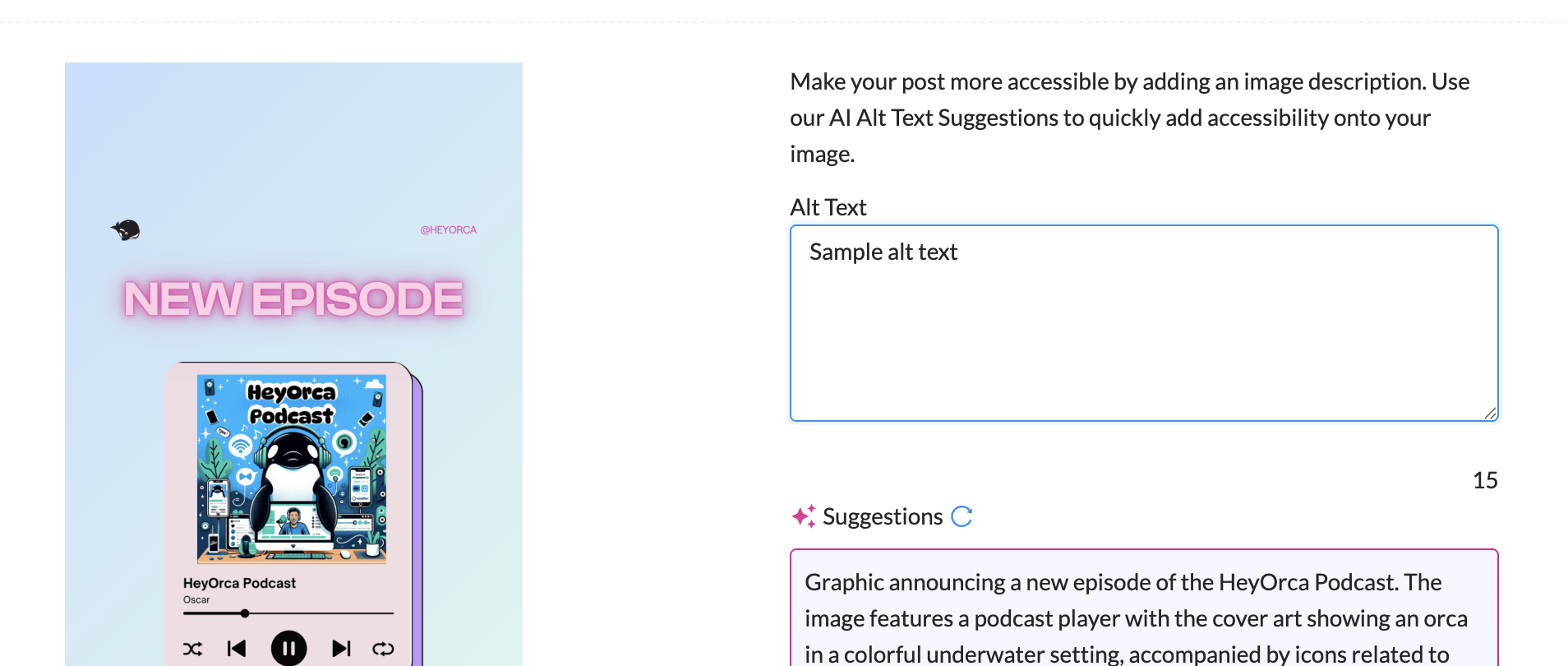
Make accessibility part of your social media workflow
Accessibility works best when it becomes part of the process – not another task on your never-ending social media to-do list.
With HeyOrca, you can add Alt Text while you’re already creating and organizing your social content. Your team can review it alongside the rest of the post, and clients can see it as part of the approval process.
Want more tips for making your social media content more accessible? Check out our guide to accessible social media for practical ways to make your content more inclusive.
Still paying per seat for your social media tool? With HeyOrca, you get unlimited users – so your whole team (and clients!!) can collaborate without the extra cost. Plan, approve, and schedule your next post now.
Every member of your team deserves a seat at the table. That's why every HeyOrca plan comes with unlimited users. Choose the social media scheduler that helps you create, collaborate, and build community – without worrying about extra fees. Start your free trial.
Build stronger social media communities. HeyOrca brings your whole team together – with unlimited users!! – to plan, approve, and schedule content in one place. See it come together in minutes.
Looking for a social media tool built for teams and agencies? Plan, approve, and schedule your next post in minutes with HeyOrca – no credit card required.
.png)
Close all those tabs
Use HeyOrca to manage your social media content, approvals, and community in one place.
*no card required


.png)


