Social media integrations that keep your entire workflow connected
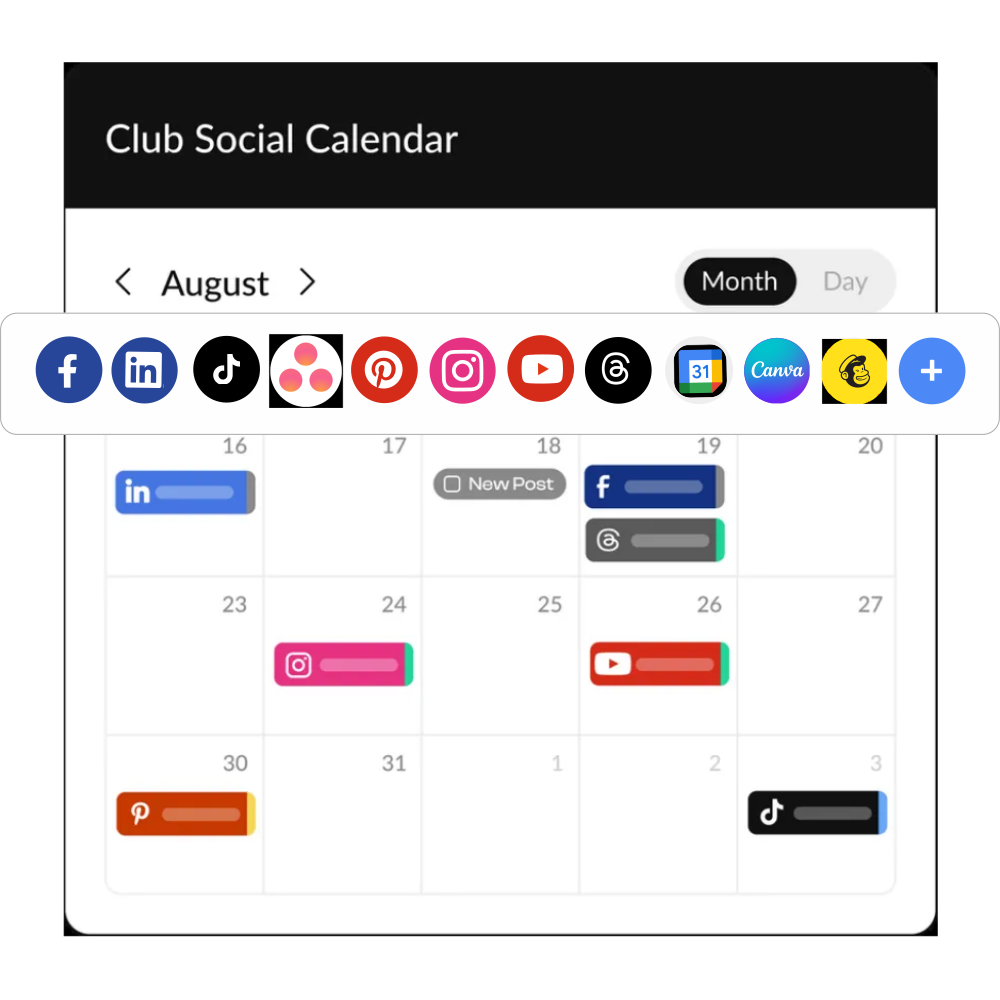
From Facebook and Instagram to Canva, Google Calendar, and Mailchimp, HeyOrca integrates with the tools your team already relies on to plan, create, approve, and publish content.
.avif)
Social media integrations
Publish, schedule, and manage all your social media channels without leaving HeyOrca.
Facebook integration
Manage your Facebook pages and inbox from one place with HeyOrca's Facebook integration. Create posts, schedule content, get approvals, collaborate with your team, and track performance without juggling multiple tools.
Instagram integration
Manage your Instagram account with HeyOrca's Instagram integration. Plan content, schedule posts and Reels, collect approvals, collaborate with your team, and report on performance – all from one social media management tool.

TikTok integration
Grow your TikTok community with HeyOrca's TikTok integration. Schedule videos, collaborate with your team, get client approvals, and measure performance without switching between platforms.
LinkedIn integration
Create and schedule LinkedIn posts with HeyOrca's LinkedIn integration. Plan content, collect approvals, collaborate with teammates, and keep your publishing schedule on track from one place.
Threads integration
Manage your Threads content with HeyOrca's Threads integration. Schedule posts, collaborate with your team, collect approvals, and publish confidently without leaving your social media calendar.
Pinterest integration
Plan and publish Pinterest content with HeyOrca's Pinterest integration. Schedule Pins, collaborate with your team, simplify approvals, and keep your content calendar organized in one place.
Google Business Profile integration
Keep your Google Business Profile active with HeyOrca. Plan updates, collaborate with your team, collect approvals, and publish consistently to help customers discover your business.
YouTube integration
Manage your YouTube content with HeyOrca's YouTube integration. Schedule Shorts and videos, collaborate with your team, collect approvals, and stay organized with one social media calendar.
Canva integration
Design social media graphics without leaving HeyOrca. With our Canva integration, you can create, edit, and import designs directly into your posts or save them to your Media Library for later.
Social Inbox integration
View and respond to your Facebook and Instagram mentions, comments, and direct messages; LinkedIn comments and mentions; and TikTok comments.
Instagram Biolink integration
Create a custom link in bio with HeyOrca's Instagram Bio Link. Showcase your latest content, campaigns, and important links in one branded page. Plus analyze your performance with click tracking and more!
Instagram Shop integration
Tag products in your Instagram posts with HeyOrca's Instagram Shop integration, making it easy for your community to discover and shop your products.
Facebook Messenger integration
Connect your Facebook account to manage mentions, comments, and direct messages. This feature is part of the Facebook integration suite including creating and scheduling your posts and Stories and social inbox.
Please note: Not all users would be able to connect their messaging, only those on Pro or that have the Social Inbox add-on.
Instagram Messenger integration
Connect your Instagram account to manage mentions, comments, and direct messages. This feature is part of the Instagram integration suite including creating and scheduling your posts and Stories.
Please note: Not all users would be able to connect their messaging, only those on Pro or that have the Social Inbox add-on.
Email integrations (view only)
See your email marketing and social media campaigns together so every launch stays on track.
Note: HubSpot and Mailchimp are currently view-only. Approvals are coming soon!
Mailchimp integration
Connect Mailchimp to HeyOrca to see your email campaigns alongside your social media content. Plan your marketing calendar in one place and keep every campaign aligned.
HubSpot integration
Connect HubSpot with HeyOrca to bring your marketing activities together in one place and keep your campaigns organized across channels.
Media integrations
Bring your fave tools into HeyOrca and keep all your media ready when inspiration strikes.
Google Photos integration
Upload images directly from Google Photos into HeyOrca. Organize your media into folders and keep everything ready for your next social media campaign.
Link importer
Found an image online? Simply paste a URL into HeyOrca, and we'll automatically pull the media into your post, making content creation even faster.
Google Drive integration
Access files from Google Drive without leaving HeyOrca. Upload images and videos, organize your media library, and keep all of your creative assets ready for your next post.
Calendar integrations (view only)
Import calendars from your favourite tools to keep meetings, events, holidays, and deadlines alongside your social media content.
Note: You're not limited to the options below. If your tool exports an .ics calendar feed, you can import it into HeyOrca.
Microsoft Outlook integration
Import your Microsoft Outlook Calendar into HeyOrca to see meetings and deadlines while planning your social media content.
Google Calendar integration
Import your Google Calendar into HeyOrca to view meetings, launches, and important dates alongside your social media calendar.
Microsoft 365 integration
Import your Microsoft 365 Calendar into HeyOrca to keep key dates visible while building your social media calendar.
Apple Calendar (iCloud) integration
Add your Apple Calendar to HeyOrca to view events and deadlines alongside your scheduled social media posts.
.avif)
Outlook.com integration
Display your Outlook.com Calendar in HeyOrca so important events are always visible during content planning.
one.com calendar integration
Display your one.com Calendar in HeyOrca to keep upcoming events visible while scheduling social media content.
Acuity Scheduling integration
Sync Acuity Scheduling with HeyOrca to keep appointments and social campaigns organized together.
Zoho Calendar integration
Import your Zoho Calendar into HeyOrca to see meetings and important dates while planning your content.
Calendly integration
Connect Calendly to HeyOrca and plan your social media calendar around upcoming meetings and events.

Keep&Share integration
Display your Keep&Share Calendar in HeyOrca to keep important dates visible while planning content.
Simply Schedule Appointments integration
Display your appointment calendar in HeyOrca so bookings are visible while scheduling social media content.
Teamup integration
Import your Teamup Calendar into HeyOrca to view shared events alongside your social media calendar.
Project management integrations
(view only)
Keep projects and social media in sync by viewing important deadlines right in your content calendar.
Note: These integrations import calendar events into HeyOrca for planning and visibility. Tasks and projects are managed in your project management tool.
Asana integration
Display your Asana project calendar in HeyOrca so important milestones and deadlines are visible while planning content.
Trello integration
Import your Trello calendar into HeyOrca to view project timelines alongside your social media calendar.
ClickUp integration
View your ClickUp calendar in HeyOrca to keep tasks and campaign deadlines visible during content planning.
Basecamp integration
Import your Basecamp calendar into HeyOrca to see project milestones alongside your social media schedule.
Monday.com integration
Display your Monday.com calendar in HeyOrca to keep project timelines visible while planning social content.
Smartsheet integration
Import your Smartsheet calendar into HeyOrca to see important project dates alongside your content calendar.
Todoist integration
View your Todoist calendar in HeyOrca to keep important tasks visible while planning your social media schedule.
Toggl Plan integration
Import your Toggl Plan calendar into HeyOrca to view project schedules alongside your content calendar.