The ultimate guide to building stronger social media communities
Learn what social media community management is, why it matters, and how to build effective guidelines, workflows, and engagement strategies.
TL;DR:
- Community management is about building relationships, not just answering notifications
- Social media works best as a conversation, not a broadcast channel
- Clear guidelines help your team respond consistently
- Workflows prevent important conversations from falling through the cracks
- Centralizing conversations makes community management easier to manage
- Your comments and DMs are a valuable source of insight
Social media management often gets a lot of attention for one thing: publishing.
What should we post? When should we post it? Which format will perform best?
But posting is only half the conversation.
What happens after someone comments on your post? Sends you a DM? Tags your brand in a conversation? Asks a question you’ve answered 17 times before?
That’s where community management comes in.
Great community management helps people feel seen, heard, and valued. It turns social media from a broadcasting tool into a place where real relationships can grow.
And while that sounds great in theory, managing a growing community can get messy fasssttt.
So, in this guide, we’ll break down what community management is, how to build a better strategy, and how to create workflows that help your team show up consistently across social media.
What is community management on social media?
Okay, first things first. Let’s talk about what community management means on social media.
Community management is the practice of building and nurturing relationships with your community through conversations, engagement, and ongoing interaction.
On social media, that can include:
- Replying to comments and DMs
- Responding to questions and feedback
- Joining relevant conversations
- Acknowledging community members
- Managing customer care requests
- Encouraging conversations between members
- Listening for trends, concerns, and ideas
- Building trust through consistent interaction
We think about community as more than a collection of followers. A community is built through belonging, identity, and spaces, and social media can be one of the spaces where that belonging starts.
Your posts might invite people into the conversation, but your community management is what helps keep the conversation going – this is fundamental in a well-developed community-led marketing strategy.
Why community management matters more than ever
There’s more content on social media than ever before.
And thanks to AI, creating even more content is easier than ever.
But people don’t need another brand talking at them.
They want answers when they have questions; they want to feel acknowledged when they share feedback; and sometimes, they just want to know there’s a real person behind the account.
That’s why community management should be part of your social media strategy – not something you squeeze in whenever you have a few spare minutes.
Not convinced? Here are a few benefits of strong community management:
- Builds trust with your community
- Creates stronger relationships over time
- Encourages repeat engagement
- Improves customer care on social media
- Learns what your community actually cares about
- Identifies questions and content opportunities
- Turns everyday conversations into long-term loyalty
Social media community management tips
Unfortunately, there’s no single formula for building a thriving community. Every community is different, and what works for one brand might fall completely flat for another.
But these tips can help you get started in creating a stronger foundation.
1. Treat social media like a conversation
A lot of brands are great at publishing content.
They create the post, hit publish, and move on to the next thing.
But social media works best when you leave room for people to respond.
Here’s what we recommend:
- Ask questions
- Invite opinions
- Follow up on interesting comments
- Give people something to participate in
Orca tip: Instead of thinking:
“What do we want to tell people?”
Try asking:
“How can we invite people into this conversation?”
2. Respond like a human
Nobody expects every response to be perfect.
But they do want to feel like they’re talking to a person.
That means avoiding overly corporate responses (unless that aligns with your brand voice) when a simple, natural answer would do. Match the tone of the conversation, stay true to your brand voice, and remember that there’s a human on the other side of the screen.
Of course, some situations require more care. Customer complaints, sensitive issues, and complex questions may need to follow a specific process.
Which brings us to one of the most important parts of community management: having clear guidelines.
How to develop comprehensive social media community guidelines
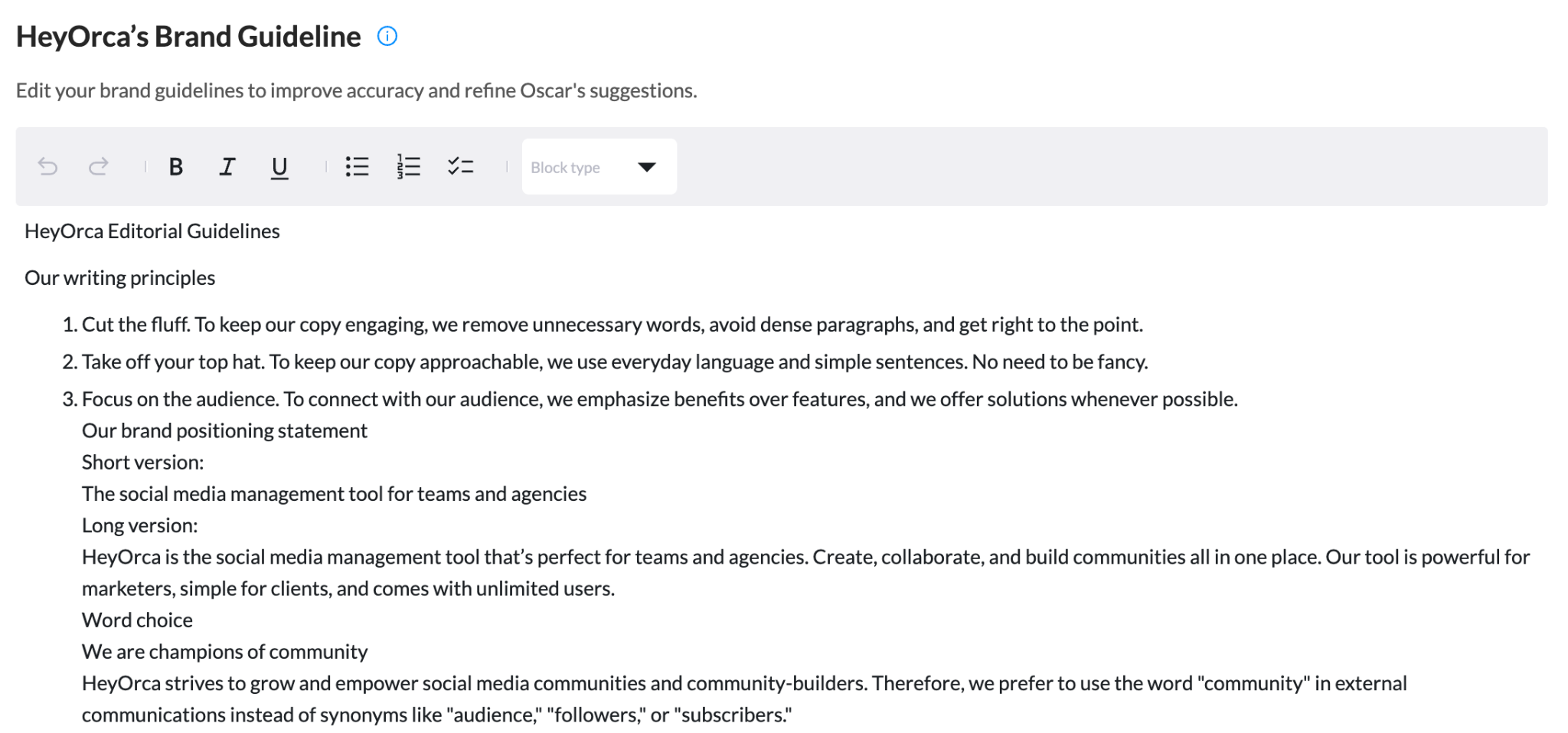
Your community management guidelines help your team answer an important question:
“How should we respond when this happens?”
Without guidelines, every community manager has to make decisions from scratch. That can lead to inconsistent responses, delayed replies, and a whole lot of second-guessing.
Your guidelines should give your team enough direction to respond confidently while still leaving room to sound human.
Here’s what to include:
Define your brand voice
How should your brand sound in comments and DMs?
Your social media voice might be friendly, playful, educational, professional, or somewhere in between.
Include examples of how your team should respond in common situations. It’s much easier to follow a guideline when you can see it in action.
Set expectations for response times
Not every message needs an immediate response. But your team should know what “timely” looks like.
For example, you might prioritize:
- Urgent customer care requests
- Questions that require a response
- Negative feedback or complaints
- Time-sensitive opportunities
- General comments and conversations
This helps your team focus on the conversations that need attention first.
Create an escalation process
Some messages shouldn’t be handled by the social media team alone.
Create clear workflows for when a conversation needs to move to another person or department.
For example:
- Product questions go to the Product team
- Billing issues should go to Customer Care
- Media requests go to Marketing or Communications
- Serious complaints should be handled by leadership or a designated team member
Orca tip: We send screenshots in our respective Slack channels and tag the person who can help with a response.
Know when to take conversations offline
Social media is a public space, which means some conversations are better handled privately.
Your guidelines should explain when to move someone from a comment into DMs or another customer care channel.
Just make sure you don’t use “Please DM us” as a way to make a problem disappear from your comment section.
Acknowledge the person publicly when appropriate, then continue the conversation privately if you need more information.
Create rules for moderation
Every community needs boundaries.
Decide how your team will handle spam, harassment, misinformation, inappropriate content, and other situations that could affect your community.
Clear moderation guidelines help your team protect the space while staying consistent.
Alyssa Pulford, our Community Manager, shares some good tips in this Facebook moderation guide.
Build a community management workflow your team can actually follow
The biggest challenge with community management usually isn’t knowing that you should respond. It’s keeping track of everything.
When your brand manages multiple social media accounts, conversations can quickly end up scattered across platforms.
Here’s a workflow that works for us that might help you out:
Collect your conversations in one place
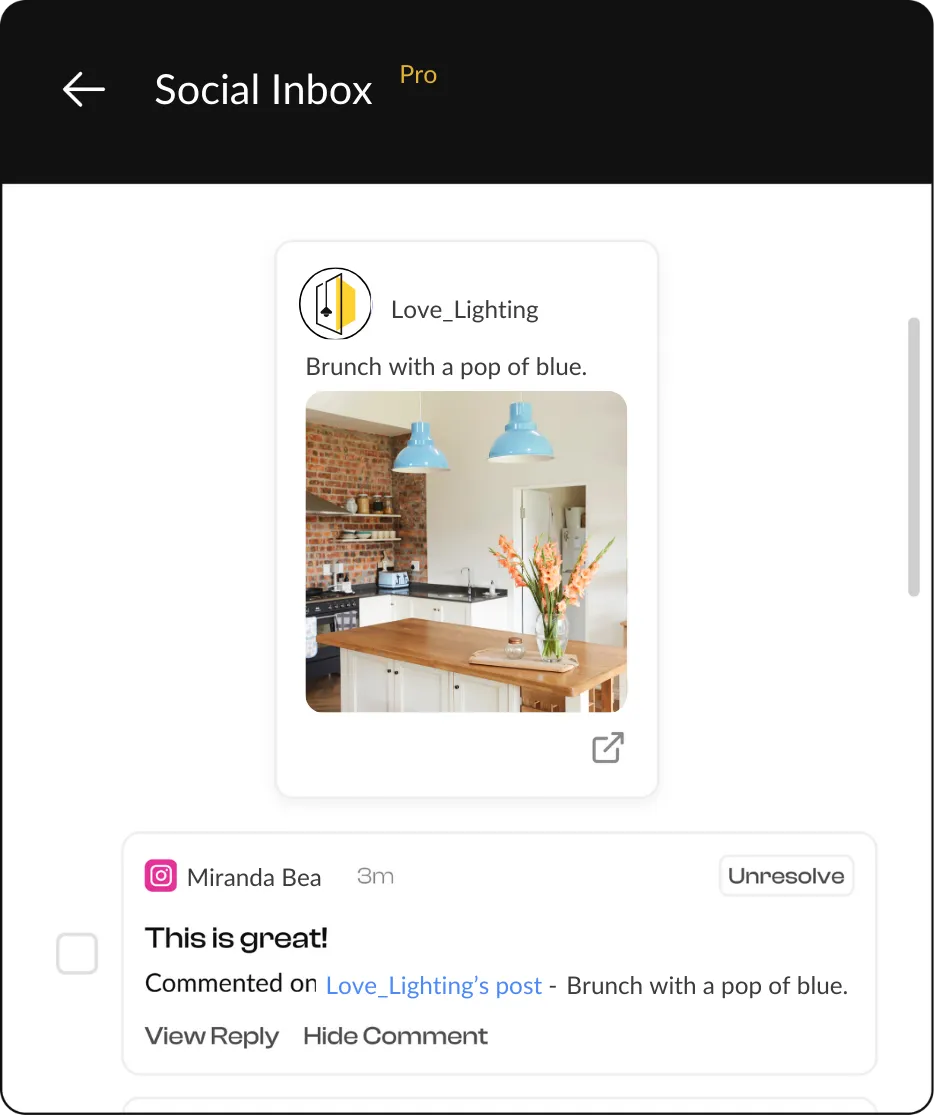
Your team should be able to see the conversations that need attention without constantly switching between platforms.
A centralized inbox makes it easier to monitor comments, messages, and interactions across your accounts.
With HeyOrca’s Social Inbox, teams can bring conversations from supported social platforms into one place, helping them stay on top of engagement without bouncing between tabs all day.
Prioritize what needs attention
Not every interaction requires the same response.
A “Love this!” comment probably doesn’t need the same level of attention as a frustrated customer who needs help.
Create categories or priorities that help your team quickly identify:
- Questions
- Customer care requests
- Complaints
- Positive feedback
- Sales opportunities
- Conversations worth joining
This helps your team spend their time where it matters most.
Assign ownership
One of the easiest ways for messages to fall through the cracks is when everyone assumes someone else will respond.
Depending on your workflow, that might mean assigning conversations to specific team members or creating clear responsibilities by platform, topic, or account.
Respond consistently
Your guidelines should help your team stay consistent, but consistency doesn’t mean copying and pasting the same response.
Use your brand voice as a guide, give your team room to respond naturally, and make sure everyone knows where to go when they need help with a difficult conversation.
Learn from what your community tells you
The conversations happening in your comments and DMs can help shape your entire marketing strategy.
Look for:
- Questions that come up repeatedly
- Common frustrations
- Content ideas
- Product feedback
- Language your community uses
- Topics people are excited about
Your community is constantly telling you what matters to them. You just have to listen.
Top platforms for managing multiple social media communities
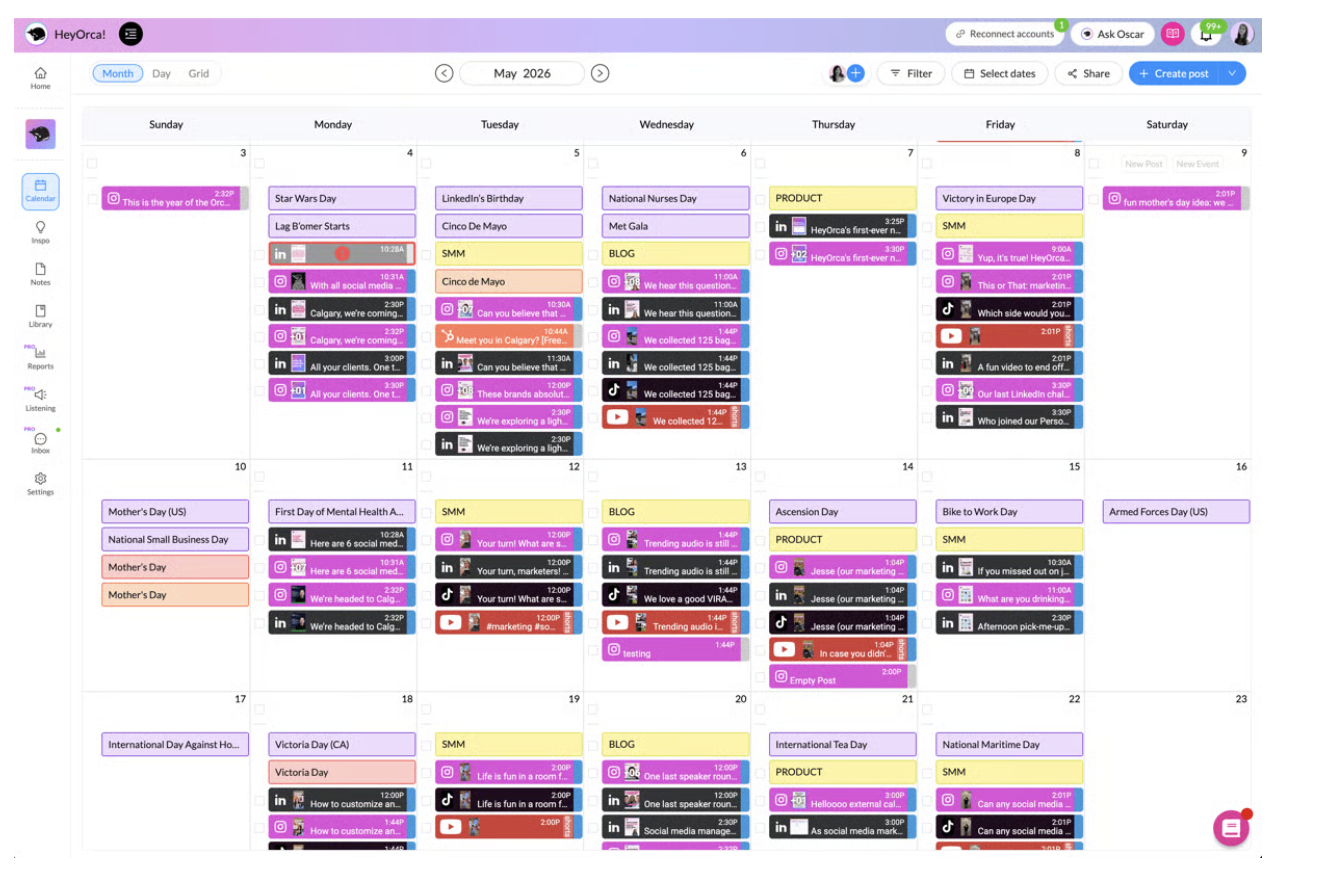
The best platform for managing your community depends on where your community spends its time.
You might manage conversations across:
- TikTok
- YouTube
- X
- Threads
- Online communities and groups
But the more platforms you manage, the harder it becomes to keep conversations organized.
That’s why many social media teams use a social media management tool with a centralized inbox.
Instead of checking every platform individually, your team can manage conversations from one workspace.
When choosing a platform, look for features that help your team:
- View conversations across multiple accounts
- Reduce platform switching
- Keep track of messages that need a response
- Collaborate with other team members
- Manage multiple brands or clients
- Create clear workflows for engagement
How to improve engagement in social media communities
Engagement becomes more meaningful when people feel comfortable participating. That means creating opportunities for your community to share their opinions, experiences, and ideas.
Here are a few ways to encourage more participation:
Ask better questions
“Thoughts?” probably won’t spark the same conversation as a specific question people can easily answer.
Give people something concrete to respond to.
Instead of:
“What do you think?”
Try:
“Which one would you choose, and why?”
The easier it is for someone to enter the conversation, the more likely they are to participate.
Respond to the people who show up
If someone takes the time to leave a thoughtful comment, acknowledge it.
That doesn’t mean you need to respond to every single interaction. But consistently showing that you’re listening encourages people to keep participating.
Create content from community conversations
Your next great content idea might already be sitting in your comments.
If people keep asking the same question, create a post about it.
If a conversation sparks a great debate, bring it back to your content.
When people see their ideas reflected in your marketing, they’re more likely to feel like their participation matters.
Encourage conversations between community members
The strongest communities don’t rely on the brand to answer every question.
Over time, community members may start helping one another, sharing advice, and building relationships of their own.
That’s when something bigger starts to happen.
Your social media account stops being just a place where people interact with your brand. It becomes a space where people interact with each other.
And that’s a much stronger foundation for community.
FAQs about community management
What is community management on social media?
Community management is the practice of building and nurturing relationships with your community through conversations, engagement, customer care, moderation, and ongoing interaction on social media.
What does a social media community manager do?
A social media community manager engages with the community by responding to comments and messages, moderating conversations, answering questions, gathering feedback, and helping create a positive space for participation.
Why is community management important?
Community management helps people feel heard and valued. It can build trust, strengthen relationships, improve customer care, and encourage long-term participation and loyalty.
How do you manage multiple social media communities?
A centralized social media management tool can help you manage conversations across multiple platforms. Creating clear guidelines, assigning ownership, and establishing response workflows can also help your team stay organized.
What are social media community guidelines?
Social media community guidelines outline how your team should engage with the community and handle situations like questions, complaints, inappropriate content, customer care requests, and escalations.
Summary
Strong social media communities are built through the conversations that happen around it.
Your content might get someone to stop scrolling, but community management is what helps turn that moment into a relationship.
When you respond thoughtfully, make it easy for people to participate, and give your team the guidelines and workflows to manage conversations consistently, people have more opportunities to feel seen, heard, and valued.
And those conversations can give you just as much as you give them. Your community can tell you what they care about, what questions they have, what content they want to see, and where there’s an opportunity to improve.
That’s the heart of community-led marketing: creating spaces where people don’t just consume what your brand shares, but have a reason to participate.
So, keep publishing. But don’t forget to stick around for the conversation that comes after.
Still paying per seat for your social media tool? With HeyOrca, you get unlimited users – so your whole team (and clients!!) can collaborate without the extra cost. Plan, approve, and schedule your next post now.
Every member of your team deserves a seat at the table. That's why every HeyOrca plan comes with unlimited users. Choose the social media scheduler that helps you create, collaborate, and build community – without worrying about extra fees. Start your free trial.
Build stronger social media communities. HeyOrca brings your whole team together – with unlimited users!! – to plan, approve, and schedule content in one place. See it come together in minutes.
Looking for a social media tool built for teams and agencies? Plan, approve, and schedule your next post in minutes with HeyOrca – no credit card required.
.png)
Close all those tabs
Use HeyOrca to manage your social media content, approvals, and community in one place.
*no card required


.png)


