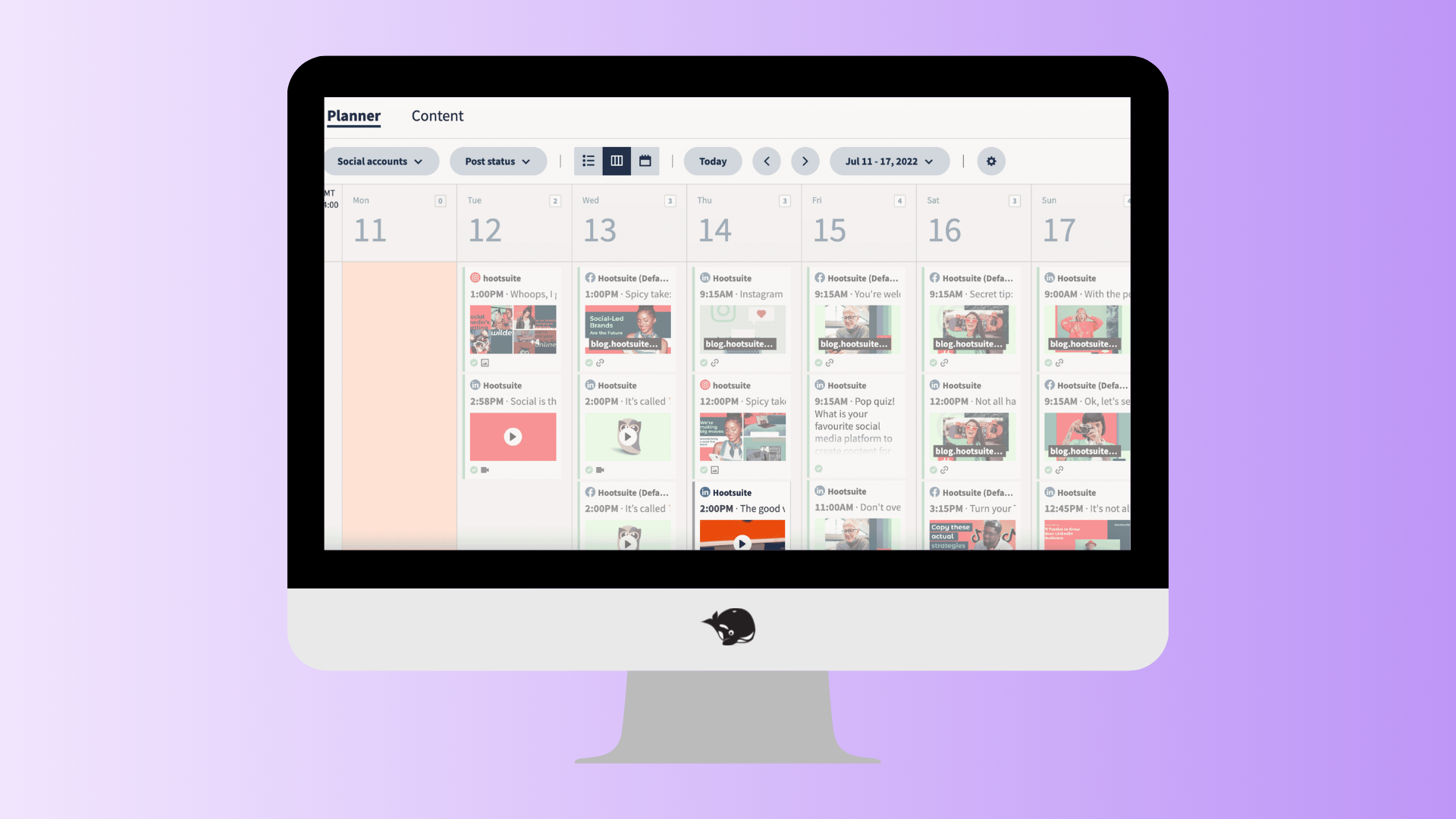
9 best social media management tools for agencies (2026)
.png)
Compare the best social media management tools for agencies in 2026, including HeyOrca, Sprout Social, Hootsuite, Agorapulse, Later, and more.
TL;DR
- The best social media management tool for your agency depends on your team’s workflow. Look for features that make client approvals, collaboration, scheduling, reporting, and scaling easier.
- HeyOrca stands out for agencies that want unlimited users, client-friendly approvals, collaborative calendars, and automated reporting all in one place.
Managing social media for one brand is one thing. Managing it for 10, 20, or 50 clients? That's a whole different ball game.
The best social media management tools help you collect approvals faster, collaborate with your team, automate reporting, and keep every client organized without endless email threads.
To help you find the right fit, we've compared some of the most popular agency-friendly platforms, including HeyOrca, Sprout Social, Hootsuite, Metricool, Planable, Argorapulse, Cloud Campaign, Loomly, and Later.
Whether you're a growing agency or managing social for enterprise clients, this guide will help you choose the platform that fits the way your team works.
Why trust this guide?
There are plenty of software comparison articles out there. Most compare feature lists.
We wanted to compare what actually matters to agencies.
Every platform in this roundup was evaluated based on the workflows agency teams use every day, including:
- Client approvals
- Team collaboration
- Publishing and scheduling
- Reporting
- Customer support and education
- Community
What is a social media management tool?
Before we get into what agencies should be looking for in a social media management tool, let’s define what it is.
A social media management tool is software that helps you manage, schedule, analyze, and create content across various social media platforms – all in one place.
Instead of logging in to each network individually, you can manage your social media workflow from a single dashboard. Many platforms also include features like client approvals, team collaboration, analytics, reporting, content calendars, AI assistance, and integrations with the tools you already use.
Social media managers, marketing teams, freelancers, and agencies all use social media management tools to save time, stay organized, and work more efficiently.
How to choose the right social media management tool for your business
Not every social media management tool is built for the same type of business.
The best choice comes down to how your team works, the features you need, and the people who'll be using the platform every day.
Here are a few questions to consider before choosing your social media management tool:
How many people need access?
Will it just be you? Or will account managers, designers, freelancers, executives, and clients all need access too?
Some platforms charge for every additional user, while others offer unlimited users.
How do you collect client approvals?
Do you rely on email chains and spreadsheets? Or do you want clients to review and approve content in one place?
If approvals are part of your daily workflow, this feature can save hours every week.
Which social media platforms do you manage?
Make sure the tool supports every platform you publish to – not just today, but as your business grows.
What reporting do you need?
Do you simply want to track engagement? Or do you need customizable reports that you can automate and share with clients?
Does your team need to collaborate?
If multiple people create, review, and publish content, look for features like shared calendars, internal comments, version history, and approval workflows.
Will the platform grow with your business?
The cheapest option isn't always the most cost-effective.
As your team and client list grow, think about how pricing, user limits, and available features will scale with you.
What agencies should look for in a social media management tool
Not every social media management platform is built for agencies.
Some are designed for solo marketers. Others focus on enterprise reporting or social listening. But agencies have a different set of priorities. You're juggling multiple brands, multiple stakeholders, and multiple approval chains.
So here are the 6 things worth looking for before you choose a platform.
1. Client approvals
If you're collecting feedback in emails, Slack messages, PDFs, or spreadsheets, approvals can quickly become the biggest bottleneck in your workflow.
Look for a platform that lets clients:
- Approve posts with one click
- Leave feedback directly on the content
- Review revisions in one place
- Stay involved without creating extra work for your team
The easier it is for clients to review content, the faster you can get it published.
2. Collaboration
Social media is a team sport. Designers, copywriters, account managers, freelancers, and clients all need visibility into what's happening.
The right platform makes it easy to collaborate without wondering who's editing what or chasing updates across five different tools.
3. Unlimited users
Many social media management platforms charge per seat.
That might seem reasonable . . . until you need to invite another account manager, designer, freelancer, executive, or client.
Then those extra seats add up quickly.
Platforms with unlimited users make collaboration easier because everyone who needs access can have it – without increasing your monthly bill.
4. Reporting
Clients want to see results. Your team probably doesn't want to spend hours building reports every month.
Look for reporting features that let you:
- Automate recurring reports
- Customize what clients see
- Compare campaign performance
- Share results with just a few clicks
5. Customer support
No matter how intuitive a platform is, questions are bound to come up.
Whether you're troubleshooting a publishing issue, onboarding a new team member, or racing to get a client campaign out the door, responsive customer support can make all the difference.
When comparing social media management tools, look beyond the help centre and ask yourself:
- Can you chat with a real person?
- How quickly does the support team respond?
- What support channels are available (live chat, email, phone)?
- Does the company offer onboarding, training, or educational resources?
6. Community management
The best social media management platforms don't just give you tools to draft and publish; they should give you the tools to help you grow your skills.
Whether it's an active customer community, regular webinars, industry newsletters, or practical templates, these resources help you stay ahead in an industry that changes almost daily.
#1 HeyOrca
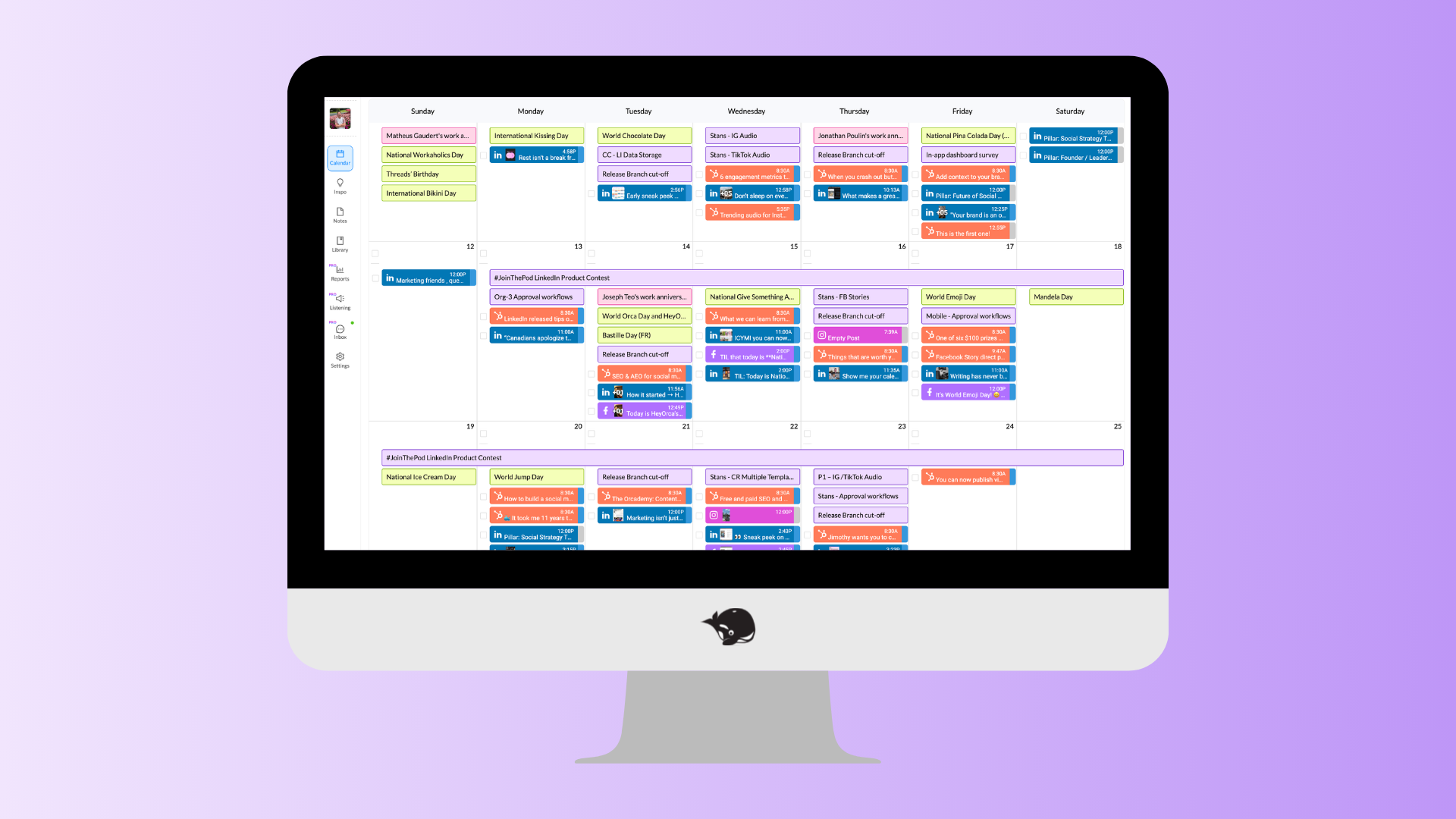
Best for: Agencies that want simpler approvals, smoother collaboration, and unlimited users.
If your agency spends more time chasing approvals than creating content, HeyOrca was built with you in mind.
Instead of bouncing between emails, spreadsheets, and Slack messages, your team and clients can collaborate in one shared workspace. Review content, leave feedback, approve posts, and publish across every major social network – all without the back-and-forth.
One of HeyOrca's biggest differentiators is its unlimited users. Whether you're inviting designers, account managers, freelancers, executives, or clients, everyone can collaborate under the same plan without worrying about seat limits.
What agencies will love
- Unlimited users on every paid plan
- Client-friendly approval workflows
- Separate workspaces per client
- Shared content calendars with multiple views
- Cross-platform scheduling and publishing
- Automated social media reports
- Unified social inbox
- AI writing and workflows
- Trending audio for Instagram and TikTok
- Human customer care team
- Canva, Google Drive, Mailchimp, and HubSpot integrations
- Weekly webinars and The Pod community
A few things to keep in mind
HeyOrca is built with team and client collaboration in mind, and its Social Listening suite is growing, with tools like Brand Monitoring already available.
If your agency wants to monitor brand mentions on social media, keep tabs on sentiment, surface most-engaged community members, and compare performance to competitors, HeyOrca's Social Listing suite can be a great fit. If you need to surface conversations about your brand from across the web, you may want to compare HeyOrca's current capabilities with other platforms.
Need to boost your agency's branding? HeyOrca doesn't offer white-labelling, but does support Custom Branding, which helps you stay on-brand with tools like custom-branded reports and customized workspace colours.
Our take
HeyOrca is one of the strongest options for agencies because it solves the challenges agencies deal with every day – not just scheduling posts, but keeping people aligned.
The combination of unlimited users, intuitive approvals, collaborative calendars, and ongoing education through The Pod makes it an excellent fit for teams and growing agencies that manage multiple clients.
What users are saying
“So many things. I manage multiple channels with multiple approvers and HeyOrca's system for approvals is easy and seamless. It's one of the most use friendly platforms I've used. I also really appreciate all the constant addition of features that improve the platform and help me work more efficiently. Everything from scheduling reels and stories with direct publish, to scheduling collaborations, to AI caption options, to easy crossposting features. Also, I rarely have any problems, but when I do the HeyOrca customer support team is easy to connect with and always very quick to resolve the issue even going above and beyond to help. I also appreciate the social inbox and reporting features so that I can manage all of our social media from one place. Overall, I can't recommend HeyOrca enough to anyone working with multiple channels and needing feedback/approvals on posts particularly in an agency type setting.” – Verified review from G2
“I love that I can share actual creative assets and captions with clients within HeyOrca. Previously, I was using Google docs to copy and paste assets and captions and it really was inefficient. This is an all in one platform - you can schedule, share for approval and get metrics.” – Verified review from G2
#2 Sprout Social
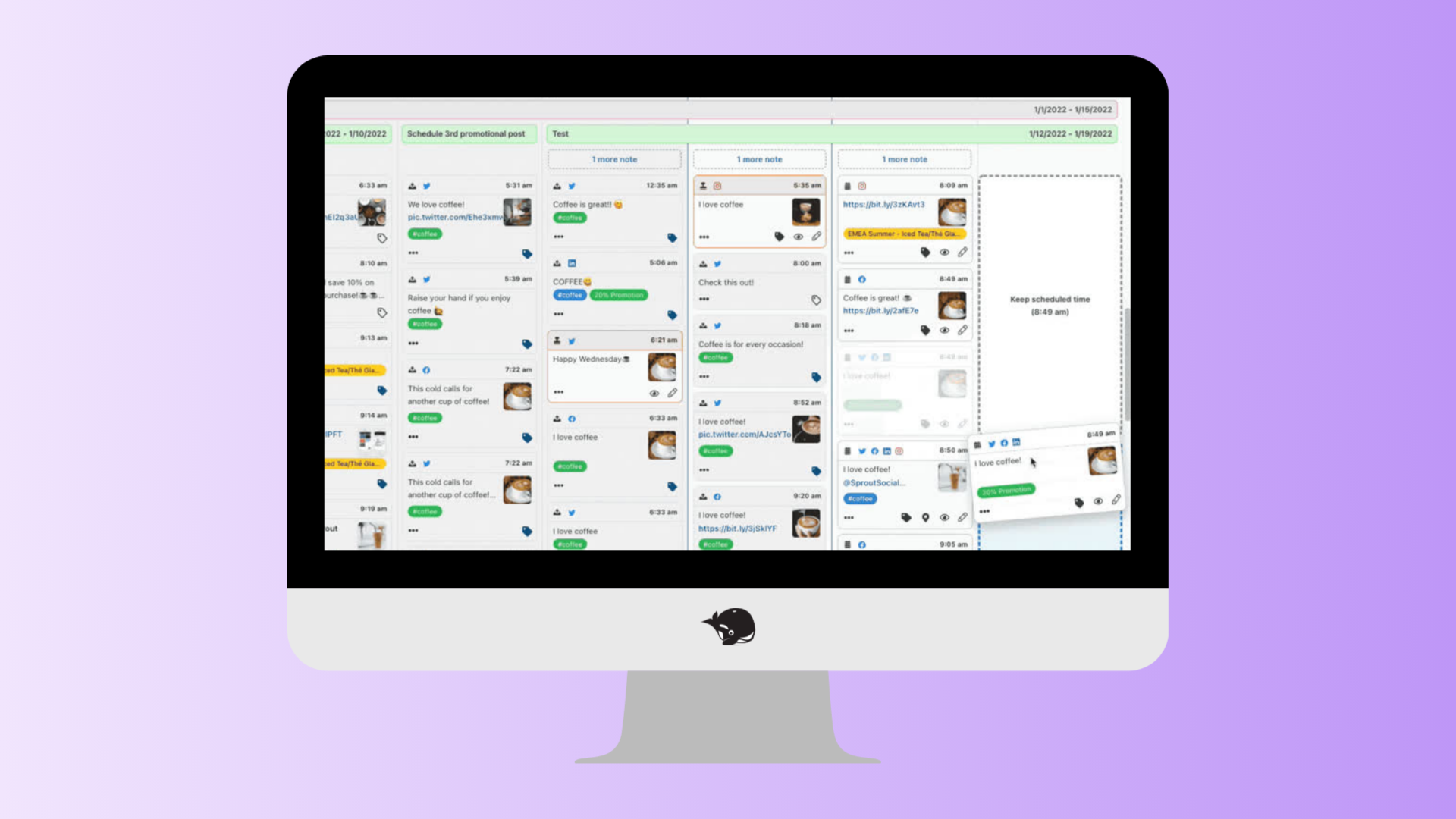
Best for: Enterprise teams that prioritize analytics, reporting, and social listening.
Sprout Social has earned its reputation as one of the most comprehensive social media management platforms on the market. However, its extensive feature set and enterprise focus can bring a steep learning curve and make it a less affordable option for some agencies.
Beyond scheduling content, it offers advanced reporting, AI-powered insights, social listening, and one of the strongest analytics suites available.
If your clients expect deep performance reporting and your brand uses social media as a customer support channel, Sprout Social is worth considering.
What agencies will love
- Advanced analytics and reporting
- AI-powered publishing tools
- Social listening and brand monitoring
- Smart Inbox for engagement
- CRM integrations
- Customer care workflows
A few things to keep in mind
Sprout Social uses per-user pricing, so costs can increase quickly as your agency grows. If you're regularly inviting clients, contractors, or multiple team members into your workspace, you'll want to factor that into your budget. Some collaboration features also require higher-tier plans.
Agencies looking for Custom Branding or more flexibility with client approvals may also want to compare Sprout's options carefully. Sprout Social does not offer Custom Branding, and external approvals are limited to three approvers.
Client organization is another thing to consider. Rather than creating a separate calendar or workspace for each client, Sprout Social relies on filters to organize content across different clients and social profiles.
Our take
Sprout Social is an excellent platform for agencies with enterprise clients that need advanced reporting and listening capabilities.
But if your biggest challenge is managing approvals, collaborating with clients, and giving everyone access without paying for extra seats, an agency-first platform like HeyOrca may be a better fit.
Thinking of switching from Sprout? See how HeyOrca compares to Sprout Social.
What users are saying
“I like that Sprout is a one-stop shop for all your social monitoring needs. It goes beyond just organic social monitoring, allowing for moderation tools, scheduling, and even social listening!” – Verified review from G2
“The platform offers insightful analytics and competitor data, allowing my small team to effectively function as a much larger team. The ability to quickly export reports when needed for client presentations is also highly beneficial.” – Verified review from G2
#3 Hootsuite
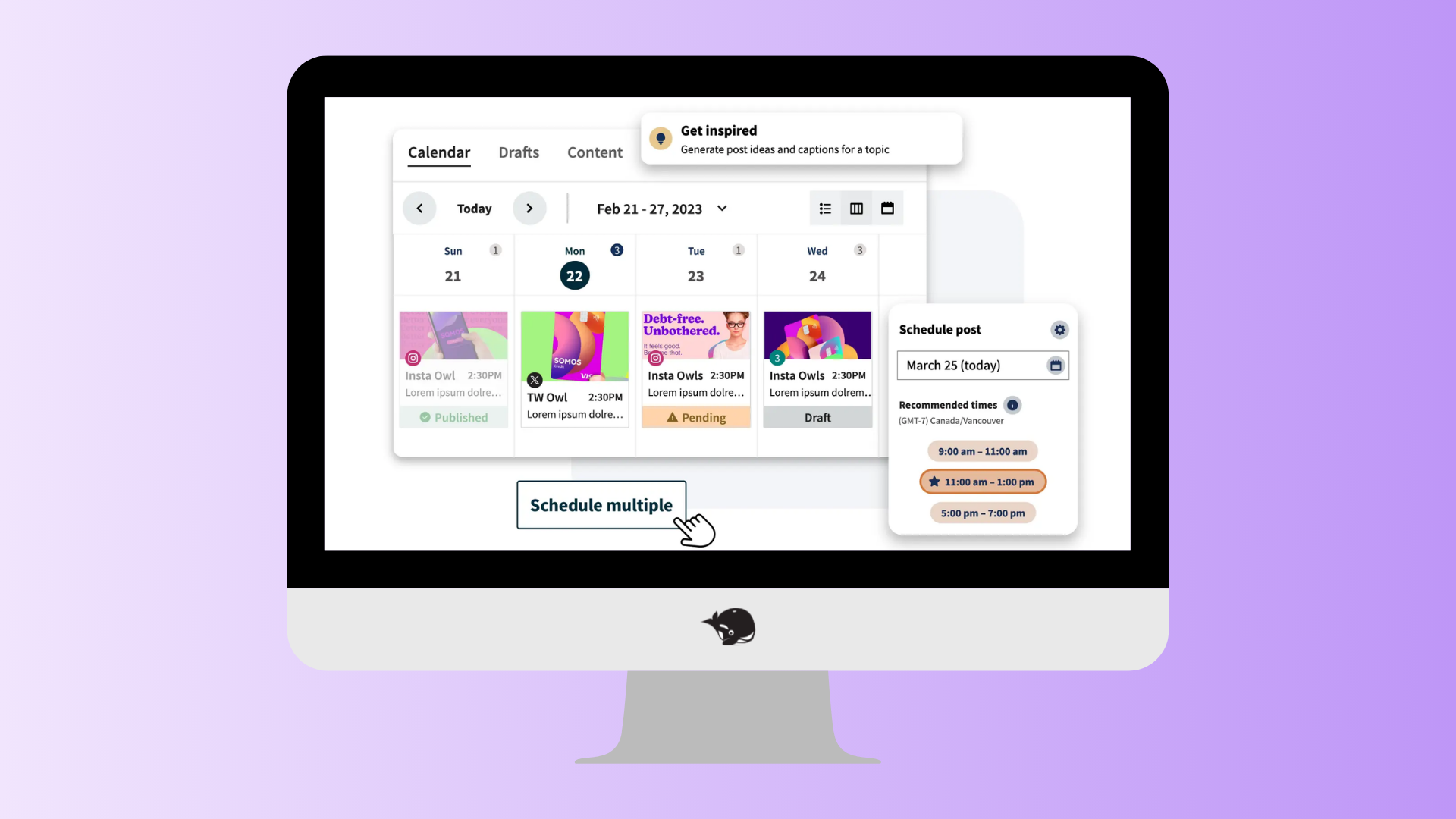
Best for: Agencies that want social engagement and publishing in one platform.
Hootsuite has been helping marketers manage social media for years, and it's still one of the most recognizable names in the industry.
It combines scheduling, publishing, reporting, engagement, and social listening in one platform, making it a solid choice for agencies managing a variety of client needs.
What agencies will love
- Multi-platform scheduling
- Unified Social Inbox
- Social listening
- AI writing assistance
- Custom analytics
- Large integration marketplace
A few things to keep in mind
Hootsuite offers a broad feature set, but agencies that spend a lot of time collaborating with clients may find other platforms better suited to their approval workflows.
For example, Hootsuite does not offer shareable content calendars, so clients need to log in to review and approve posts. If your agency regularly sends content to clients for feedback or approval, that extra step could add friction to your workflow.
If frequent client reviews are part of your day-to-day, it’s worth comparing how each platform handles approvals and content sharing – not just publishing.
Our take
Hootsuite remains one of the most complete social media management platforms available.
For agencies focused on engagement and social listening, it's a strong choice. For agencies that prioritize collaboration and client approvals, a platform designed specifically for agency workflows may feel more intuitive.
Thinking of switching from Hootsuite? See how HeyOrca compares to Hoosuite.
What users are saying
“In the past, managing my social media accounts required opening each individual platform to check messages etc., in addition to posting updates. Using Hootsuite allows me to publish updates across all my platforms, check messages, view engagement levels across platforms and compare performance across platforms without spending hours doing the same task.” – Verified review from G2
“I manage a lot of social content across multiple platforms, so having everything in one place makes my life so much easier. I can plan out campaigns, schedule posts, make quick edits, and see what's coming up without bouncing between a bunch of different apps. I also like being able to check performance in one dashboard so I can see what's working and adjust our strategy without digging through each platform individually.” – Verified review form G2
4. Metricool
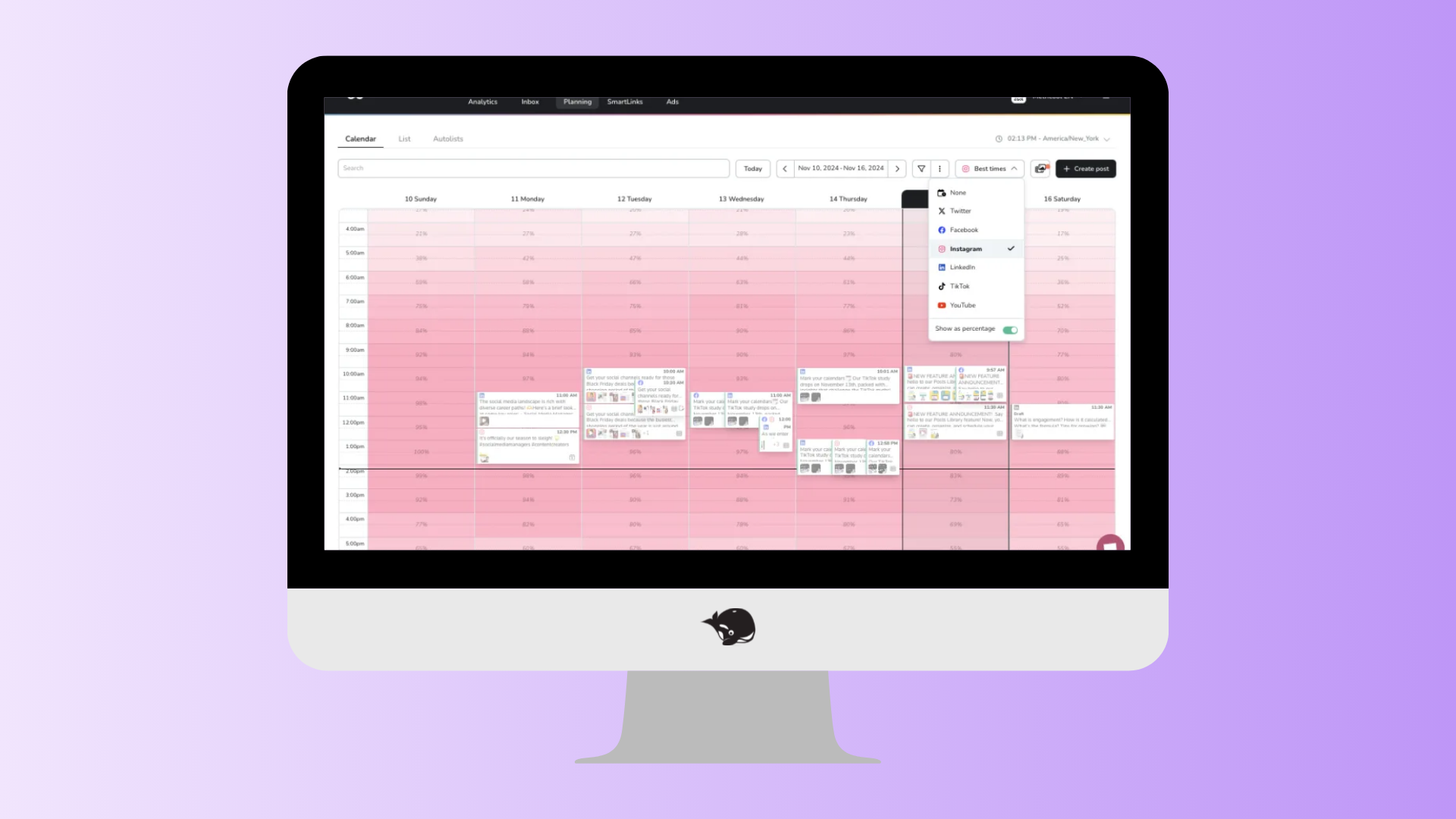
Best for: Starter agencies looking for an affordable social media management tool.
Metricool combines social media scheduling, reporting, competitor analysis, and other marketing analytics in one platform.
For newer or budget-conscious agencies that need the basics without a big price tag, it can be a compelling option. However, as your agency grows, you may find yourself looking for more advanced collaboration, client approval, and reporting capabilities.
What agencies will love
- Affordable pricing
- Social media scheduling
- Cross-channel reporting
- Competitor benchmarking
- Website and ad analytics
- Custom reports
- AI caption generation
- Unified inbox
A few things to keep in mind
Metricool offers a solid range of social media reports, but agencies looking for more advanced insights may find some gaps. For example, it doesn't offer Social Listening or sentiment analysis.
Collaboration is another area worth comparing. Agencies with approval-heavy workflows may need more flexibility around client feedback, commenting, and content approvals. Some agency-focused features, including unlimited users, approvals, and shareable calendar links, are also reserved for higher-tier plans.
If your agency is growing and coordinating more team members and clients, consider how well each platform supports your workflow today – and whether it can continue to support you as you scale.
Our take
Metricool may be a great fit for starter or budget-conscious agencies that need the basics at an affordable price.
But as your agency grows, collaboration can become just as important as scheduling and reporting. If you're managing multiple clients, coordinating approvals, and keeping internal and external feedback organized, a platform built around team and client collaboration may be a better fit.
That's where HeyOrca stands out, with features designed to make agency workflows easier – from separate calendars for each client and shareable approval links to Internal and Everyone comments, Content Tags, Real-Time Presence, Audit Trail, Draft Visibility, and the Inspo Library.
Thinking of switching from Metricool? See how HeyOrca compares to Metricool.
What users are saying
“As far as social media schedulers go, Metricool feels pretty standard overall. I do like that my team can manage all of our social accounts in one place, including multiple Instagram accounts. The link shortener is enormously helpful. The metrics dashboard is useful as well, since it gives us insight into our analytics and makes it easier to understand how our accounts are performing.” – Verified review from G2
“The platform's analytics are valuable because I can link it to the websites I manage and track both website and social media engagement. I especially appreciate the nice, clean analytics reports I can share with my clients without the need to manually send them out.” – Verified review from G2
5. Planable
Best for: Agencies that prioritize content collaboration and client approvals.
Planable is built around one thing: making it easier for teams and clients to review and approve social media content. Its visual workspace makes it simple to draft posts, gather feedback, and keep everyone aligned before anything goes live.
For agencies managing multiple stakeholders, it's a popular option for streamlining the content review process.
What agencies will love
- Visual content calendar
- Built-in approval workflows
- Internal and external commenting
- Content collaboration tools
- Support for multiple social media platforms
- AI writing assistant
A few things to keep in mind
Planable is strongest during the planning and approval stages of your workflow. Agencies looking for more advanced reporting, analytics, or broader marketing features may find themselves relying on additional tools.
Our take
If your biggest challenge is getting content approved without endless email threads, Planable is worth considering.
For agencies looking for a platform that combines approvals with publishing, reporting, unlimited users, and agency-focused workflows, HeyOrca offers a more complete all-in-one solution.
What users are saying
“What I like best about Planable is how clearly I can see everything I’ve planned. The layout makes it easy to understand my content at a glance, which really helps me stay organized and calm.” – Verified review from G2
“I find Planable really easy to use, which saves me a ton of time in managing eight social media pages. I love the ability to schedule posts ahead with an algorithmically suggested time, eliminating the guesswork. Editing media directly on the platform before posting is super convenient, and setting up carousels is a breeze. The AI-generated hashtags and copy are incredibly helpful, and having everything done in less than five minutes per post is amazing. The initial setup was really easy, taking just a matter of seconds.” – Verified review from G2
6. Agorapulse
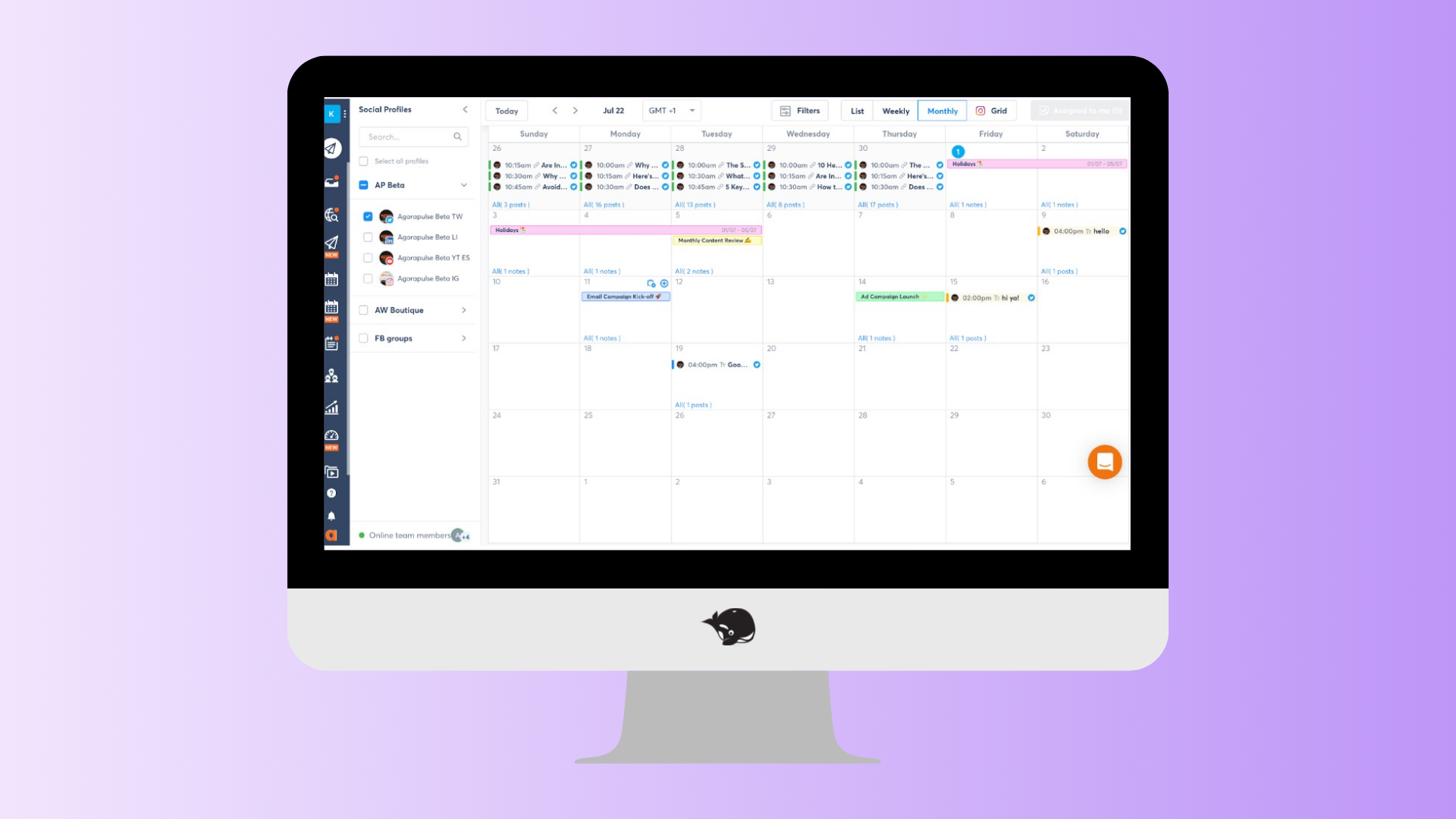
Best for: Agencies that manage high volumes of community engagement.
Agorapulse combines social media publishing with engagement, reporting, and inbox management, making it a strong option for agencies that spend as much time responding to comments and messages as they do creating content.
Its unified inbox and social listening tools help teams keep up with conversations across multiple social networks without constantly switching between platforms.
What agencies will love
- Unified social inbox
- Social listening and monitoring
- Publishing and scheduling
- Team collaboration
- Custom reporting
- Inbox assignment and moderation tools
A few things to keep in mind
Agorapulse is particularly strong for engagement management. If your workflow revolves more around client collaboration, approvals, and content planning, you may want to compare how its collaboration features stack up against agency-first platforms.
Our take
Agorapulse is an excellent choice for agencies managing active communities and customer conversations.
If collaboration and approvals sit at the heart of your workflow, platforms like HeyOrca provide a more streamlined experience for working with both clients and internal teams.
Thinking of switching from Agorapulse? See how HeyOrca compares to Agorapulse.
What users are saying
“I really enjoy the ease of use and intuitive information that Agorapulse provides. It's super helpful to easily go back and reuse or tweak past posts that performed well without having to recreate them from scratch.” – Verified review from G2
“What I like best about Agorapulse is how everything is centralized in one place, making daily management much easier. The moderation features allow us to categorize incoming messages, which helps qualify conversations and adds valuable KPIs for client reporting.” – Verified review from G2
7. Cloud Campaign
Best for: Marketing agencies managing a large portfolio of clients.
Cloud Campaign was designed with agencies in mind, offering features like white-label reporting, client workspaces, bulk scheduling, and content libraries that make it easier to manage multiple brands from one platform.
It's particularly popular with agencies that want to customize the client experience while keeping internal workflows organized.
What agencies will love
- White-label platform options
- Bulk scheduling
- Content libraries
- Client workspaces
- Automated reporting
- Team collaboration
A few things to keep in mind
Cloud Campaign focuses heavily on agency operations and client management, including white-labelling and client-facing workflows. However, agencies that need more advanced Instagram tools or in-depth reporting may want to compare its capabilities with other platforms.
For example, features like Instagram Auto-DMs, bio link tools, and Grid Preview are not available. Its reporting options may also feel more limited for agencies looking for tools like competitor reporting, automated reports, Brand Monitoring reports, or AI-powered report summaries.
Before choosing a platform, consider which features your agency relies on most – especially if Instagram management and detailed client reporting are a big part of your workflow.
Our take
Cloud Campaign is a solid choice for agencies looking to streamline multi-client management.
If you're looking for an agency platform that also invests in helping marketers grow through educational content, weekly webinars, and an active community, HeyOrca offers a broader experience beyond the software itself.
Thinking of switching from Cloud Campaign? See how HeyOrca compares to Cloud Campaign.
What users are saying
“What I like best about Cloud Campaign is how simple it makes managing multiple social media channels from one dashboard. The scheduling calendar is intuitive, bulk scheduling saves a lot of time, and being able to post to Facebook, Instagram, LinkedIn, and Google Business Profile in one place keeps our marketing organized.” – Verified review from G2
“The schedules function has saved myself and my clients countless hours. The ease of use and integrations with the white label options for agencies is a game changer for MRR.” – Verified review from G2
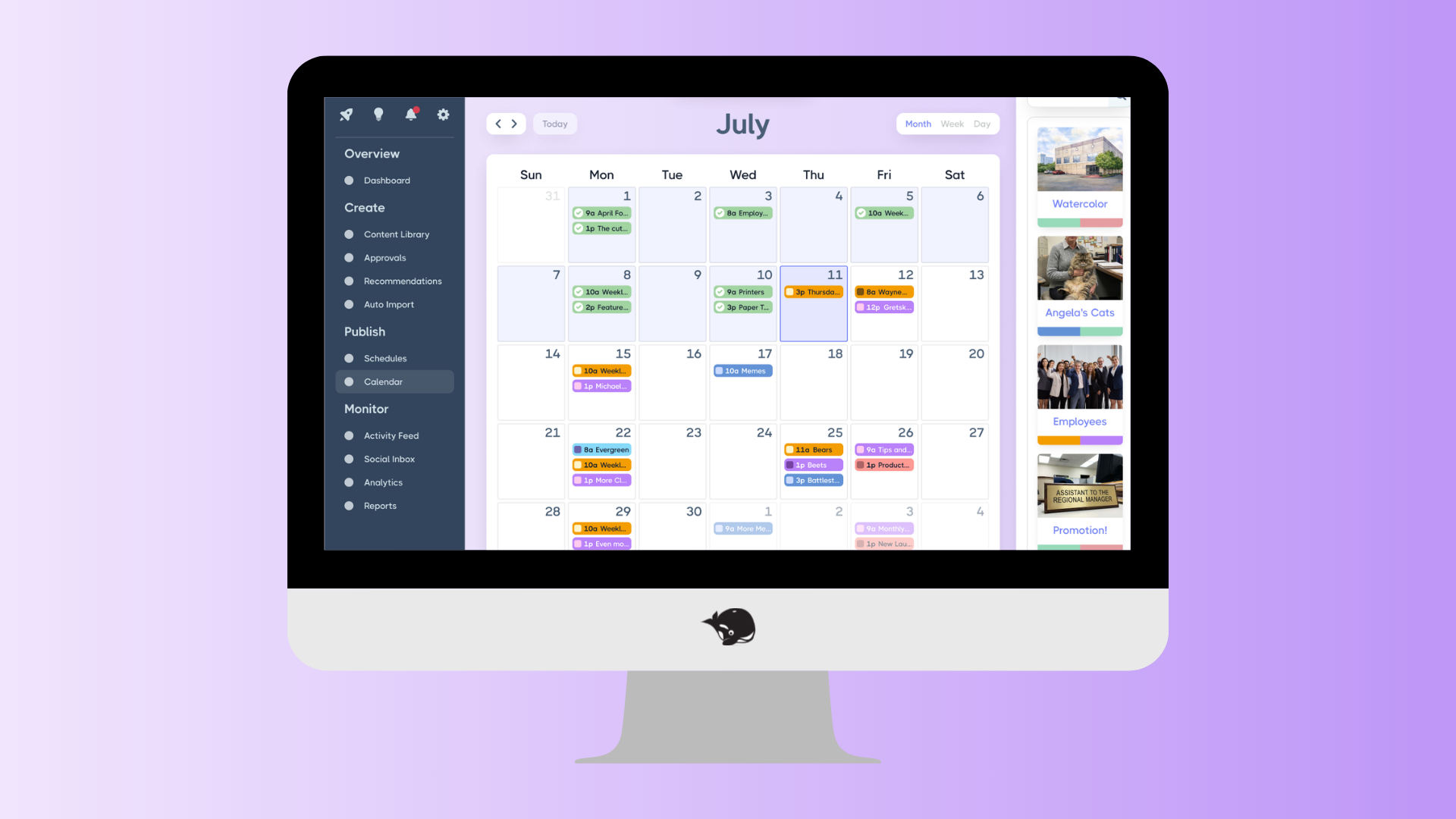
8. Loomly
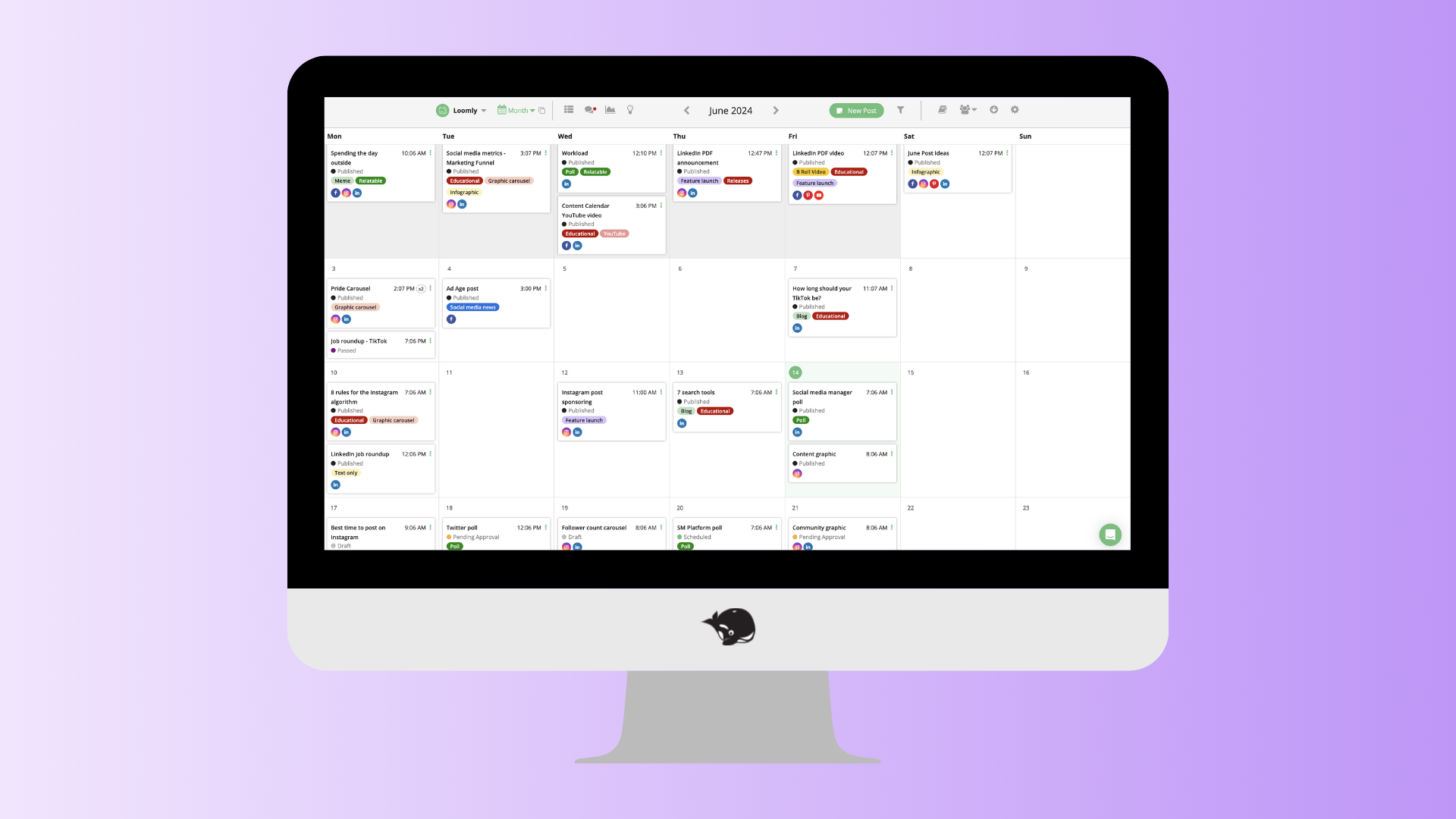
Best for: Small marketing teams looking for an intuitive content planning platform.
Loomly helps teams plan, create, and schedule content through an easy-to-use interface. Its collaboration tools, publishing workflows, and content ideas make it approachable for teams that want a straightforward way to manage their social media calendar.
What agencies will love
- Simple content calendar
- Post ideas and optimization tips
- Approval workflows
- Publishing across multiple platforms
- Team collaboration
- Analytics and reporting
A few things to keep in mind
Loomly is designed with simplicity in mind, making it a great option for smaller teams. Agencies with more complex workflows, larger client rosters, or advanced reporting needs may eventually outgrow some of their capabilities.
Our take
Loomly is a user-friendly platform that's easy to learn and easy to adopt.
For agencies that need more robust collaboration, unlimited users, and client-friendly approval workflows, HeyOrca offers more flexibility as your team grows.
Thinking of switching from Loomly? See how HeyOrca compares to Loomly.
What users are saying
“I liked how intuitive and easy Loomly was to use for day-to-day social media management. It really stood out for managing multiple B2B social channels across LinkedIn, Facebook, and Instagram, and supported executive visibility on LinkedIn. Loomly made planning, scheduling, and organizing content straightforward through its clean-cut content calendars and streamlined approval workflows.” – Verified review from G2
“It's not really designed for someone with a freelance marketing business as small scale as mine and the cost is more than I'd ideally like for my needs but it just makes my life so much easier and is lower than competitors (as far as I'm aware) so it's worth it still.” – Verified review from G2
9. Later
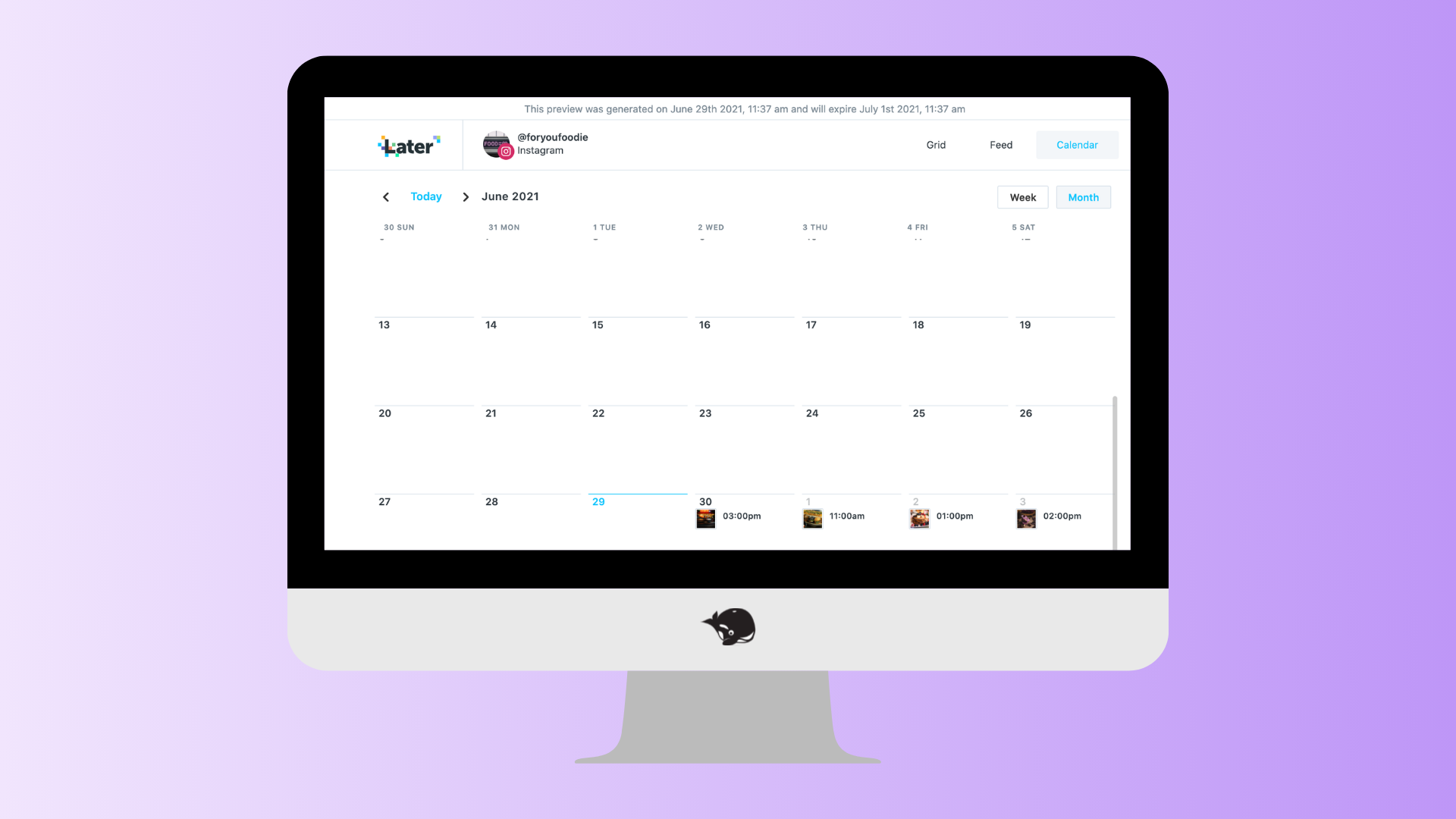
Best for: Brands and creators focused on visual content and creator marketing.
Later started as an Instagram scheduling tool and has since expanded into a broader social media management platform. It's particularly well known for visual planning, creator marketing, and influencer campaign management.
For brands working with lifestyle, fashion, beauty, or e-commerce brands, Later's visual-first approach can be a great fit.
What brands will love
- Visual content calendar
- Instagram and TikTok scheduling
- Creator and influencer management
- Link in bio tools
- Analytics
- Content planning features
A few things to keep in mind
Later shines when it comes to brands that focus on Instagram. Agencies looking for more robust client collaboration, approval workflows, or multi-client management may find other platforms better suited to their needs.
Our take
Later is an excellent choice for brands that put visual storytelling and influencer marketing at the centre of their strategy.
For agencies juggling multiple clients, approval processes, and team collaboration every day, platforms like HeyOrca are purpose-built to simplify those workflows.
Thinking of switching from Later? See how HeyOrca compares to Later.
What users are saying
“I like the preview function for Instagram. We are an interiors business, and the look of our Instagram grid is really important. With the preview feature, I can look at how the grid will appear and move posts around if the colors aren't working to make them fit well. The initial setup of Later Social was very easy, even though it was quite a few years ago.” – Verified review from G2
“What I like best about Later Social is how easy and visual it is to use, especially for Instagram. The drag and drop calendar makes it simple to plan out content and see how everything will look together, which is really helpful when you are trying to maintain a consistent visual identity for a university account.” – Verified review from G2
Summary
There's no shortage of social media management tools. The best one depends on how your agency works.
If reporting and social listening are your top priorities, platforms like Sprout Social, Hootsuite, and Metricool offer plenty of powerful features.
But if your team spends most of its time collaborating with clients, collecting approvals, and keeping multiple stakeholders aligned, those workflows deserve just as much attention. That's where HeyOrca stands out.
Built specifically for teams and agencies, HeyOrca combines client-friendly approvals, unlimited users, collaborative content calendars, and automated reporting in one easy-to-use platform.
Add in weekly webinars, educational resources, and The Pod – our thriving community of social media marketers – and you've got more than just a scheduling tool. You've got a platform that helps your team grow alongside your clients.
If you're looking for a social media management tool that makes collaboration easier and gives your whole team room to work together, HeyOrca is a great place to start.
Still paying per seat for your social media tool? With HeyOrca, you get unlimited users – so your whole team (and clients!!) can collaborate without the extra cost. Plan, approve, and schedule your next post now.
Every member of your team deserves a seat at the table. That's why every HeyOrca plan comes with unlimited users. Choose the social media scheduler that helps you create, collaborate, and build community – without worrying about extra fees. Start your free trial.
Build stronger social media communities. HeyOrca brings your whole team together – with unlimited users!! – to plan, approve, and schedule content in one place. See it come together in minutes.
Looking for a social media tool built for teams and agencies? Plan, approve, and schedule your next post in minutes with HeyOrca – no credit card required.
.png)
Close all those tabs
Use HeyOrca to manage your social media content, approvals, and community in one place.
*no card required


.png)
.png)


%20Social%20News.png)