How to create engaging webinars that build community
Learn how to create engaging webinars that build community, encourage participation, and support your marketing strategy.
TL;DR:
Want to create a webinar people actually want to attend? Here's the short version:
- Start with a problem your community genuinely wants help solving
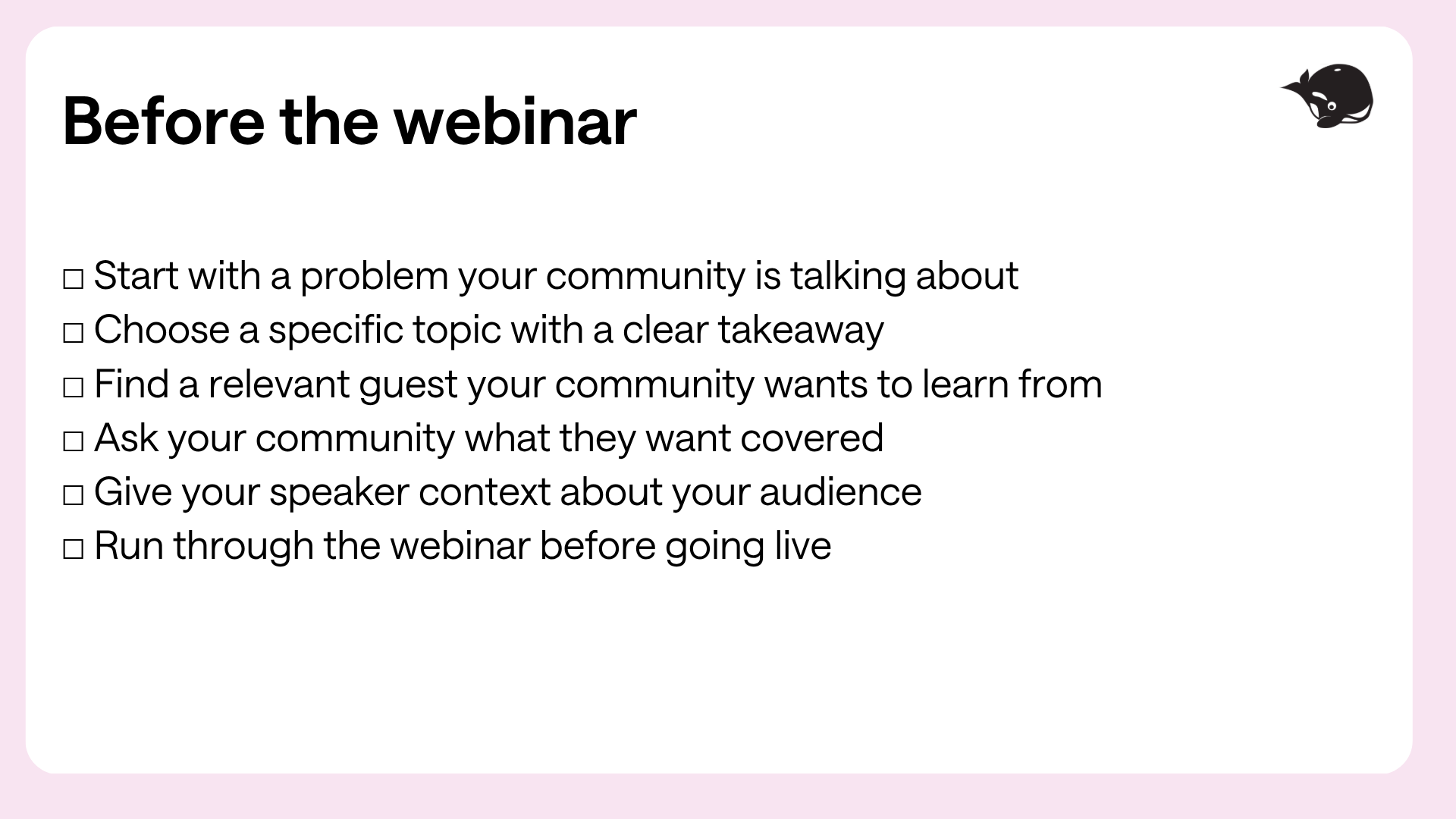
- Choose a specific topic with a clear takeaway
- Invite guests your community wants to learn from
- Treat your webinar like an experience, not a presentation
- Encourage participation from the very beginning
- Help your speakers feel comfortable and supported
- Keep the conversation going after the webinar ends
A great webinar is more than a presentation people watch with their cameras off and microphones muted.
When done well, webinars give people a place to learn, share ideas, ask questions, and connect with others facing the same challenges.
That's also what makes webinars such a natural fit for a community-led marketing strategy.
Instead of broadcasting information and hoping it lands, you're inviting people into the conversation. Your community can help shape the topic, participate during the event, and keep the discussion going long after the webinar ends.
So, how do you create a webinar people actually want to show up for?
We asked HeyOrca Events Specialist, Natalie Czerwinski, who knows a thing or two about bringing marketers together.
Here’s what we learned:
1. Start with your community
Coming up with webinar ideas can feel a little like staring at a blank page and waiting for inspiration to magically appear.
But more often than not, the best ideas are already sitting right in front of you.
Look at the questions people are asking in your comments, DMs, polls, social posts, and community spaces.
Ask yourself:
- What problems keep coming up?
- What are people struggling with?
- What have they specifically asked you to cover?
Those conversations can give you a much better starting point than sitting in a meeting and trying to brainstorm the “perfect” topic from scratch.
“My playbook is to basically always start with the community, not the topic or the speaker. I’m always looking out for what social media managers are struggling with, what questions we’re seeing in our Facebook group, and what people have specifically asked us to cover,” shares Natalie.
Once you've identified the problem, you can build the rest of the webinar around solving it.
That means finding a topic with a clear outcome and bringing in the right person to help your community get there.
2. Give people a clear reason to attend
Before you start promoting your webinar, ask yourself: Why should someone give us an hour of their day?
For example, “Social Media Trends” might sound interesting.
But “Build your 2027 social media strategy with us” tells someone exactly what they'll get from showing up.
The more specific the outcome, the easier it is for someone to decide whether your webinar is worth their time.
We especially love webinars where people leave having actually done something.
Maybe they:
- Build their content calendar
- Audit their social media strategy
- Create a reporting framework
- Plan their next campaign
“Ultimately, people show up when the content resonates with them and is actually useful. Our webinar audience is mostly social media managers on small teams with limited resources,” explains Natalie. “They can’t afford to attend a webinar that might be valuable. It has to be valuable for them to show up.”
3. Choose a guest based on relevance
You don't necessarily need the person with the biggest following.
You need someone your community genuinely wants to learn from.
That might be:
- A social media manager who just ran an incredible campaign
- A customer who solved a challenge your community is facing
- Someone with practical experience your community can learn from
- A member of your community with a great story to share
Once you've found the right person, help them understand exactly who they'll be speaking to.
“For planning, I work with the speaker to narrow the topic and make sure there are practical takeaways,” says Natalie. “I try not to over-direct them, but I give them context on our audience: who they are, their experience level, team size, budgets, etc.”
4. Treat your webinar as an experience
It's easy to focus almost exclusively on the slides, but they aren’t the experience – the people are.
So instead of asking what you should put in your presentation, ask:
- Why should someone show up?
- What should they learn?
- How can they participate?
- What should happen after the webinar ends?
That changes how you design the entire event.
Instead of 60 minutes of slides, you might have teaching mixed with questions, polls, chat, and conversation.
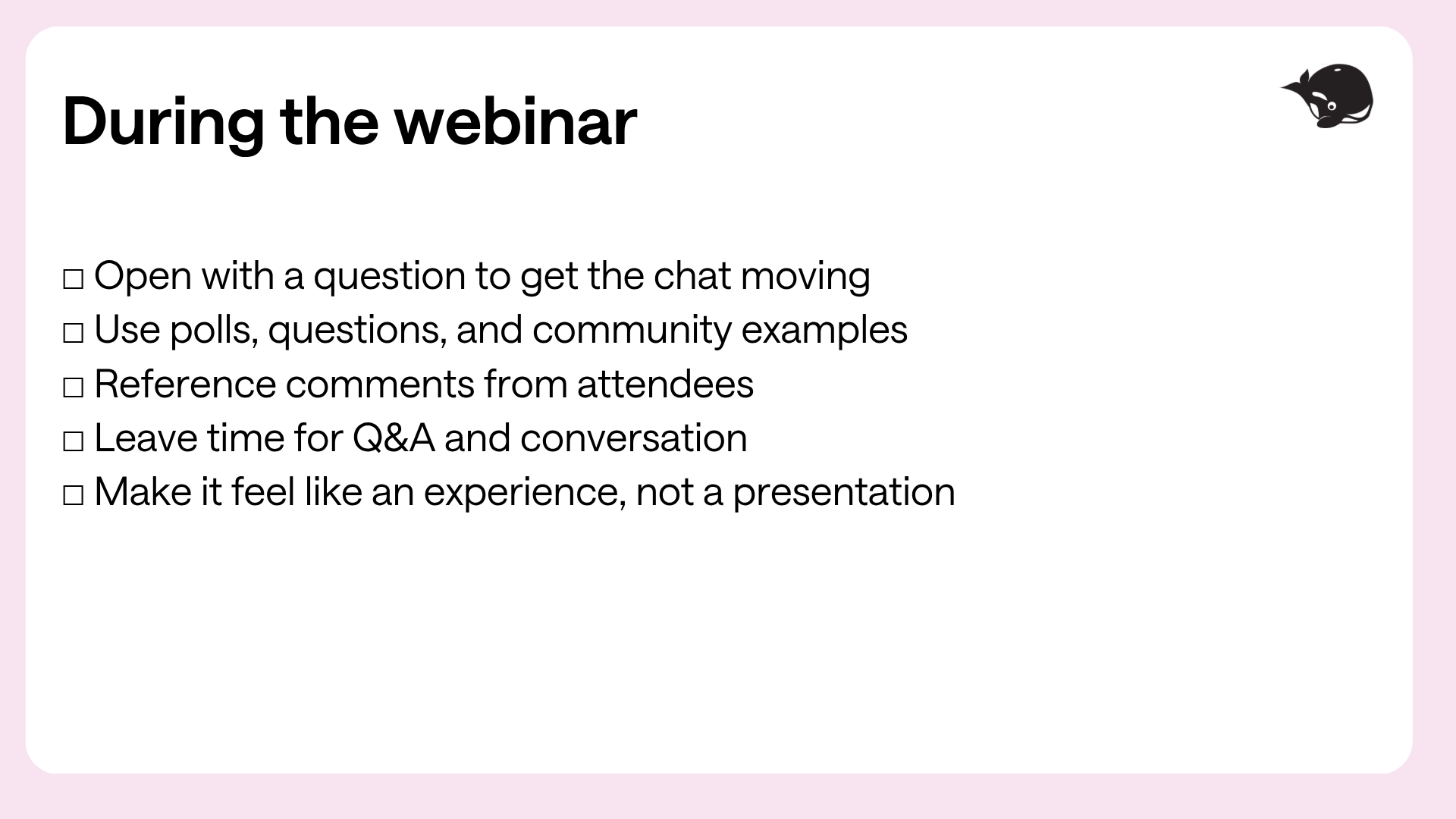
“When we go live, we always kick off with a question to get the chat moving right away. I want it to feel less like watching a presentation and more like being part of something live,” explains Natalie.
5. Get people participating early
Don't wait until the final five minutes to ask people to participate.
Start early with these ideas:
- Asking a question when people join
- Running a poll
- Asking attendees to share their experiences in the chat
- Referencing their comments during the conversation
When people see their ideas becoming part of the webinar, they're more likely to keep participating.
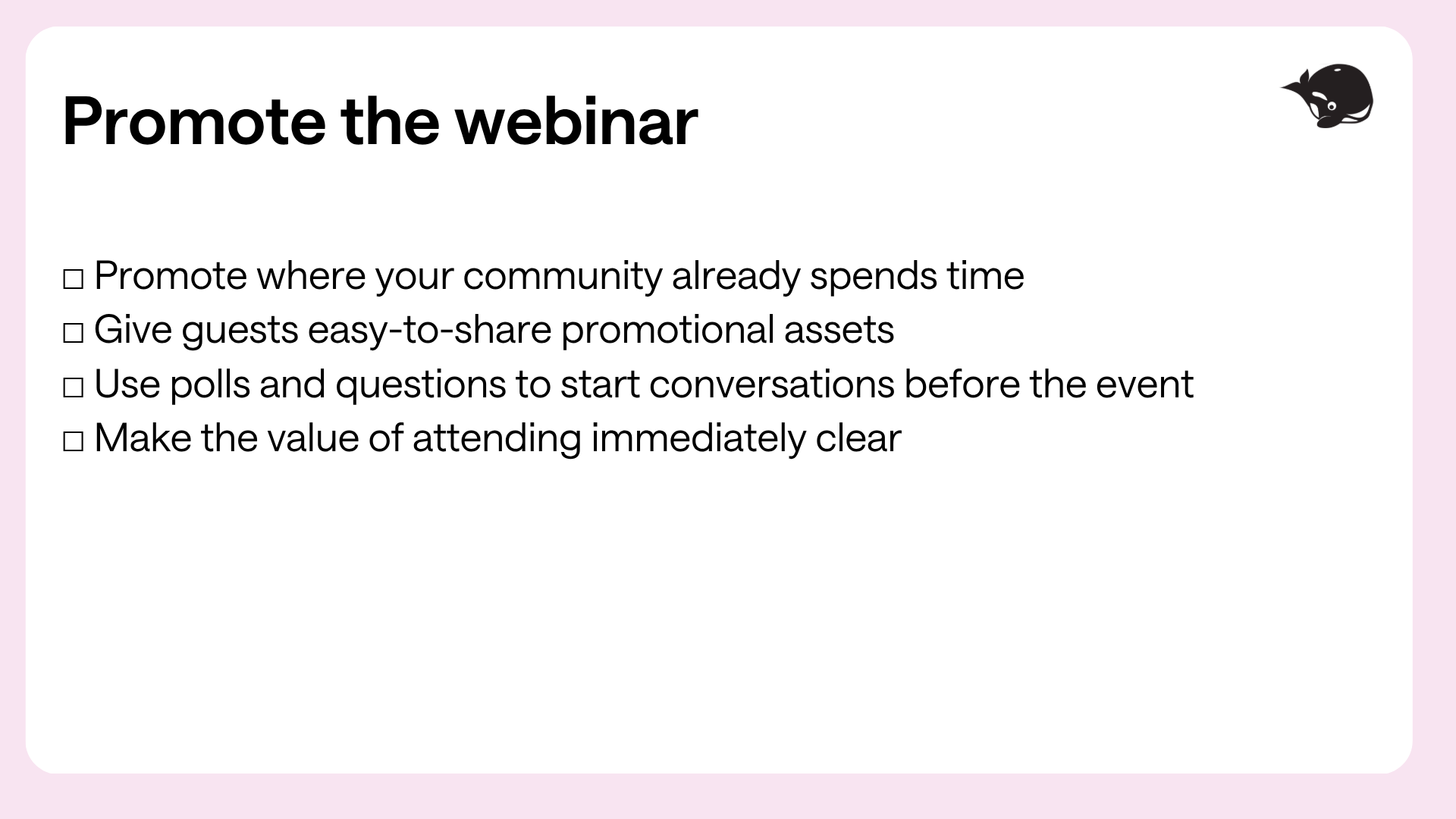
“I also think involving the community before the webinar helps with attendance,” Natalie explains. “We’ll post a LinkedIn poll related to the topic on the day of the webinar to get the conversation started, and we find that generates a lot of interest too.”
6. Promote your webinar where your community already is
You don't need to build a brand-new community every time you run an event.
Start with the spaces where your community already spends time.
This could be your:
- Newsletter
- Social media
- Community spaces
- Guests' network
“It always goes back to listening to your community for topic ideas. Then we promote where our audience already is: our newsletter, LinkedIn events, our Facebook group and through our speakers' networks,” says Natalie.
Once the topic and speaker are locked in, make it as easy as possible for everyone involved to spread the word.
“We promote across our newsletter, LinkedIn and community. We also make promo assets for our guests so they can easily share with their networks,” she says.
7. Help your speakers feel comfortable
A great speaker can completely change a webinar.
But even experienced speakers can feel nervous when they're presenting live online.
“The most important thing is making sure speakers know what to expect. We always do a run-through in the actual webinar platform so they practise in the exact environment they'll use on the day, and I walk them through the flow from start to finish.” Natalie explains.
But preparation isn't just about practicing the technology.
“I also really hammer home that they’re not doing this alone. I’m co-hosting with them, and other HeyOrca team members are in the chat moderating, answering questions and keeping an eye on everything behind the scenes. The speaker's job is to focus on sharing what they know. We've got their back on everything else,” she says.
And if something goes wrong?
“I remind them that, basically, the world will keep turning no matter what. If there are Wi-Fi issues, they go over time, or they can't think of the answer to a question, it's okay,” she says.
Creating a comfortable environment doesn't just help your speakers feel better; it also makes the experience better for everyone watching.
“When a speaker is comfortable, they're more conversational, tell better stories, engage with the chat more, and are generally more themselves. The audience can feel that energy,” she shares.
8. Keep the conversation going after the webinar
Your webinar shouldn't end when everyone closes their browser.
You've just spent time with some of the most engaged people in your community. Don't let those conversations disappear.
Think about how you can repurpose what was covered:
- A great question from the chat can become a LinkedIn post
- A short answer from your guest can become a Reel
- A poll result can become a graphic
- Five people asking the same question might become your next webinar
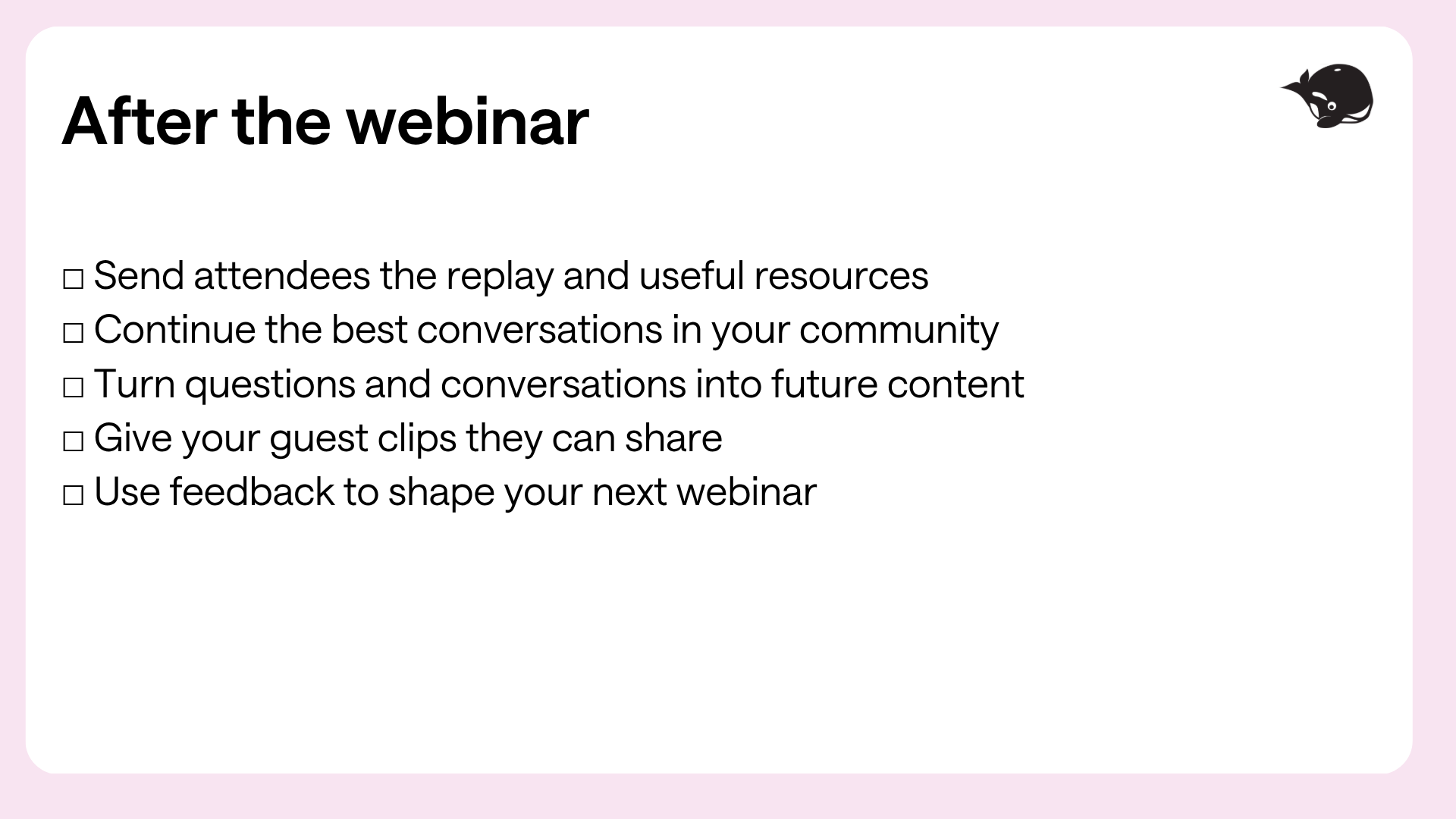
“For follow-up, the webinar doesn't end when we go off-air. We send the replay and resources, continue the conversation in our Facebook community when it makes sense, and use the questions and feedback to figure out what people want next.”
Your engaging webinar checklist
Before the webinar
Promote the webinar
During the webinar
After the webinar
FAQs about creating engaging webinars
How do you make a webinar engaging?
Make your webinar feel like an experience rather than a presentation. Start with a topic your community genuinely cares about, give people opportunities to participate, use polls and questions throughout the event, and reference comments from the chat. The more people feel involved in the conversation, the more engaging your webinar will be.
What makes people want to attend a webinar?
People are more likely to attend when they know exactly what they'll get from their time. Choose a specific topic that solves a real problem and make the takeaway clear in your title and promotion. Practical, useful webinars with clear outcomes are much easier to say yes to.
How do you choose a webinar topic?
Start by listening to your community. Look at the questions people ask in comments, DMs, polls, social posts, and community spaces. The best webinar topics often solve problems your community is already talking about.
How do you get more people to participate in a webinar?
Start encouraging participation early. Ask a question as people join, run polls, invite people to share their experiences in the chat, and reference their comments during the conversation. You can also start the discussion before the webinar by asking questions or posting polls on social media.
How do you promote a webinar?
Promote your webinar where your community already spends time, such as your newsletter, social media channels, and community spaces. Make it easy for guests to share the event with their networks by providing promotional assets they can use.
What should you do after a webinar?
Keep the conversation going. Send attendees the replay and helpful resources, continue relevant discussions in your community, and turn questions or insights from the webinar into future content. Feedback from one webinar can also help you choose topics for the next one.
How do webinars support community-led marketing?
Webinars can give your community a place to participate, not just consume content. By listening to your community for topic ideas, inviting them into the conversation, and using their feedback to shape future content, webinars become part of a continuous loop of listening, participation, and connection.
Summary
Creating an engaging webinar starts long before you go live.
Listen to your community to find a topic they genuinely want help with. Give people a clear reason to attend, invite a relevant guest, and create opportunities for people to participate throughout the experience.
Then, keep listening.
The questions people ask, the conversations they have, and the feedback they share can help shape your next piece of content, your next event, and your next big idea.
And when you treat your webinar as part of a bigger community-led marketing strategy, every event becomes more than just another date on your marketing calendar.
Still paying per seat for your social media tool? With HeyOrca, you get unlimited users – so your whole team (and clients!!) can collaborate without the extra cost. Plan, approve, and schedule your next post now.
Every member of your team deserves a seat at the table. That's why every HeyOrca plan comes with unlimited users. Choose the social media scheduler that helps you create, collaborate, and build community – without worrying about extra fees. Start your free trial.
Build stronger social media communities. HeyOrca brings your whole team together – with unlimited users!! – to plan, approve, and schedule content in one place. See it come together in minutes.
Looking for a social media tool built for teams and agencies? Plan, approve, and schedule your next post in minutes with HeyOrca – no credit card required.
.png)
Close all those tabs
Use HeyOrca to manage your social media content, approvals, and community in one place.
*no card required