Why schedule social media posts? 8 benefits of social media scheduling
Wondering why you should schedule social media posts? Learn what social media scheduling is, why it’s useful, and how it can make managing social easier.
TL;DR:
- Social media scheduling lets you plan and publish posts ahead of time, so you don’t have to manually post every day.
- Scheduling can save time, keep your content consistent, and give you a better view of your overall content strategy.
- Scheduling helps reduce last-minute scrambling and lets you publish at strategic times, even when you’re not at your desk.
- Most importantly, scheduling takes publishing off your plate so you can spend more time engaging with your community, creating content, and responding to what’s happening in real time.
- HeyOrca’s free social media scheduler lets you plan and schedule your social content without adding another publishing task to your day.
If you’ve been manually posting for your clients or brand, you might be finding it difficult to stay on top of it – especially when the day runs away from you.
Social media scheduling gives a more manageable way to post on social media (without having to set a notification for yourself to post at 2 pm on a random Thursday).
That means less scrambling, a more consistent presence, and more time to focus on the parts of social media that actually need you – like conversations with your community and content ideation!
In this guide, we’ll break down what social media scheduling is, why it’s useful, and 8 reasons it can make your social media workflow easier.
What is social media scheduling?
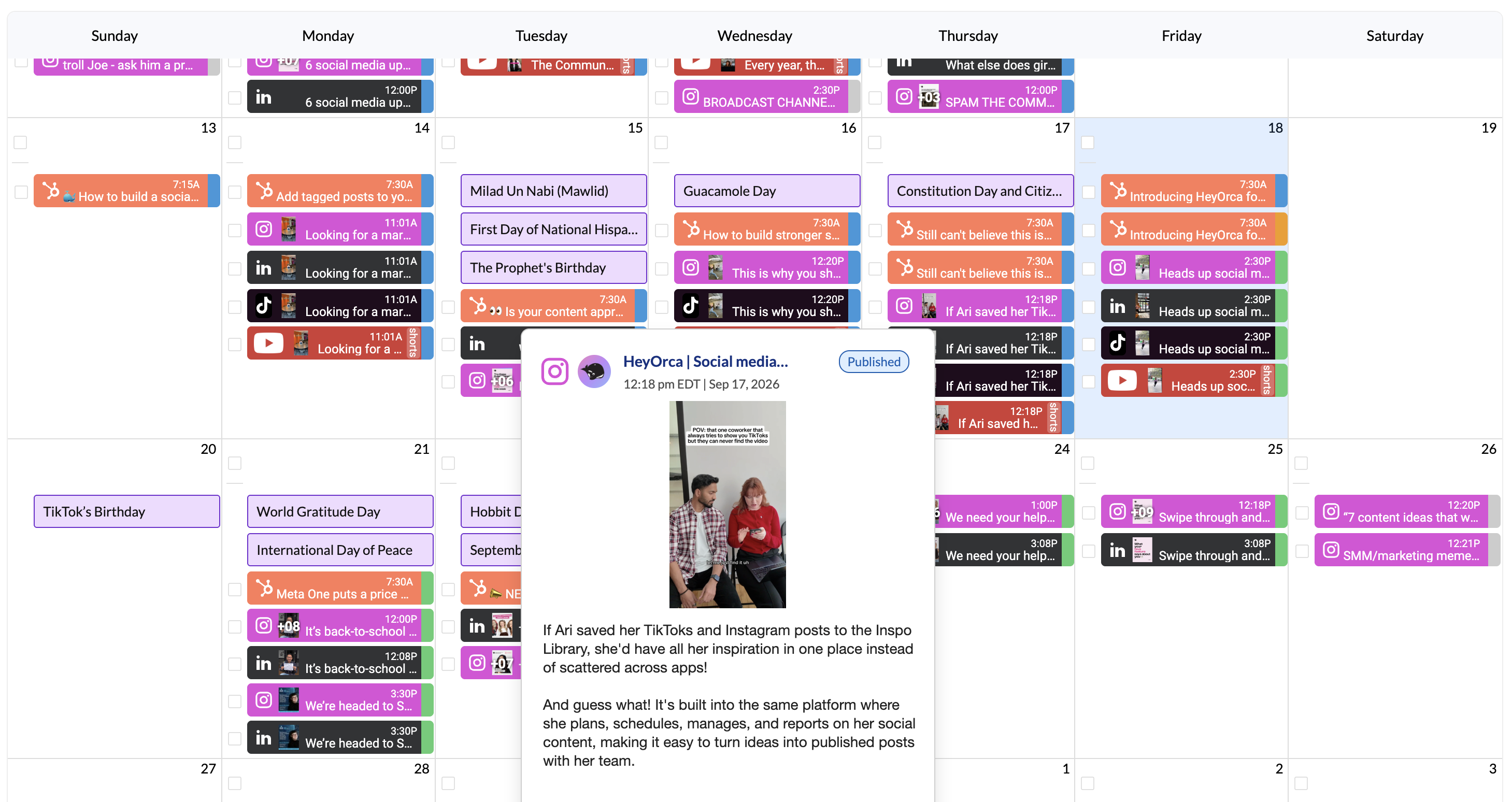
Social media scheduling is the process of planning social media posts ahead of time and setting them to publish automatically at a specific date and time.
So instead of logging into each platform every day to publish manually, you can create your content ahead of time, choose when you want it to go live, and let a scheduling tool handle the publishing.
For example, you might spend Monday morning planning your social content for the week. You could schedule:
- A LinkedIn post for Tuesday morning
- An Instagram Reel for Wednesday afternoon
- A Facebook post for Thursday
- A TikTok for Friday
Looking for an easier way to manage (and grow!) your social media community? Try HeyOrca's FREE social media management tool.
Is social media scheduling the same as automation?
Not quite! Scheduling focuses on when your content gets published, while automation can cover a broader range of tasks, such as automatically sharing content, responding to certain actions, or generating reports.
And scheduling doesn’t mean you can set your social media on autopilot.
You’ll still want to check your posts, respond to comments and DMs, and keep an eye on what’s happening in your community.
Why is social media scheduling useful?
Okay, so you might not be convinced why you should schedule content ahead of time. We’ve got some pretty compelling benefits to share with you . . .
1. Save time on daily publishing
One of the biggest benefits of scheduling social media posts is that you don’t have to publish every post manually.
Instead of switching between platforms throughout the day, you can batch your work and schedule multiple posts at once.
That frees up time for strategy, content creation, community engagement, and all the other things on your plate.
2. Keep your social media consistent
Scheduling helps you maintain a regular publishing rhythm without relying on your memory or scrambling for something to post at the last minute.
You can plan your content around a weekly or monthly calendar and make sure your community sees a steady stream of useful, relevant content.
3. Plan your content with the bigger picture in mind
When you schedule posts individually, it’s easy to lose sight of how they fit together.
Planning ahead lets you zoom out and see your social content as a whole.
You can spot:
- Gaps in your content calendar
- Too many promotional posts in a row
- Opportunities to repurpose content
- Important dates or campaigns you need to plan for
- A better mix of educational, entertaining, and community-focused content
4. Make collaboration and approvals easier
Scheduling can also make your workflow around publishing much smoother.
When content lives in one shared calendar, your team can review upcoming posts, leave feedback, make changes, and approve content before it goes live.
This is especially useful when multiple people are involved in creating social content – or when clients need to review posts before publication.
5. Reduce last-minute social media stress
Picture this: It’s 3:47 p.m. You need to post something. You have no idea what. And suddenly “quick social post” has eaten the rest of your afternoon.
Scheduling helps you get ahead of those last-minute scrambles.
When you’ve already planned and approved your content, publishing becomes one less thing competing for your attention during the day.
6. Publish when your community is most likely to be around
Scheduling also makes it easier to publish at strategic times – including times when you might not be working.
For example, your community might be most active in the morning, while your workday starts later. Or you might want to publish content across different time zones.
You can schedule posts for the times that make sense for your strategy without needing to be at your desk when they go live.
Looking for the best time to post on social media? Here’s how you can find it!
7. Coordinate campaigns across multiple platforms
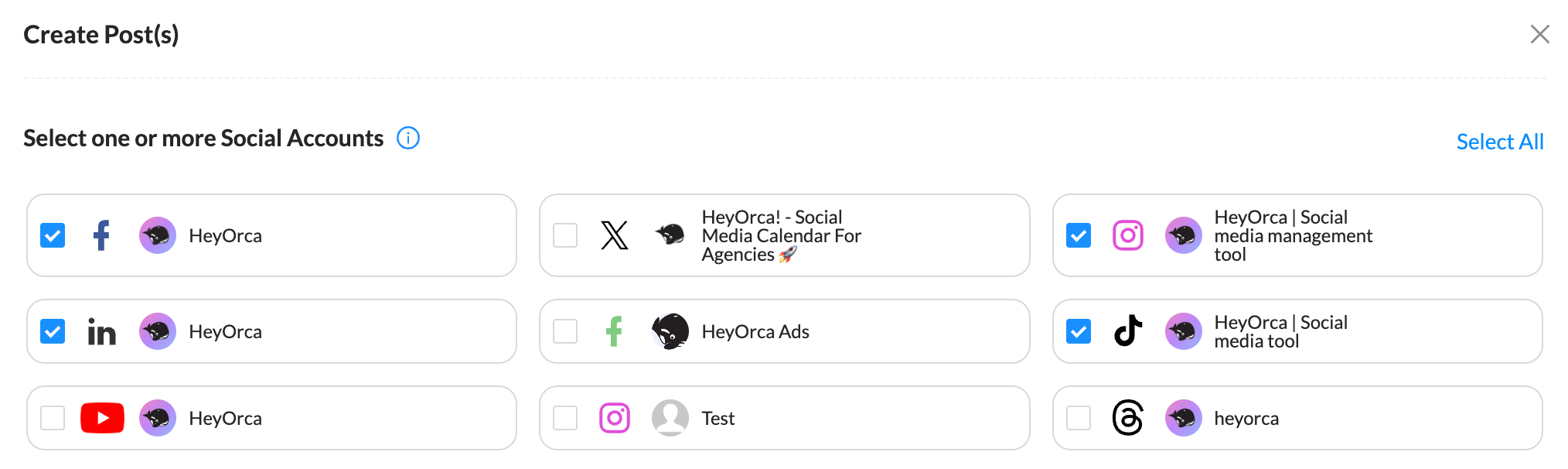
Launching something on several social channels?
Scheduling your social posts makes it easier to coordinate your content without having to copy and paste over and over onto different platforms.
You can map out the campaign in advance and schedule posts across Facebook, Instagram, LinkedIn, TikTok, Threads, Pinterest, YouTube, and other supported channels.
8. Spend less time publishing and more time building community
Scheduling handles one part of social media: publishing. But publishing isn’t the whole job.
Your community still needs you to respond to comments, answer questions, join conversations, listen to what people are saying, and create content that gives them a reason to participate.
When you’re following a community-led marketing framework, it’s important to remember that you don’t want to broadcast more content. You want to make sure that your posts can become conversation starters, while replies, DMs, and listening become part of the strategy.
What should you schedule on social media?
You can schedule all kinds of content, including:
- Educational posts
- Product or service updates
- Blog content
- Videos and Reels
- User-generated content
- Promotional campaigns
- Event promotions
- Community questions
- Seasonal content
- Repurposed content
But don’t schedule everything just because you can.
Some content needs to happen in real time. Breaking news, trending conversations, timely community responses, and reactive content often work better when you can respond to what’s happening right now.
A good social media strategy combines planned content with room to participate in the moment.
How to schedule social media posts
1. Plan your content
Decide what you want to publish and which platforms you’ll use.
2. Create your posts
Write your copy, choose your visuals, and optimize each post for the platform.
3. Review your content
Check your copy, links, visuals, tags, accessibility, and publishing settings.
4. Schedule your posts
Choose the date and time you want each post to publish.
5. Review your calendar
Look at your upcoming content as a whole to make sure everything works together.
6. Stay available after publishing
Once your post goes live, check in. Respond to comments, answer questions, and participate in conversations.
Social media scheduling FAQs
What are the benefits of scheduling social media posts?
Scheduling social media posts can save time, improve consistency, make content planning easier, simplify collaboration and approvals, and help you publish at strategic times. It also gives social media managers more time to focus on community engagement and strategy.
Is it better to schedule social media posts?
For many social media teams, scheduling is useful because it reduces manual publishing and makes it easier to plan content ahead. However, scheduling shouldn't replace real-time engagement or community management.
How far in advance should you schedule social media posts?
There's no single right answer. Some teams plan a week ahead, while others plan several weeks or months in advance. The right approach depends on your content strategy, approval process, industry, and how much real-time content you publish.
Does scheduling social media posts hurt engagement?
Scheduling itself doesn't inherently hurt engagement. What matters is the quality and relevance of the content, how well it resonates with your community, and whether you continue to engage with people after publishing.
What is the best tool for scheduling social media posts?
The best social media scheduling tool depends on your team, platforms, workflow, collaboration needs, and budget. Teams and agencies may want to look for features such as a shared content calendar, approvals, collaboration, analytics, and support for multiple social channels – all of which are available in HeyOrca.
Summary

When you plan ahead, you can spend less time worrying about what needs to go live and more time thinking about what your community actually wants to see, discuss, and share.
And that's the real value of scheduling: it gives you back time for the parts of social media that can't be automated.
If you're ready to spend less time jumping between platforms and more time managing social in one place.
Still paying per seat for your social media tool? With HeyOrca, you get unlimited users – so your whole team (and clients!!) can collaborate without the extra cost. Plan, approve, and schedule your next post now.
Every member of your team deserves a seat at the table. That's why every HeyOrca plan comes with unlimited users. Choose the social media scheduler that helps you create, collaborate, and build community – without worrying about extra fees. Start your free trial.
Build stronger social media communities. HeyOrca brings your whole team together – with unlimited users!! – to plan, approve, and schedule content in one place. See it come together in minutes.
Looking for a social media tool built for teams and agencies? Plan, approve, and schedule your next post in minutes with HeyOrca – no credit card required.
.png)
Close all those tabs
Use HeyOrca to manage your social media content, approvals, and community in one place.
*no card required


