How the Instagram algorithm *actually* works (2026)
Learn how the Instagram algorithm works in 2026. Discover how feed, Explore, and Reels rank content—and how to grow your community with smarter posts.
You might be surprised to learn that there isn’t just one Instagram algorithm; there are multiple.
Each one powers a different part of the app – your feed, Stories, Explore page, and Reels all run on slightly different systems. Instagram is constantly ranking and re-ranking content in real time to figure out what you’ll care about most.
So if you want your content to reach more people, you don’t need to “beat” the algorithm. You need to understand how each algorithm works and how your content fits into it.
What happens after you post on Instagram?

So, you make a post and hit publish. What happens now?
Behind the scenes, Instagram starts asking one question: “Who will love this content?”
I’ve seen people describe Instagram as a matchmaker, and honestly, that’s the best way to think about it. Its job is to match your content with the people most likely to care about it.
And because there are multiple algorithms, Instagram also needs to decide where your content belongs — feed, Explore, Reels, or a mix of them.
From there, it looks at signals from your existing community, like:
- How people have interacted with you before
- Whether they’ve liked, saved, shared, or commented on your posts
- If they’ve messaged you or replied to your Stories
If those signals are strong, Instagram will show your content to those people first.
If you’re a newer account, it leans more on predictions.
Basically, it’s guessing: “If we show this to these people, will they engage with it?”
Those predictions turn into rankings. If Instagram thinks thousands of people will enjoy your post, and it turns out to be right, it will push your content out to even more people.
Different algorithms and how they differ
Okay, before we go deeper, let’s break down the main algorithms and what each one is trying to do.
Feed and Stories
Your feed and Stories are designed to help you keep up with people you already know.
Because of that, the algorithm heavily prioritizes relationships.
It looks at signals like:
- Do people regularly like or comment on your posts?
- Do they reply to your Stories?
- Do you respond to their comments or DMs?
The stronger the relationship, the more likely your content is to appear at the top of their feed.
So if your goal is to stay visible to your existing community, this is where to focus.
And yes, replying to comments actually matters (a lot). More on this later.
Explore page
This is where discovery (and sometimes virality) happens.
Unlike your feed, the Explore page isn’t based on who you follow. It’s based on what you engage with.
Every Explore page is different.
Seriously — take a look at yours and compare it to a friend’s. They’re probably completely different. (Even my personal and work accounts look nothing alike.)
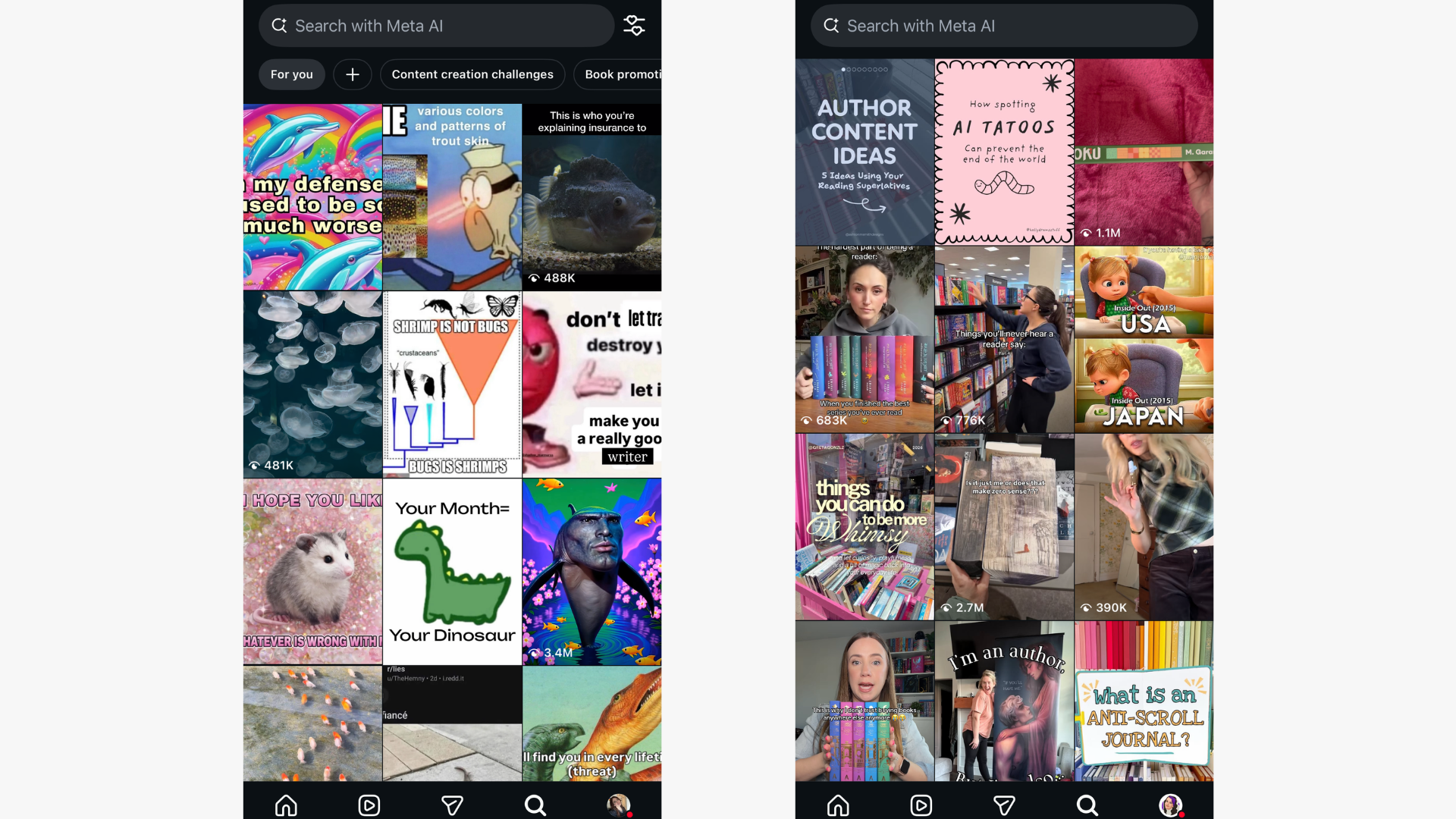
That’s because every Explore page is built from what you’ve liked, what you’ve saved, and what you’ve watched.
Popularity signals are the most important thing to get your content on this page. Popularity signals include: Likes, shares, saves, and comments.
When a post gains traction fast, Instagram sees it as a strong signal and starts showing it to more people. That’s how content lands on Explore.
Reels
Reels are built for one thing: entertainment.
If your content keeps people watching, Instagram rewards you by showing it to people who don’t follow you yet.
Some of the biggest signals include:
- Watch time (aka did people finish the video?)
- Rewatches
- Shares
- Audio clicks
If the algorithm sees strong engagement here, it will continue pushing your Reel to new communities. Which is why Reels are one of the best ways to grow your community right now.
Things that might be hurting your reach
Instagram changes constantly, but as of 2026, here are a few things that can work against you.
Posting too frequently
Back-to-back posting can suppress your reach.
For most accounts, quality beats quantity. Try to stick to no more than one post per day unless you already have a highly engaged community. We recently polled our community to find out how often they post, and Instagram is definitely the most popular platform.
“Non-recommendable” content
Instagram may limit how far your content spreads if it includes:
- Low resolution
- Watermarks from other platforms
- Muted videos
- Reels with borders
- Reels that are mostly text
- Political or sensitive topics
Breaking community guidelines
Content that goes against safety or misinformation policies can be suppressed. If your reach suddenly drops, this is one of the first places to check.
Definitely check out Instagram’s community guidelines for more.
How to rank higher on Instagram
If there’s one thing to remember, it’s this: Instagram is a matchmaking service.
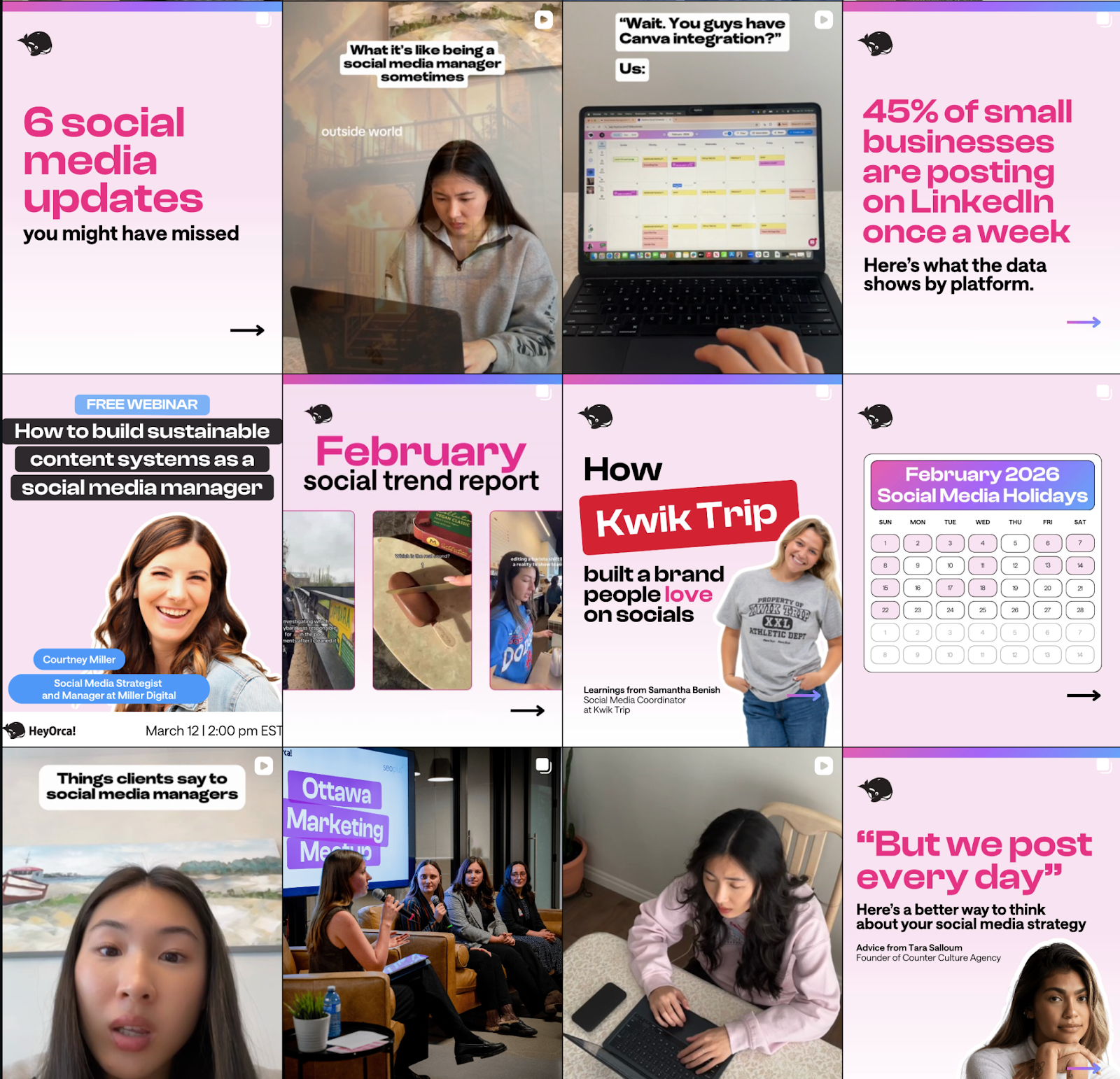
Your job is to make it very obvious who your content is for. The more specific your content is, the easier it is for Instagram to categorize it.
Go deep on a clearly defined group of people and create content just for them. For example, we target social media managers, so we make that very clear in every post (see image above).
Other ways to rank higher are to engage with comments. The HeyOrca auto DMs tool is great for getting more replies faster without having to manually do it.
Also! A little tip, match their tone in your response (if they comment an emoji, reply with an emoji), if their comment is heartfelt, make your reply heartfelt too, etc.
If you need some help building a community-first content strategy, I’ve outlined step by step how you can do it.
FAQs
How do social media algorithms work, and how are they developed?
Social media algorithms use machine learning to predict what content will keep you engaged. They’re trained on user behaviour (likes, comments, watch time) and update constantly through testing and data analysis.
What is the Instagram algorithm?
Instagram actually has several algorithms for Feed, Stories, Reels, and Explore. They rank content based on interest, recency, relationship, and engagement likelihood.
How does the IG explore page work?
Explore shows posts from accounts you don’t follow, predicted from your past interactions and what similar users engage with. Engagement, watch time, and content relevance matter most.
What are common reel mistakes?
Weak hooks, low watch time, unclear payoff, overly polished content, ignoring trends, and missing engagement prompts.
How to change the algorithm on Instagram
You can’t reset it, but you can train it: engage with content you want more of, use “Not Interested,” follow relevant accounts, and interact in specific niches.
How instagram algorithm works
Instagram tests your content with a small audience first. Strong engagement and watch time push it to more people; poor performance limits reach.
Instagram’s algorithm isn’t out to get you
It’s easy to feel like the algorithm is working against you.
But really, it’s trying to do one thing: Show people content they care about.
The more clearly you define your niche, create content for a specific community, and build real interactions, the easier it is for Instagram to do that job.
So instead of trying to hack the algorithm, focus on making content your community actually wants to engage with. Because when that happens, the algorithm tends to follow your lead.
Curious about how TikTok's algorithm works too? We have an article about that you should check out!
Still paying per seat for your social media tool? With HeyOrca, you get unlimited users – so your whole team (and clients!!) can collaborate without the extra cost. Plan, approve, and schedule your next post now.
Every member of your team deserves a seat at the table. That's why every HeyOrca plan comes with unlimited users. Choose the social media scheduler that helps you create, collaborate, and build community – without worrying about extra fees. Start your free trial.
Build stronger social media communities. HeyOrca brings your whole team together – with unlimited users!! – to plan, approve, and schedule content in one place. See it come together in minutes.
Looking for a social media tool built for teams and agencies? Plan, approve, and schedule your next post in minutes with HeyOrca – no credit card required.
.png)
Close all those tabs
Use HeyOrca to manage your social media content, approvals, and community in one place.
*no card required




%20(2).png)